
Google Authenticator を使用して Umbraco の 2FA を設定する
概要
Umbraco 二要素認証 (2FA) は、Google Authenticator を有効にすることで、Umbraco アプリケーションへのログインにセキュリティ層を追加します。ユーザーは正しいユーザー名とパスワードを入力した後、Google Authenticator アプリによって生成された時間制限付きパスコードの入力を求められます。Google Authenticator は、フィッシング、ブルートフォース攻撃、不正アクセスからユーザー アカウントを保護する信頼性の高い二要素認証方法です。このプラグインは、Microsoft Authenticator、Duo Authenticator、SMS 経由の OTP、E メール経由の OTP などの方法もサポートしています。

2FAを設定するUmbracoのバージョンを選択してください。
前提条件: ダウンロードとインストール
- Umbracoの二要素認証(2FA)プラグインをダウンロードしてください。
- Umbraco 2FAプラグインを設定するには、以下の名前空間、サービス、ミドルウェアを プログラム.cs ファイル。以下にサンプル例を示します。
以下のハイライトされた部分のみを含めてください。 プログラム.cs アプリケーションのファイル。
      using miniorange.aspnet.tfa;

      using System.Reflection;


      WebApplicationBuilder builder = WebApplication.CreateBuilder(args);

      builder.Services.AddDistributedMemoryCache();


      builder.Services.AddSession(options =>

      {

        options.IdleTimeout = TimeSpan.FromMinutes(60);

        options.Cookie.HttpOnly = true;

        options.Cookie.IsEssential = true;

      });


      builder.Services.AddminiOrangeServices(Assembly.GetExecutingAssembly());


      builder.CreateUmbracoBuilder()

        .AddBackOffice()

        .AddWebsite()

        .AddDeliveryApi()

        .AddComposers()

        .Build();


      WebApplication app = builder.Build();


      await app.BootUmbracoAsync();

      app.UseSession();

      app.UseMiddleware<RedirectAfterLoginMiddleware>();

      app.UseStateCheck();


      app.UseUmbraco()

        .WithMiddleware(u =>

        {

          u.UseBackOffice();

          u.UseWebsite();

        })

        .WithEndpoints(u =>

        {

          u.UseInstallerEndpoints();

          u.UseBackOfficeEndpoints();

          u.UseWebsiteEndpoints();

        });


      await app.RunAsync();
      using System.Reflection;

      using miniorange.aspnet.tfa;


      WebApplicationBuilder builder = WebApplication.CreateBuilder(args);


      builder.Services.AddDistributedMemoryCache();


      builder.Services.AddSession(options =>

      {

        options.IdleTimeout = TimeSpan.FromMinutes(60);

        options.Cookie.HttpOnly = true;

        options.Cookie.IsEssential = true;

      });


      builder.Services.AddminiOrangeServices(Assembly.GetExecutingAssembly());


      builder.CreateUmbracoBuilder()

        .AddBackOffice()

        .AddWebsite()

        .AddComposers()

        .Build();


      WebApplication app = builder.Build();


      await app.BootUmbracoAsync();


      app.UseSession();


      app.UseMiddleware<RedirectAfterLoginMiddleware>();

      app.UseStateCheck();


      app.UseHttpsRedirection();


      app.MapWhen(

        context => context.Request.Path.StartsWithSegments("/TFA") ||

                   context.Request.Path.StartsWithSegments("/Validate"),

        tfa =>

        {

          tfa.UseRouting();

          tfa.UseEndpoints(endpoints =>

          {

            endpoints.MapControllers();

          });

        });


      app.UseUmbraco()

        .WithMiddleware(u =>

        {

          u.UseBackOffice();

          u.UseWebsite();

        })

        .WithEndpoints(u =>

        {

          u.EndpointRouteBuilder.MapControllers();


          u.UseBackOfficeEndpoints();

          u.UseWebsiteEndpoints();

        });


      await app.RunAsync();
      using miniorange.aspnet.tfa;

      using System.Reflection;


      WebApplicationBuilder builder = WebApplication.CreateBuilder(args);

      builder.Services.AddDistributedMemoryCache();


      builder.Services.AddSession(options =>

      {

        options.IdleTimeout = TimeSpan.FromMinutes(60);

        options.Cookie.HttpOnly = true;

        options.Cookie.IsEssential = true;

      });


      builder.Services.AddminiOrangeServices(Assembly.GetExecutingAssembly());


      builder.CreateUmbracoBuilder()

        .AddBackOffice()

        .AddWebsite()

        .AddDeliveryApi()

        .AddComposers()

        .Build();


      WebApplication app = builder.Build();


      await app.BootUmbracoAsync();

      app.UseSession();

      app.UseMiddleware<RedirectAfterLoginMiddleware>();

      app.UseStateCheck();


      app.UseUmbraco()

        .WithMiddleware(u =>

        {

          u.UseBackOffice();

          u.UseWebsite();

        })

        .WithEndpoints(u =>

        {

          u.UseInstallerEndpoints();

          u.UseBackOfficeEndpoints();

          u.UseWebsiteEndpoints();

        });


      await app.RunAsync();
      using System.Reflection;

      using miniorange.aspnet.tfa;


      WebApplicationBuilder builder = WebApplication.CreateBuilder(args);


      builder.Services.AddDistributedMemoryCache();


      builder.Services.AddSession(options =>

      {

        options.IdleTimeout = TimeSpan.FromMinutes(60);

        options.Cookie.HttpOnly = true;

        options.Cookie.IsEssential = true;

      });


      builder.Services.AddminiOrangeServices(Assembly.GetExecutingAssembly());


      builder.CreateUmbracoBuilder()

        .AddBackOffice()

        .AddWebsite()

        .AddComposers()

        .Build();


      WebApplication app = builder.Build();


      await app.BootUmbracoAsync();


      app.UseSession();


      app.UseMiddleware<RedirectAfterLoginMiddleware>();

      app.UseStateCheck();


      app.UseHttpsRedirection();


      app.MapWhen(

        context => context.Request.Path.StartsWithSegments("/TFA") ||

                   context.Request.Path.StartsWithSegments("/Validate"),

        tfa =>

        {

          tfa.UseRouting();

          tfa.UseEndpoints(endpoints =>

          {

            endpoints.MapControllers();

          });

        });


      app.UseUmbraco()

        .WithMiddleware(u =>

        {

          u.UseBackOffice();

          u.UseWebsite();

        })

        .WithEndpoints(u =>

        {

          u.EndpointRouteBuilder.MapControllers();


          u.UseBackOfficeEndpoints();

          u.UseWebsiteEndpoints();

        });


      await app.RunAsync();
- 構成が完了したら、アプリケーションを実行します。
構成手順
UmbracoでGoogle Authenticatorを使用して二段階認証(2FA)を実装するための手順ガイド。
1. Umbraco 2FAプラグインダッシュボードにアクセスします。
- 統合後、ブラウザを開き、以下の URL でコネクタ ダッシュボードを参照します。
https://<umbraco-base-url>/tfa/configure
- 登録ページまたはログインページが表示された場合、miniOrange Umbraco 2FAミドルウェアがアプリケーションに正常に追加されています。
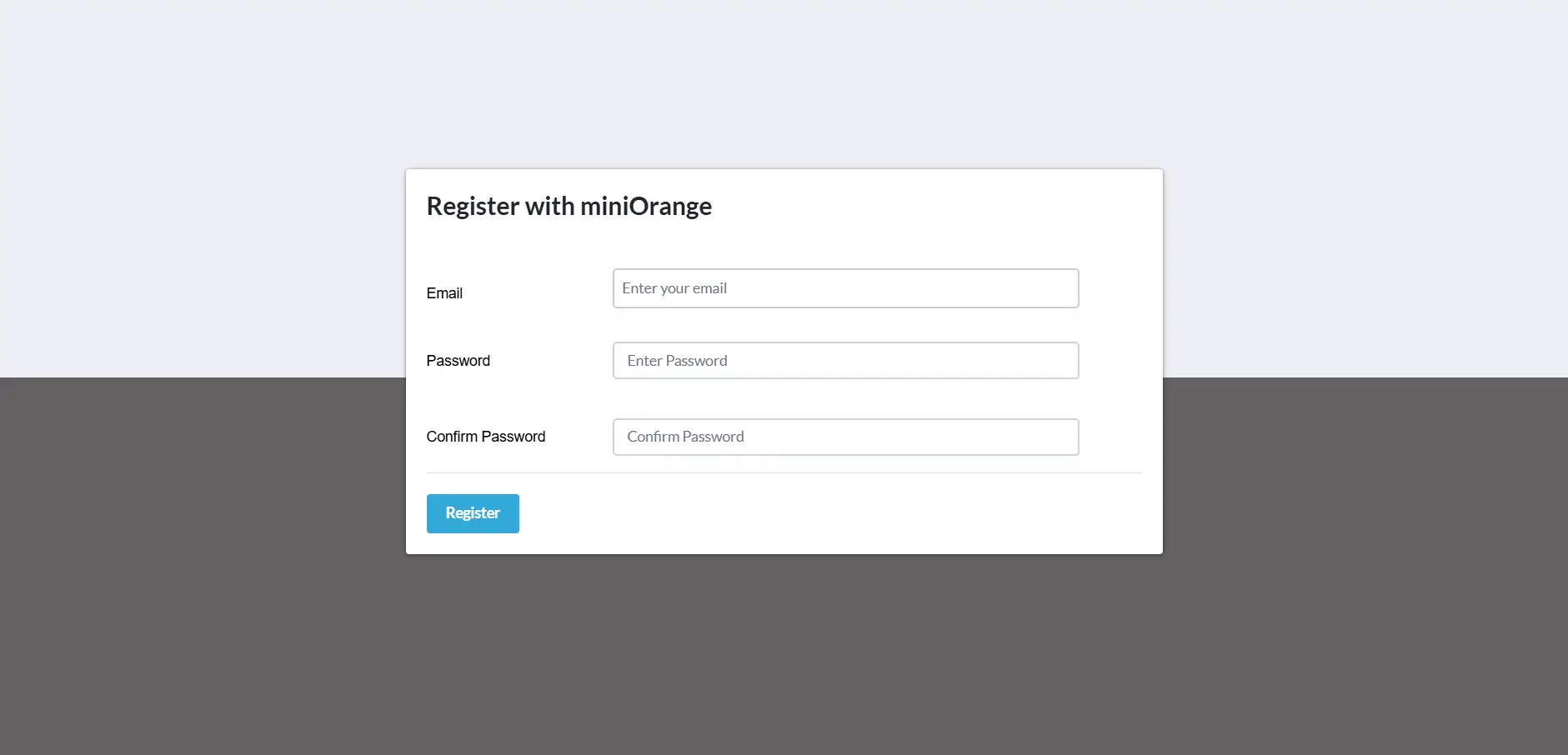
- アカウント登録するには、こちらをクリックしてください。 会員登録する Umbraco 2FAプラグインを設定するためのボタン。
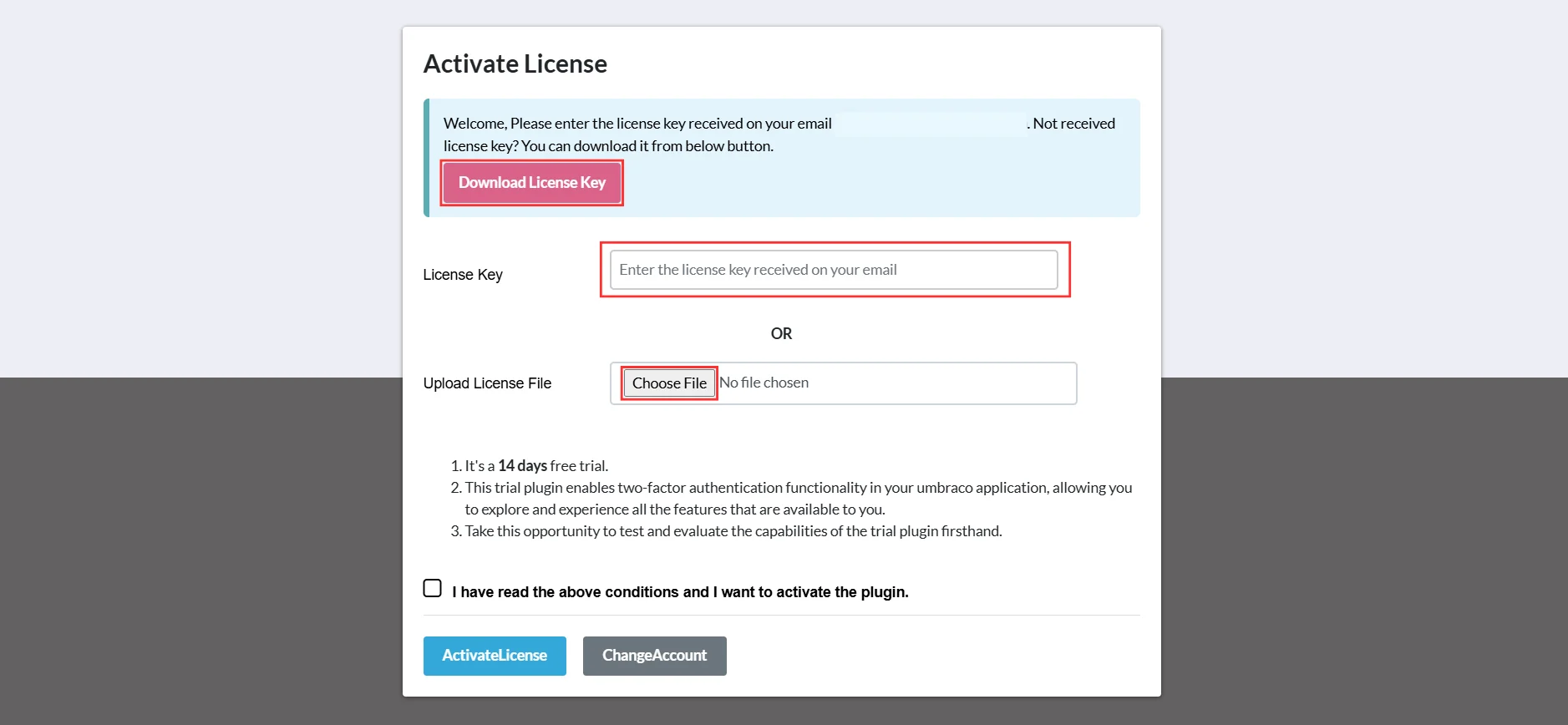
- 登録が完了すると、登録したメールアドレスに試用ライセンス キーが送信されます。
- プラグインを有効にするには、次のいずれかの方法を実行してください。
- 入力する ライセンスキー 指定された入力フィールドに電子メールで受信されます。
OR
- ダウンロードしたライセンスファイルをアップロードしてください ライセンスキーをダウンロード ボタンを使用して ファイルを選択してください オプションを選択します。
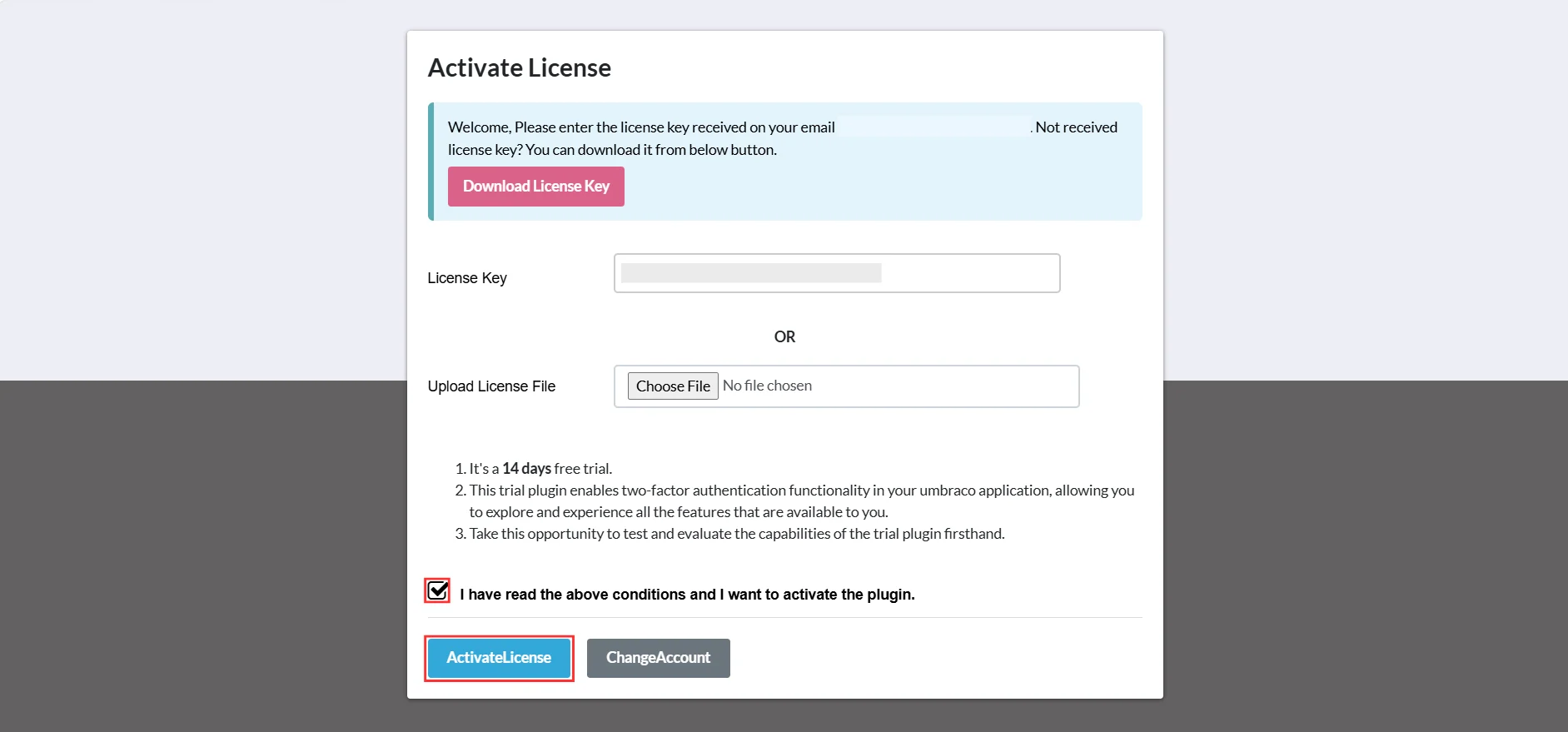
- 次に、ボックスにチェックを入れます 「上記の条件を読みましたので、プラグインを有効化します。」、をクリックします ライセンス認証
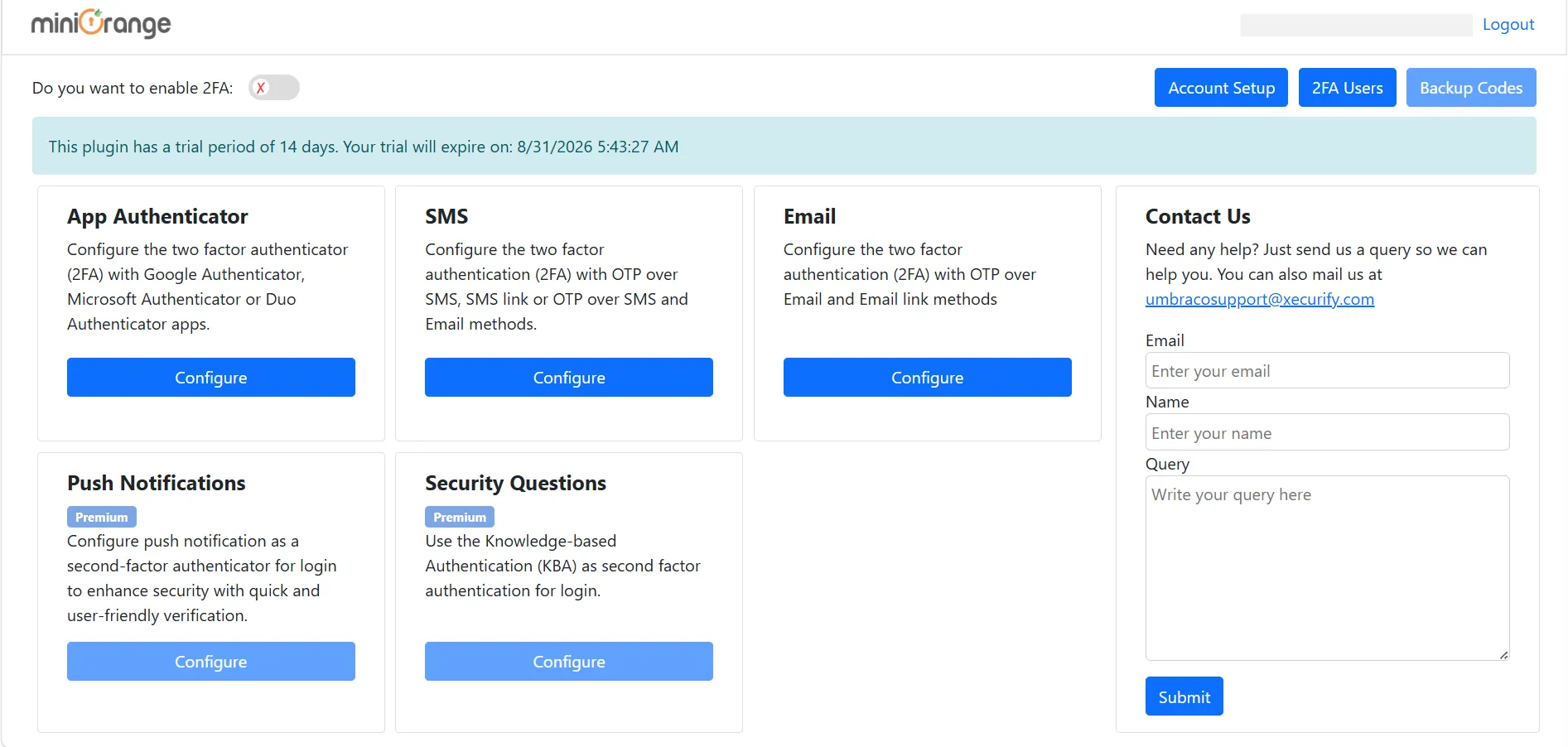
- ライセンスの有効化が成功すると、以下のようにプラグインのダッシュボードが開きます。
2. Google認証システムの設定
- プラグインダッシュボードで、 構成 ボタンの下に Authenticatorアプリ Google Authenticator を設定するためのカード。
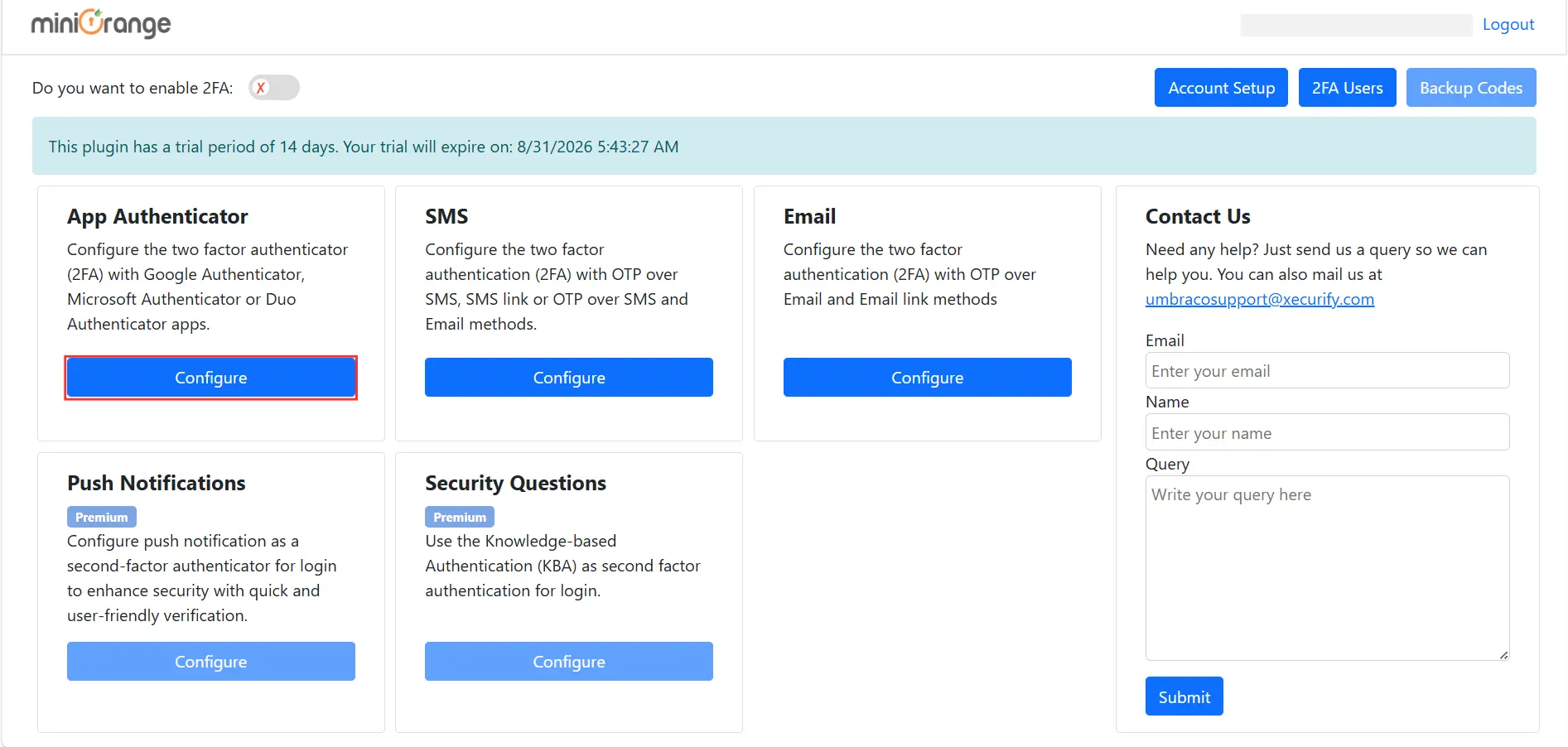
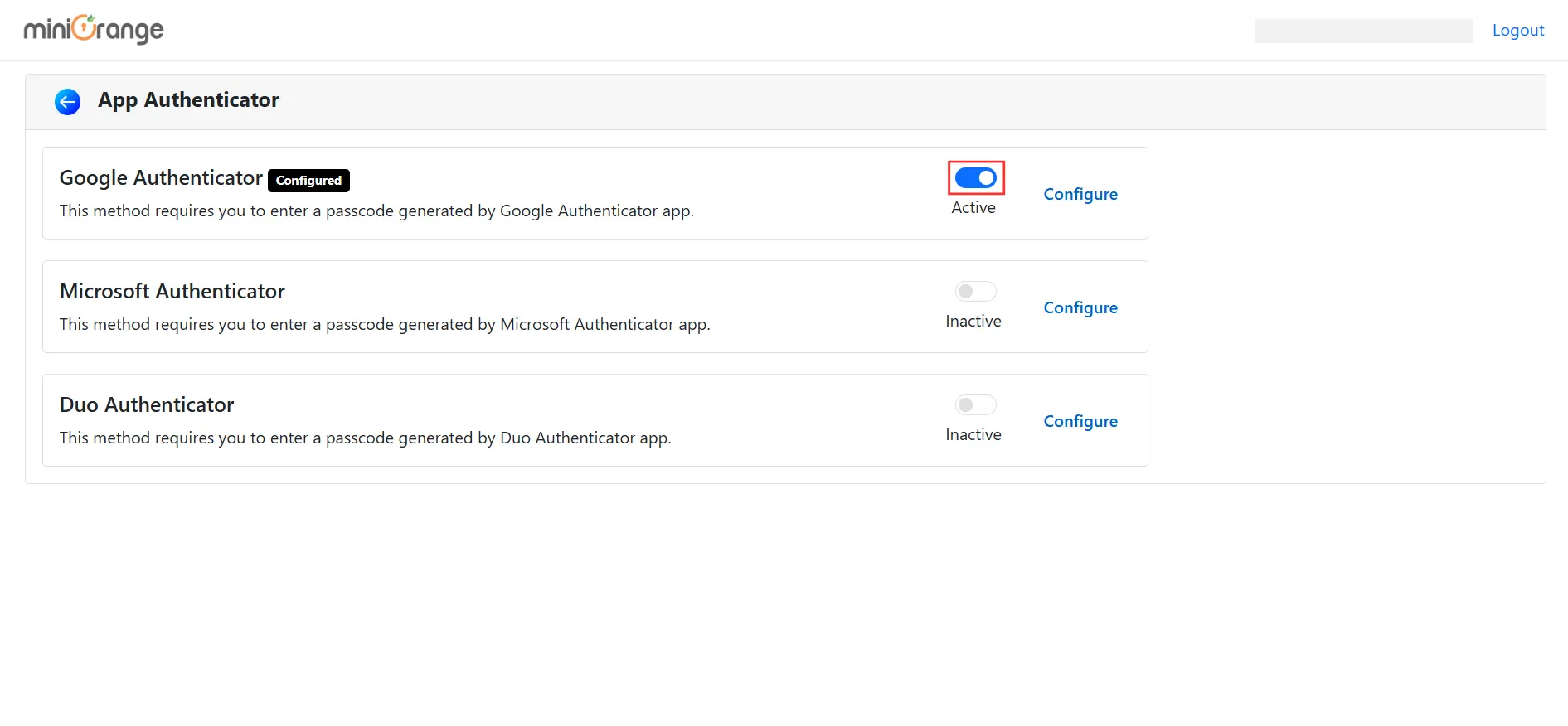
- をクリックした後 構成 Authenticatorアプリ ダッシュボードが開き、Google Authenticator、Microsoft Authenticator、および Duo Authenticator の認証方法が表示されます。
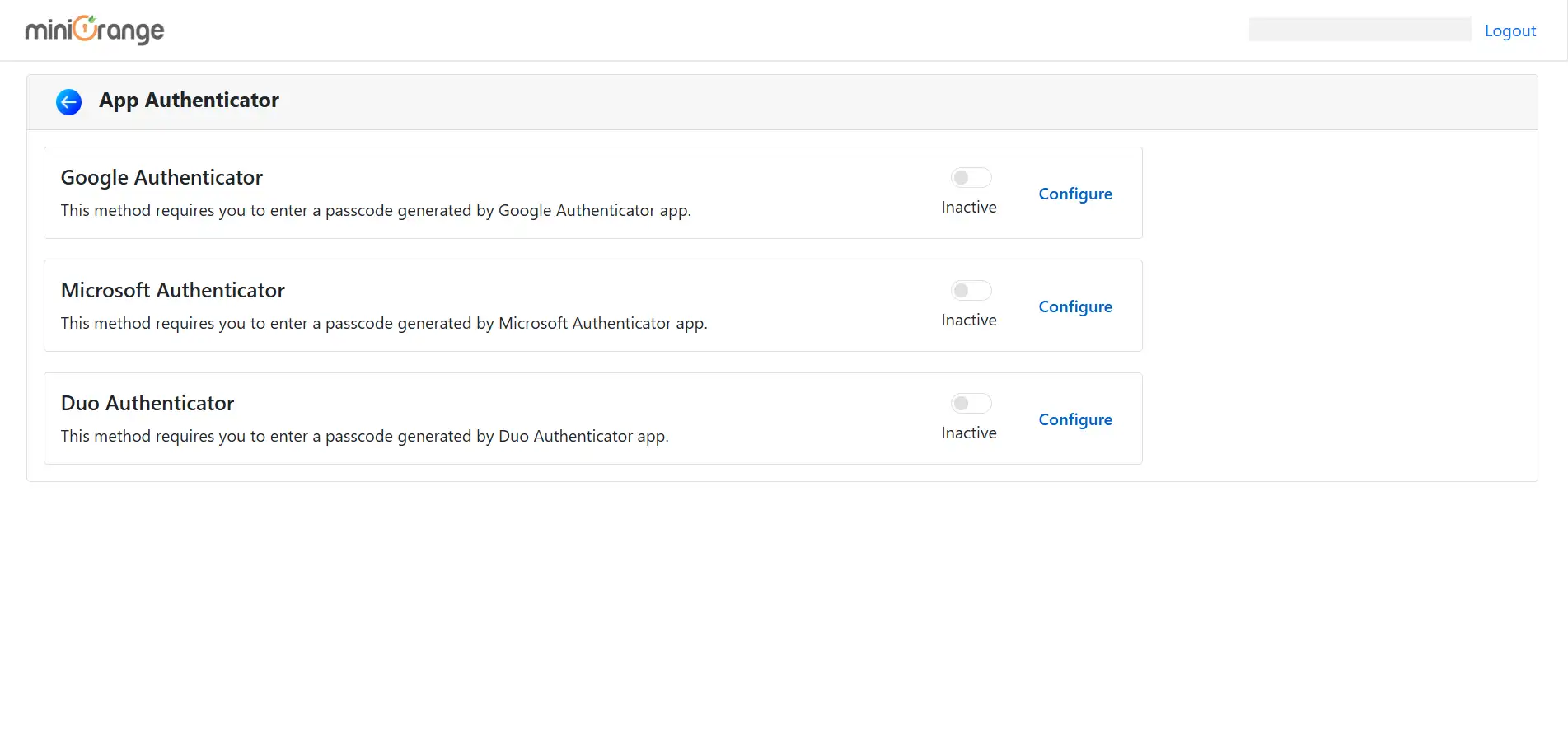
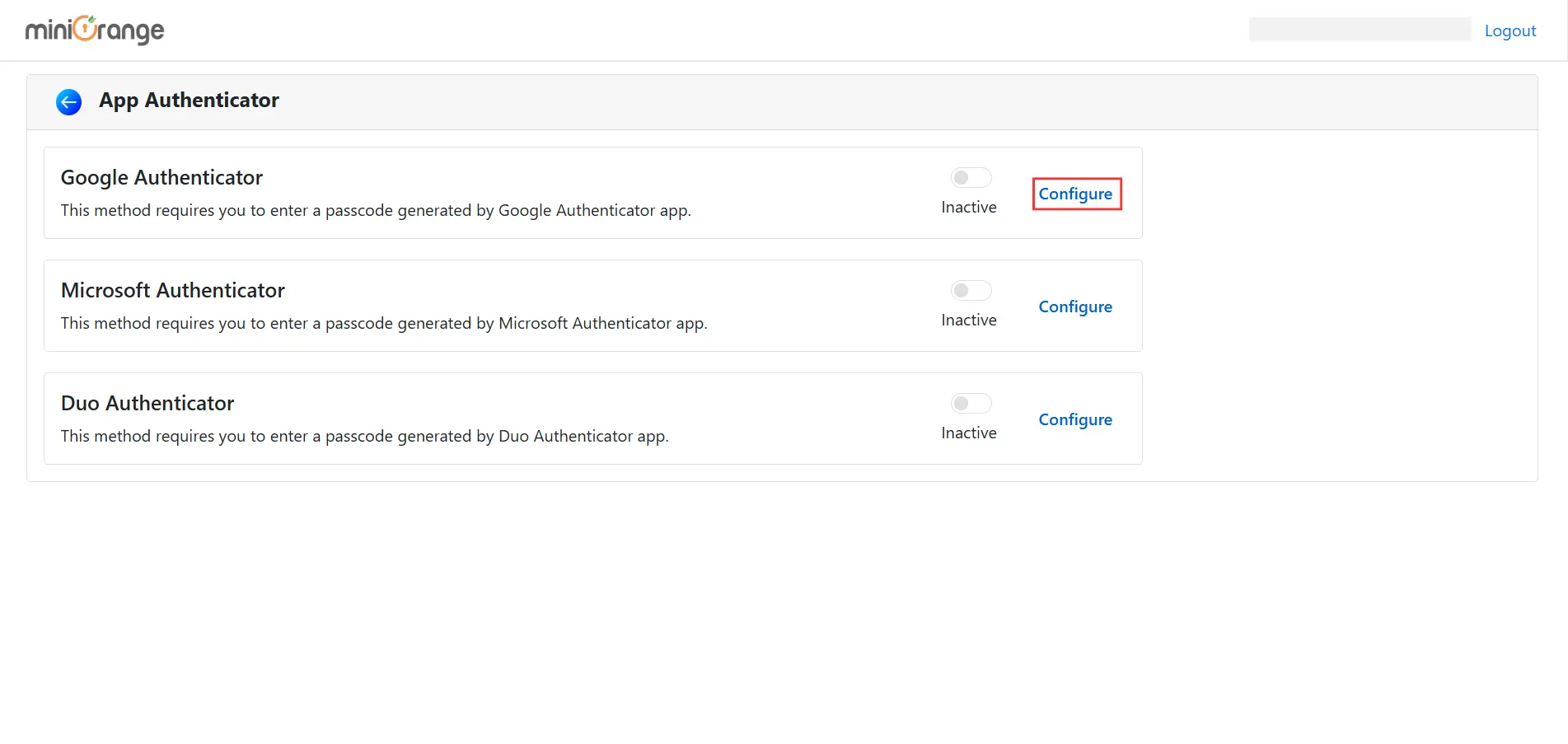
- クリック 構成 リンクの横 方法。
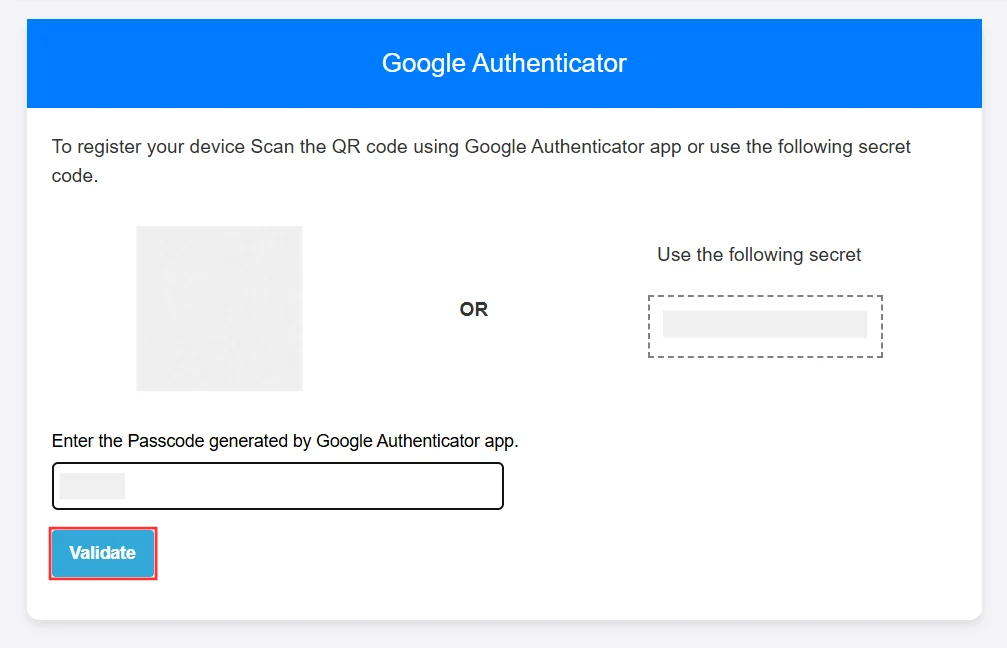
- デバイスを登録するには、Google認証システムアプリを使用してQRコードをスキャンするか、秘密のコードを使用してください。
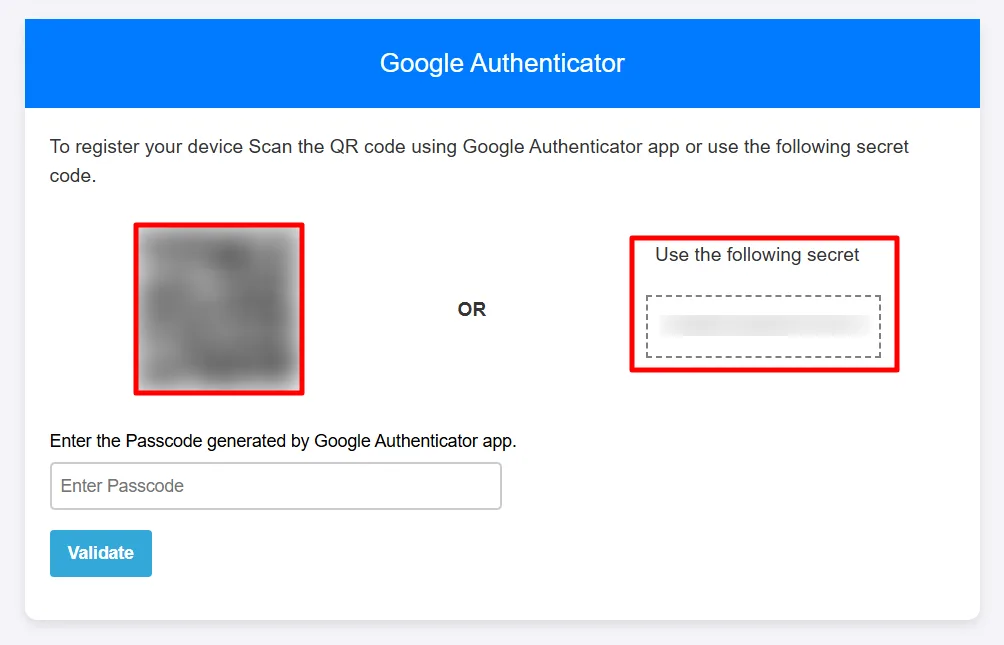
- QRコードをスキャンすると、Google認証システムアプリに6桁のトークンが生成されます。パスコードを入力してクリックしてください。 有効にする ボタンをクリックして確認します。
- Google認証システムの設定が完了したら、トグルボタンをクリックしてエンドユーザー向けに有効化してください。
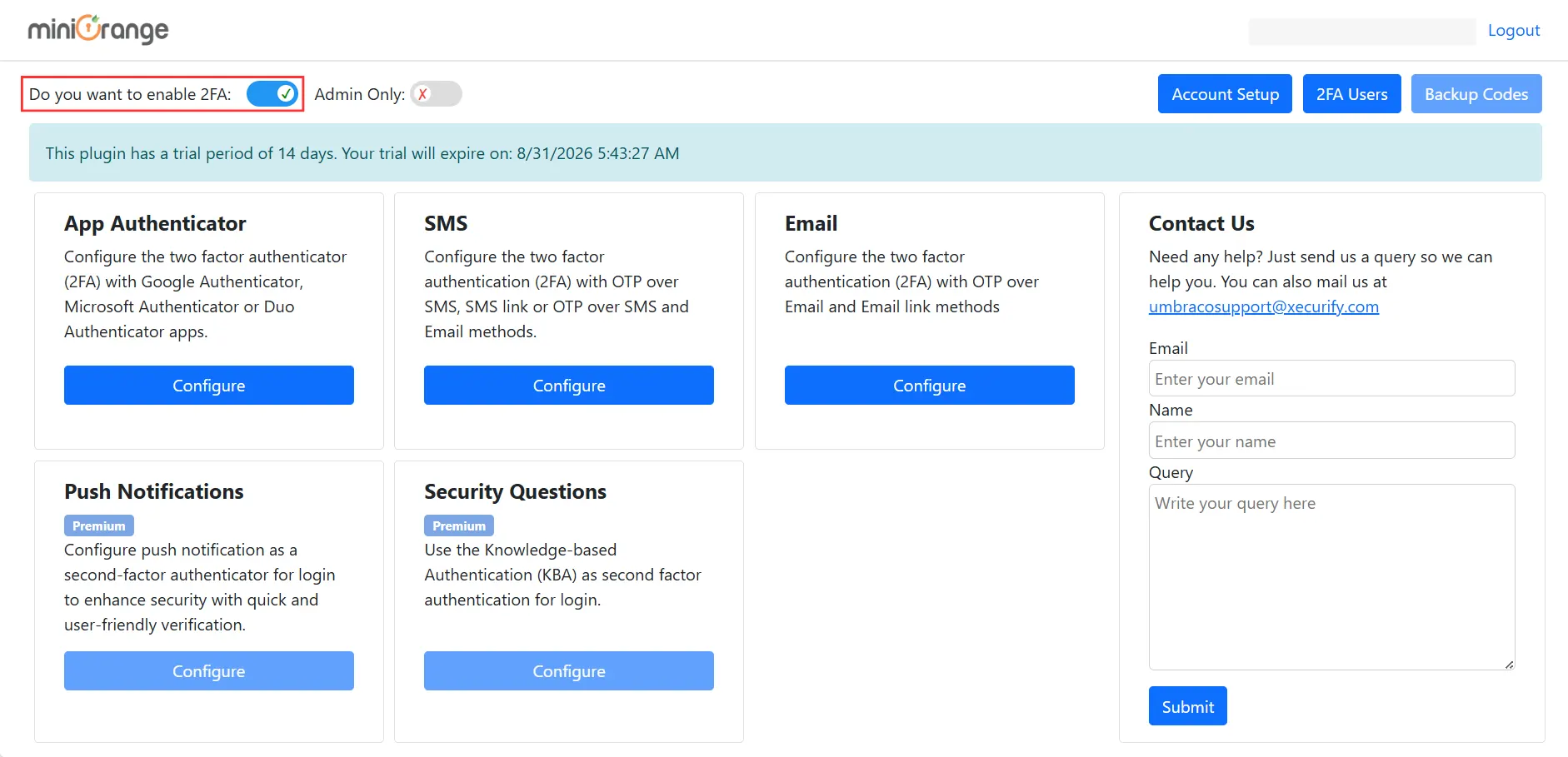
- 有効にします エンドユーザー向け2要素認証 トグルボタン。
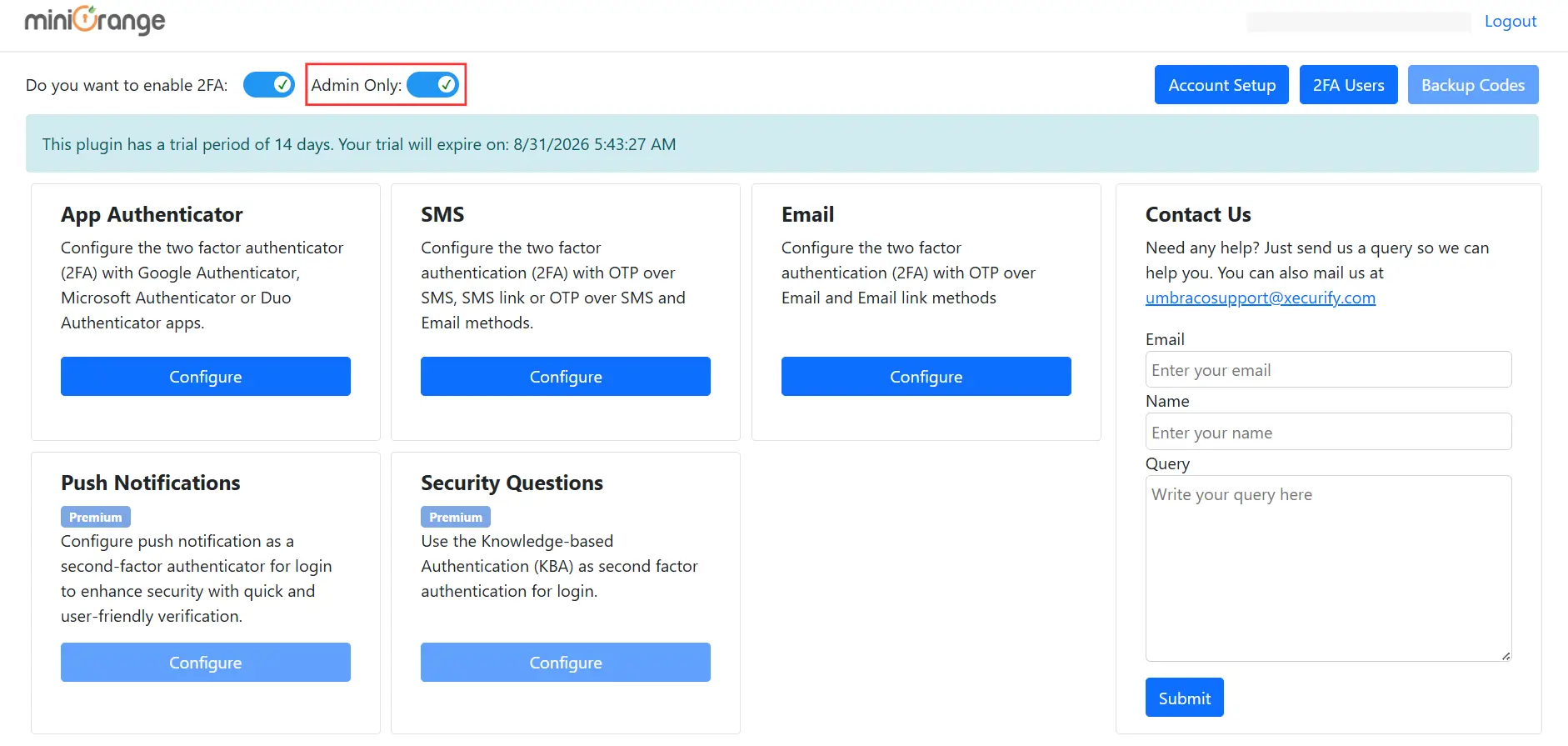
- 管理者の 2FA を有効にするには、 管理者のみ トグル。
3. Umbraco ログイン ページで Google Authenticator をテストする
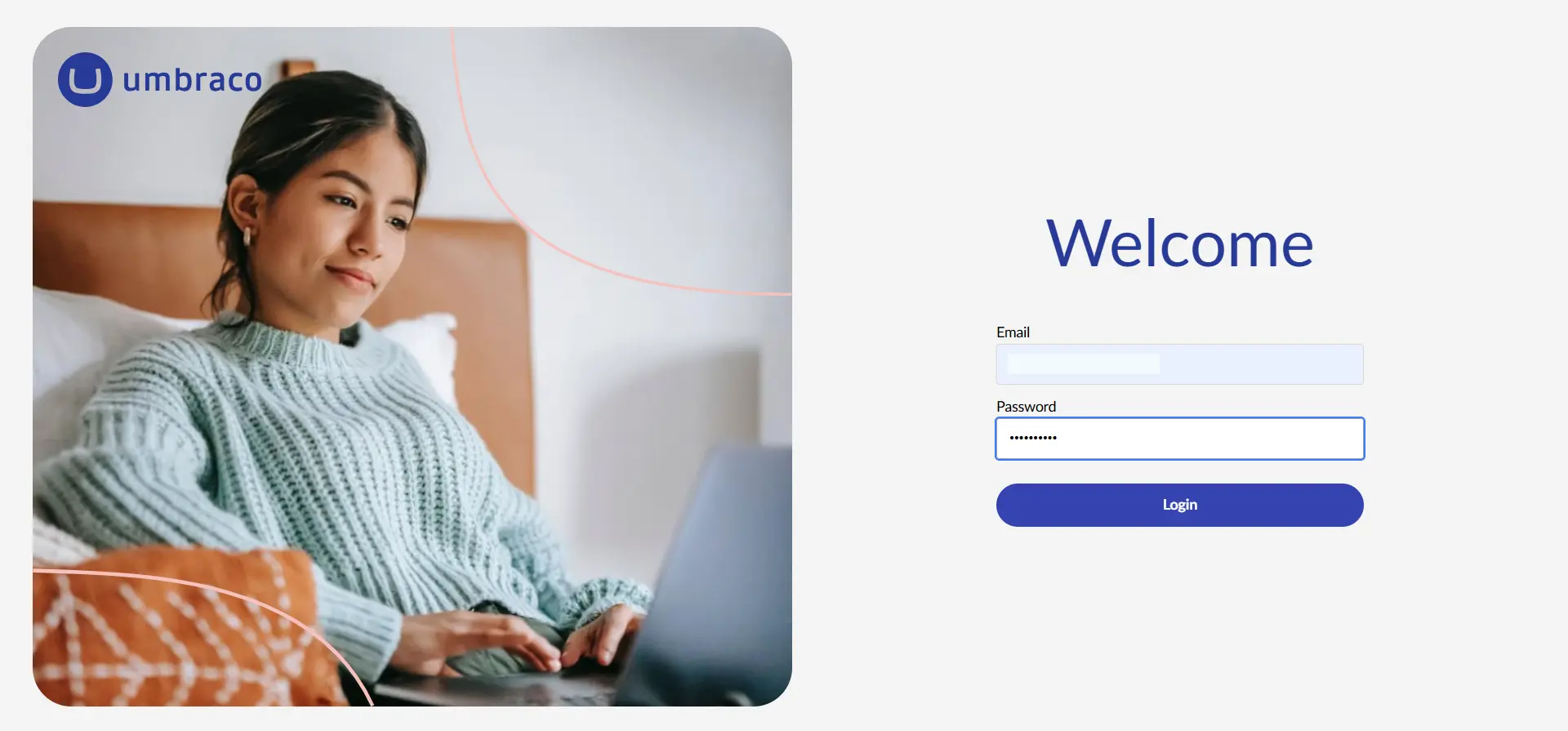
- Umbracoアプリケーションにログインしてください。
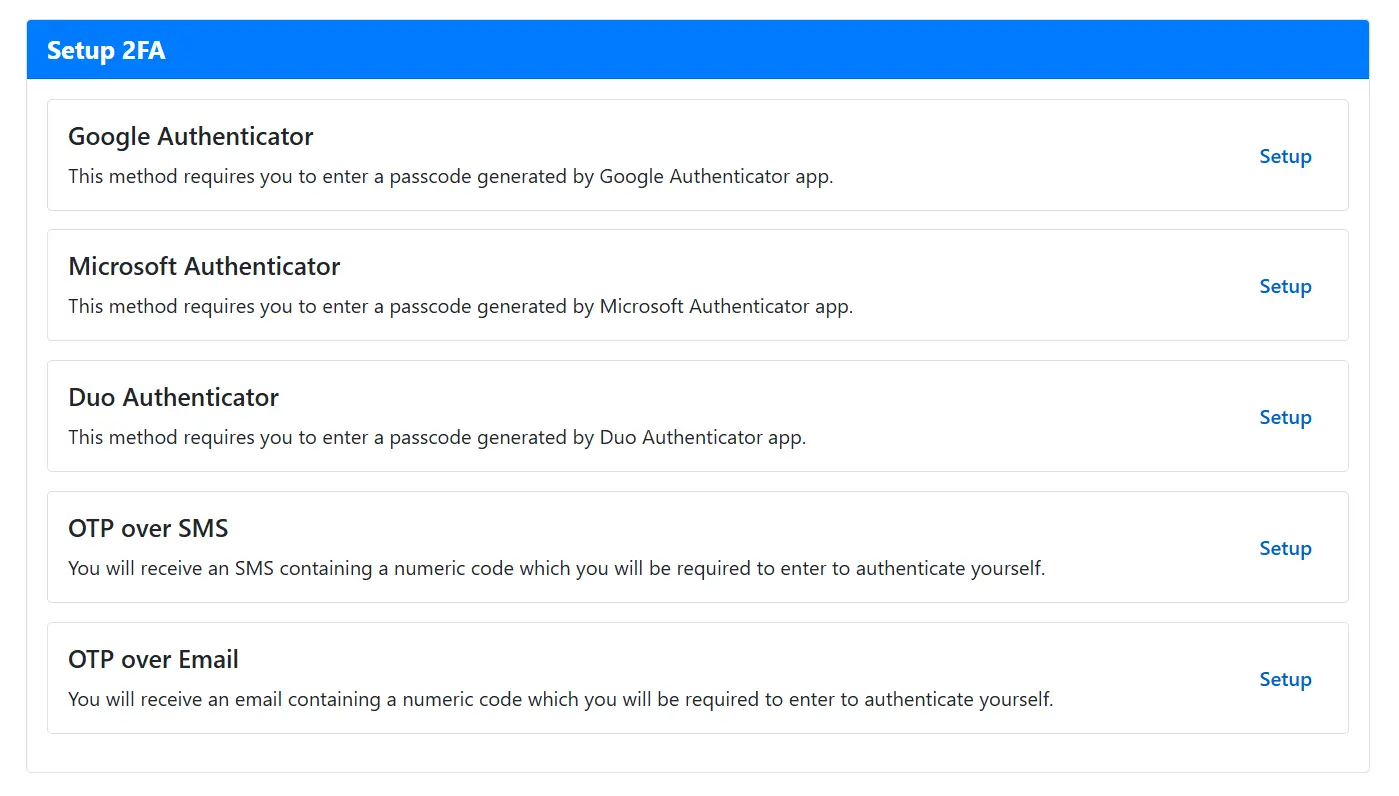
- ログイン後、エンドユーザーは 2FAの設定 画面。 クリック 横 .
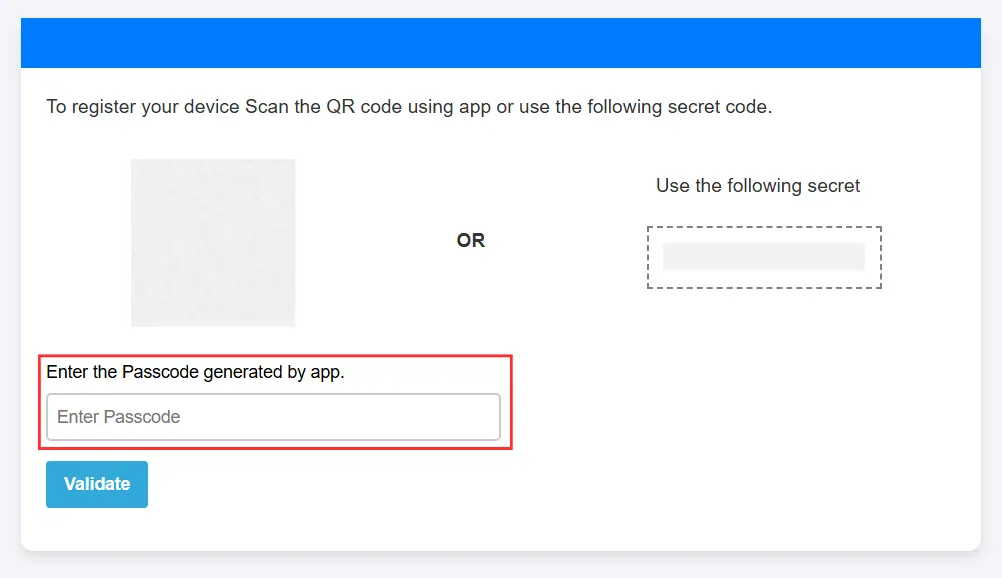
- Google認証システムアプリを使用してQRコードをスキャンするか、秘密鍵を手動で入力してください。その後、生成されたパスコードを入力してください。
- パスコードを入力したら、 有効にする Google認証システムへの登録を完了するには、ボタンをクリックしてください。
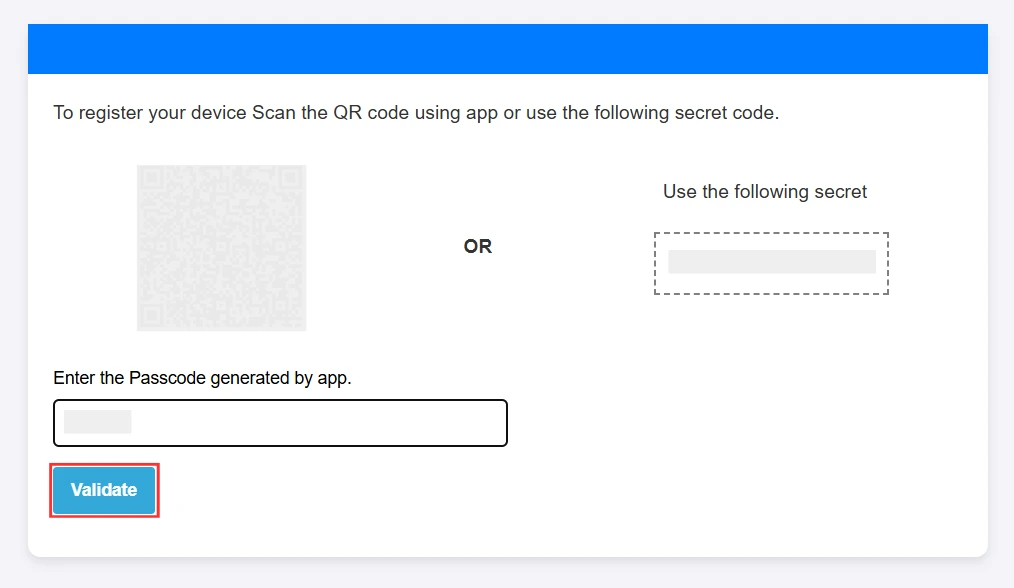
注:これらの設定手順は、ユーザーの二要素認証(TFA)方式を設定するための1回限りの設定です。次回ユーザーがログインする際には、認証を完了するために検証画面(以下の最後の手順)のみが表示されます。
- 次回以降のログインでは、Google Authenticator アプリで生成されたパスコードを入力し、 有効にする
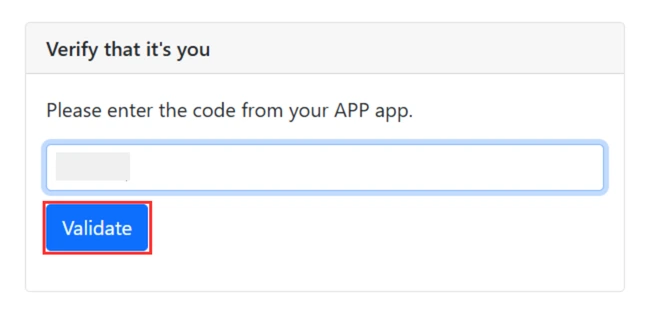
- ユーザーはUmbracoアプリケーションにログインします。
関連記事
ご返答ありがとうございます。 すぐにご連絡させていただきます。
何か問題が発生しました。 もう一度質問を送信してください


