
SMS를 통한 OTP를 사용하여 Umbraco 2FA 구성
회사 개요
Umbraco 2단계 인증(2FA)은 SMS를 통한 OTP 인증을 활성화하여 Umbraco 애플리케이션 로그인 에 추가적인 보안 계층을 제공합니다 . 사용자가 올바른 사용자 이름과 비밀번호를 입력하면 등록된 휴대폰 번호로 시간 제한이 있는 일회용 인증 코드(OTP)가 전송됩니다. SMS를 통한 OTP는 피싱, 무차별 대입 공격 및 무단 액세스로부터 사용자 계정을 보호하는 데 도움이 되는 신뢰할 수 있는 2단계 인증 방법입니다. 이 플러그인은 Google Authenticator, Microsoft Authenticator, Duo Authenticator 및 이메일을 통한 OTP와 같은 인증 방법도 지원합니다.

2단계 인증(2FA)을 구성하려면 Umbraco 버전을 선택하세요.
전제조건 : 다운로드 및 설치
- Umbraco 2단계 인증(2FA) 플러그인을 다운로드하세요.
- Umbraco 2FA 플러그인을 설정하려면 아래 네임스페이스, 서비스 및 미들웨어를 추가하십시오. 프로그램.cs 파일입니다. 아래에 예시가 있습니다.
아래 강조 표시된 부분만 포함하세요. 프로그램.cs 귀하의 응용 프로그램 파일.
      using miniorange.aspnet.tfa;

      using System.Reflection;


      WebApplicationBuilder builder = WebApplication.CreateBuilder(args);

      builder.Services.AddDistributedMemoryCache();


      builder.Services.AddSession(options =>

      {

        options.IdleTimeout = TimeSpan.FromMinutes(60);

        options.Cookie.HttpOnly = true;

        options.Cookie.IsEssential = true;

      });


      builder.Services.AddminiOrangeServices(Assembly.GetExecutingAssembly());


      builder.CreateUmbracoBuilder()

        .AddBackOffice()

        .AddWebsite()

        .AddDeliveryApi()

        .AddComposers()

        .Build();


      WebApplication app = builder.Build();


      await app.BootUmbracoAsync();

      app.UseSession();

      app.UseMiddleware<RedirectAfterLoginMiddleware>();

      app.UseStateCheck();


      app.UseUmbraco()

        .WithMiddleware(u =>

        {

          u.UseBackOffice();

          u.UseWebsite();

        })

        .WithEndpoints(u =>

        {

          u.UseInstallerEndpoints();

          u.UseBackOfficeEndpoints();

          u.UseWebsiteEndpoints();

        });


      await app.RunAsync();
      using System.Reflection;

      using miniorange.aspnet.tfa;


      WebApplicationBuilder builder = WebApplication.CreateBuilder(args);


      builder.Services.AddDistributedMemoryCache();


      builder.Services.AddSession(options =>

      {

        options.IdleTimeout = TimeSpan.FromMinutes(60);

        options.Cookie.HttpOnly = true;

        options.Cookie.IsEssential = true;

      });


      builder.Services.AddminiOrangeServices(Assembly.GetExecutingAssembly());


      builder.CreateUmbracoBuilder()

        .AddBackOffice()

        .AddWebsite()

        .AddComposers()

        .Build();


      WebApplication app = builder.Build();


      await app.BootUmbracoAsync();


      app.UseSession();


      app.UseMiddleware<RedirectAfterLoginMiddleware>();

      app.UseStateCheck();


      app.UseHttpsRedirection();


      app.MapWhen(

        context => context.Request.Path.StartsWithSegments("/TFA") ||

                   context.Request.Path.StartsWithSegments("/Validate"),

        tfa =>

        {

          tfa.UseRouting();

          tfa.UseEndpoints(endpoints =>

          {

            endpoints.MapControllers();

          });

        });


      app.UseUmbraco()

        .WithMiddleware(u =>

        {

          u.UseBackOffice();

          u.UseWebsite();

        })

        .WithEndpoints(u =>

        {

          u.EndpointRouteBuilder.MapControllers();


          u.UseBackOfficeEndpoints();

          u.UseWebsiteEndpoints();

        });


      await app.RunAsync();
      using miniorange.aspnet.tfa;

      using System.Reflection;


      WebApplicationBuilder builder = WebApplication.CreateBuilder(args);

      builder.Services.AddDistributedMemoryCache();


      builder.Services.AddSession(options =>

      {

        options.IdleTimeout = TimeSpan.FromMinutes(60);

        options.Cookie.HttpOnly = true;

        options.Cookie.IsEssential = true;

      });


      builder.Services.AddminiOrangeServices(Assembly.GetExecutingAssembly());


      builder.CreateUmbracoBuilder()

        .AddBackOffice()

        .AddWebsite()

        .AddDeliveryApi()

        .AddComposers()

        .Build();


      WebApplication app = builder.Build();


      await app.BootUmbracoAsync();

      app.UseSession();

      app.UseMiddleware<RedirectAfterLoginMiddleware>();

      app.UseStateCheck();


      app.UseUmbraco()

        .WithMiddleware(u =>

        {

          u.UseBackOffice();

          u.UseWebsite();

        })

        .WithEndpoints(u =>

        {

          u.UseInstallerEndpoints();

          u.UseBackOfficeEndpoints();

          u.UseWebsiteEndpoints();

        });


      await app.RunAsync();
      using System.Reflection;

      using miniorange.aspnet.tfa;


      WebApplicationBuilder builder = WebApplication.CreateBuilder(args);


      builder.Services.AddDistributedMemoryCache();


      builder.Services.AddSession(options =>

      {

        options.IdleTimeout = TimeSpan.FromMinutes(60);

        options.Cookie.HttpOnly = true;

        options.Cookie.IsEssential = true;

      });


      builder.Services.AddminiOrangeServices(Assembly.GetExecutingAssembly());


      builder.CreateUmbracoBuilder()

        .AddBackOffice()

        .AddWebsite()

        .AddComposers()

        .Build();


      WebApplication app = builder.Build();


      await app.BootUmbracoAsync();


      app.UseSession();


      app.UseMiddleware<RedirectAfterLoginMiddleware>();

      app.UseStateCheck();


      app.UseHttpsRedirection();


      app.MapWhen(

        context => context.Request.Path.StartsWithSegments("/TFA") ||

                   context.Request.Path.StartsWithSegments("/Validate"),

        tfa =>

        {

          tfa.UseRouting();

          tfa.UseEndpoints(endpoints =>

          {

            endpoints.MapControllers();

          });

        });


      app.UseUmbraco()

        .WithMiddleware(u =>

        {

          u.UseBackOffice();

          u.UseWebsite();

        })

        .WithEndpoints(u =>

        {

          u.EndpointRouteBuilder.MapControllers();


          u.UseBackOfficeEndpoints();

          u.UseWebsiteEndpoints();

        });


      await app.RunAsync();
- 구성이 완료되면 애플리케이션을 실행합니다.
구성 단계
SMS를 통한 OTP를 사용하여 Umbraco에서 2단계 인증(2FA)을 구현하는 단계별 가이드입니다.
1. Umbraco 2FA 플러그인 대시보드에 접속합니다.
- 통합 후 브라우저를 열고 아래 URL을 사용하여 커넥터 대시보드를 탐색하세요.
https://<umbraco-base-url>/tfa/configure
- 회원가입 페이지 또는 로그인 페이지가 나타나면 miniOrange Umbraco 2FA 미들웨어를 애플리케이션에 성공적으로 추가한 것입니다.
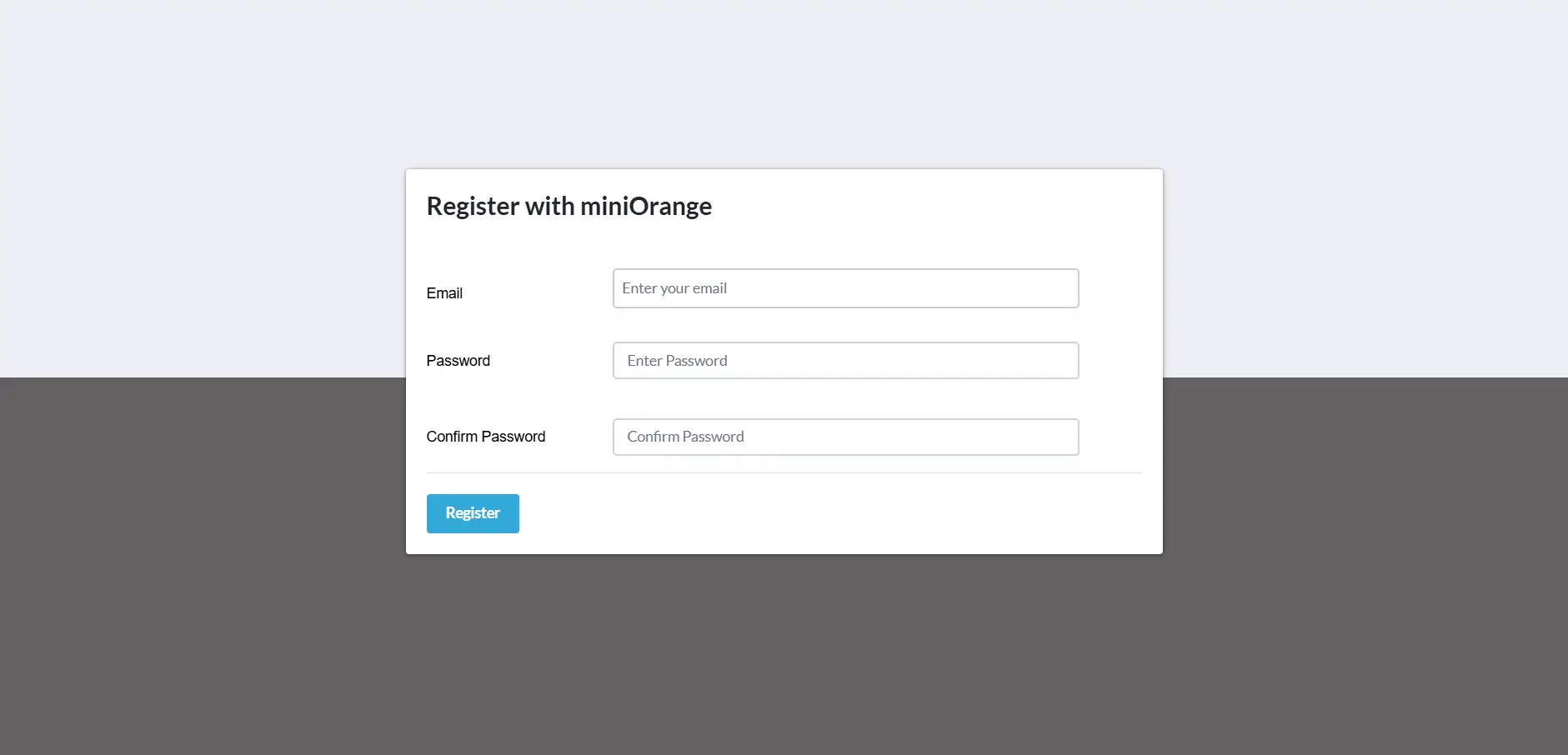
- 계정을 등록하려면 클릭하세요. 회원가입 Umbraco 2FA 플러그인을 구성하는 버튼입니다.
- 등록이 성공적으로 완료되면 등록된 이메일 주소로 평가판 라이선스 키가 전송됩니다.
- 플러그인을 활성화하려면 다음 방법 중 하나를 사용할 수 있습니다.
- 입력 라이센스 키 제공된 입력 필드에 이메일을 통해 수신되었습니다.
OR
- 다운로드한 라이선스 파일을 업로드하세요. 라이선스 키 다운로드 버튼을 사용하여 파일 선택 옵션을 선택합니다.
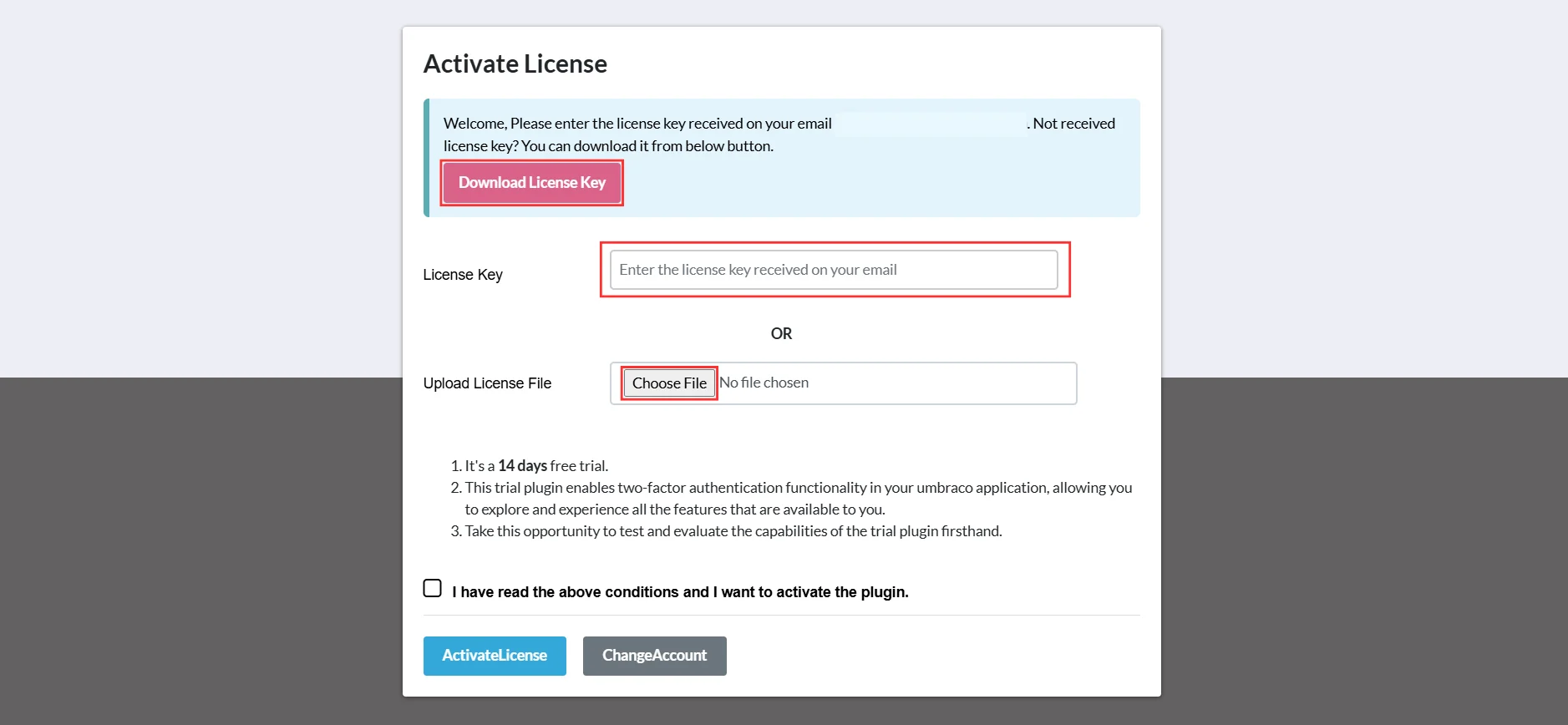
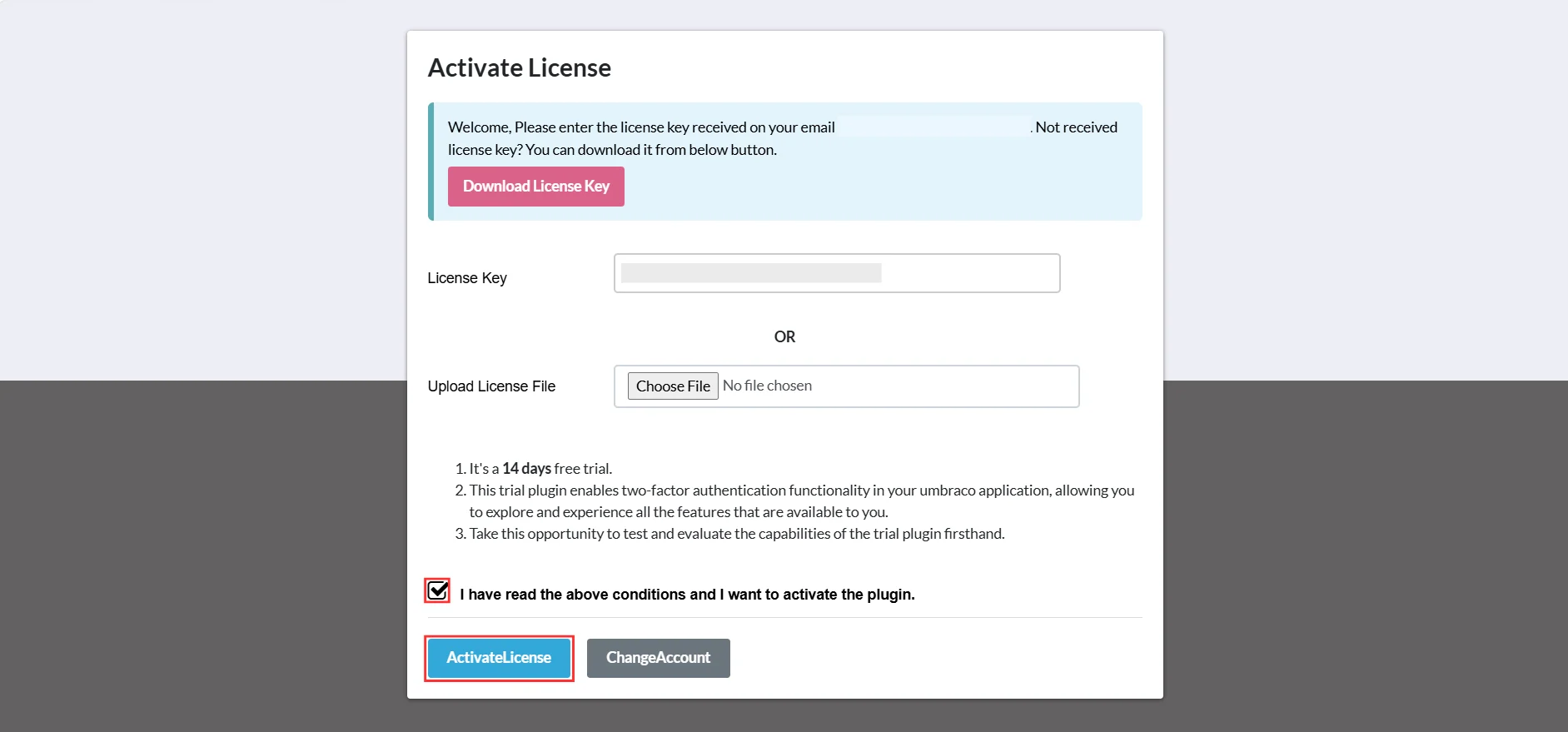
- 그런 다음 확인란을 선택하세요. "위 조건을 읽었으며 플러그인을 활성화하고 싶습니다."를 클릭하고 라이센스 활성화 버튼을 클릭합니다.
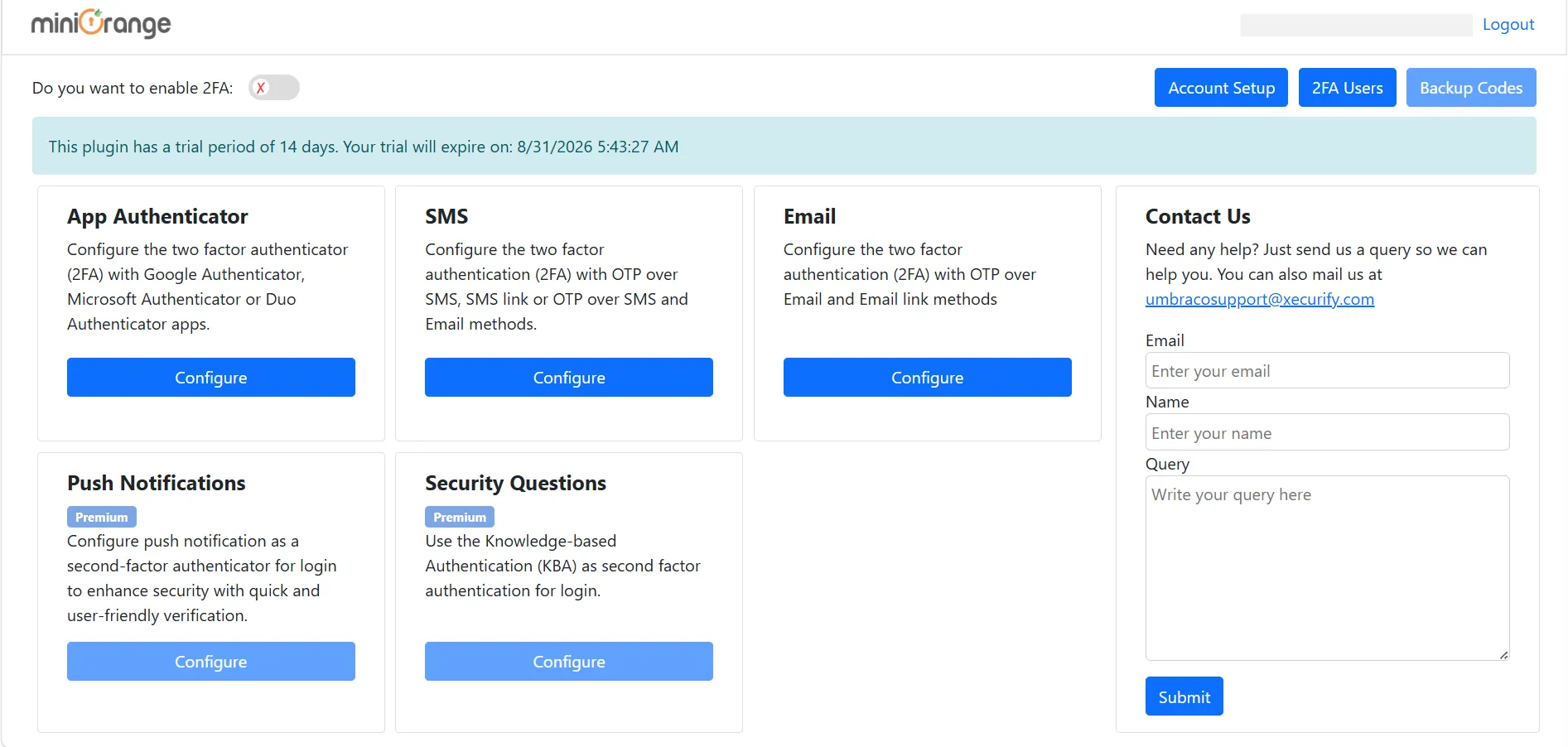
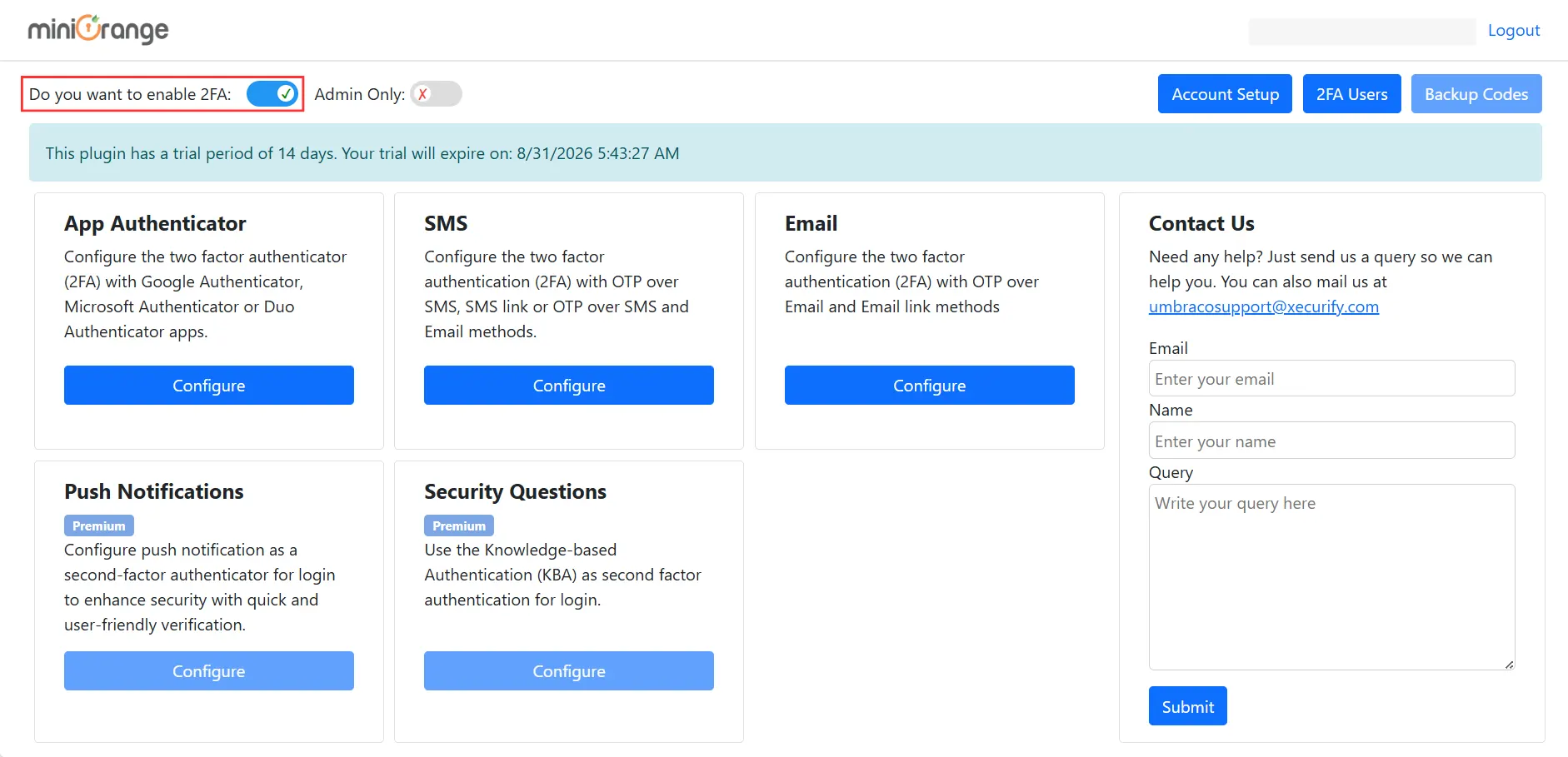
- 라이선스 활성화가 성공적으로 완료되면 아래 그림과 같이 플러그인 대시보드가 열립니다.
2. SMS를 통해 OTP 구성
- 플러그인 대시보드에서 다음을 클릭하세요. 구성 버튼 아래에 SMS SMS를 통한 OTP 설정을 위한 카드입니다.
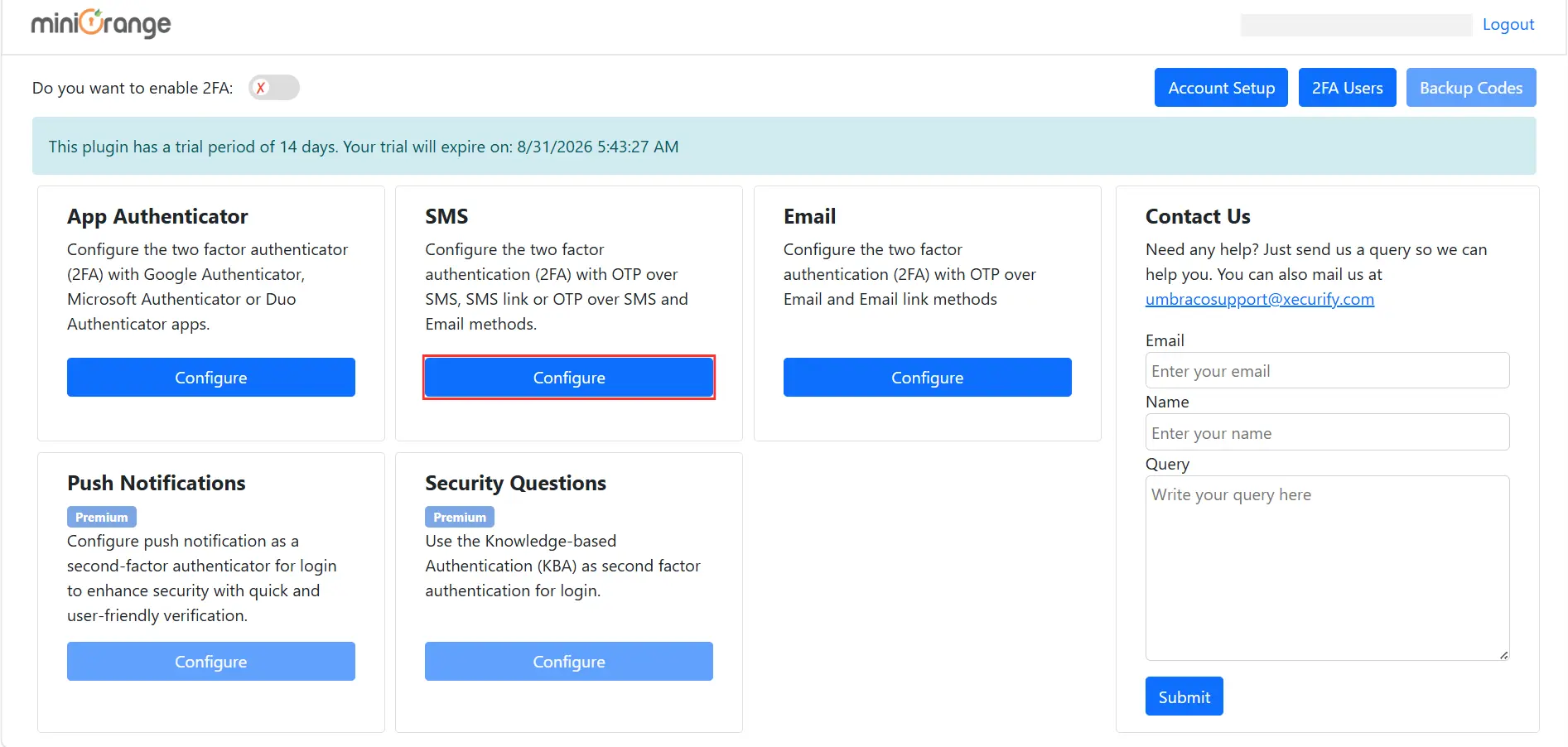
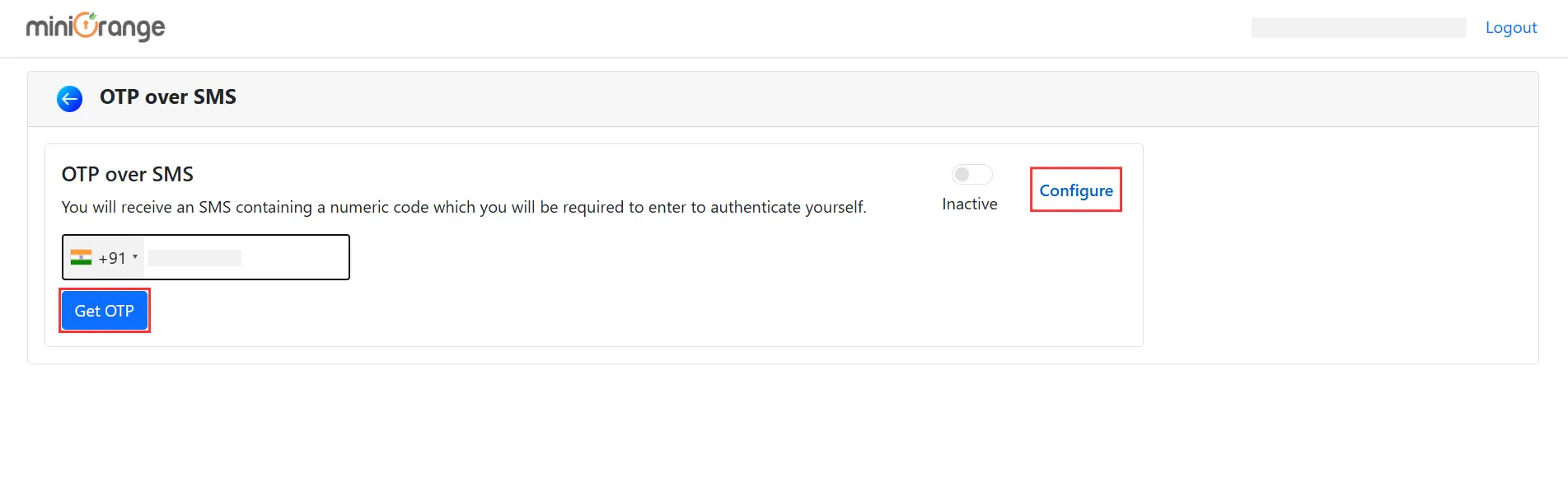
- 클릭 후 구성그러면 SMS를 통한 OTP 대시보드가 열립니다. 클릭하세요. 구성,를 선택 사용자 전화 속성 드롭다운 메뉴에서 전화번호를 입력하고 클릭하세요. OTP 받기 버튼을 클릭합니다.
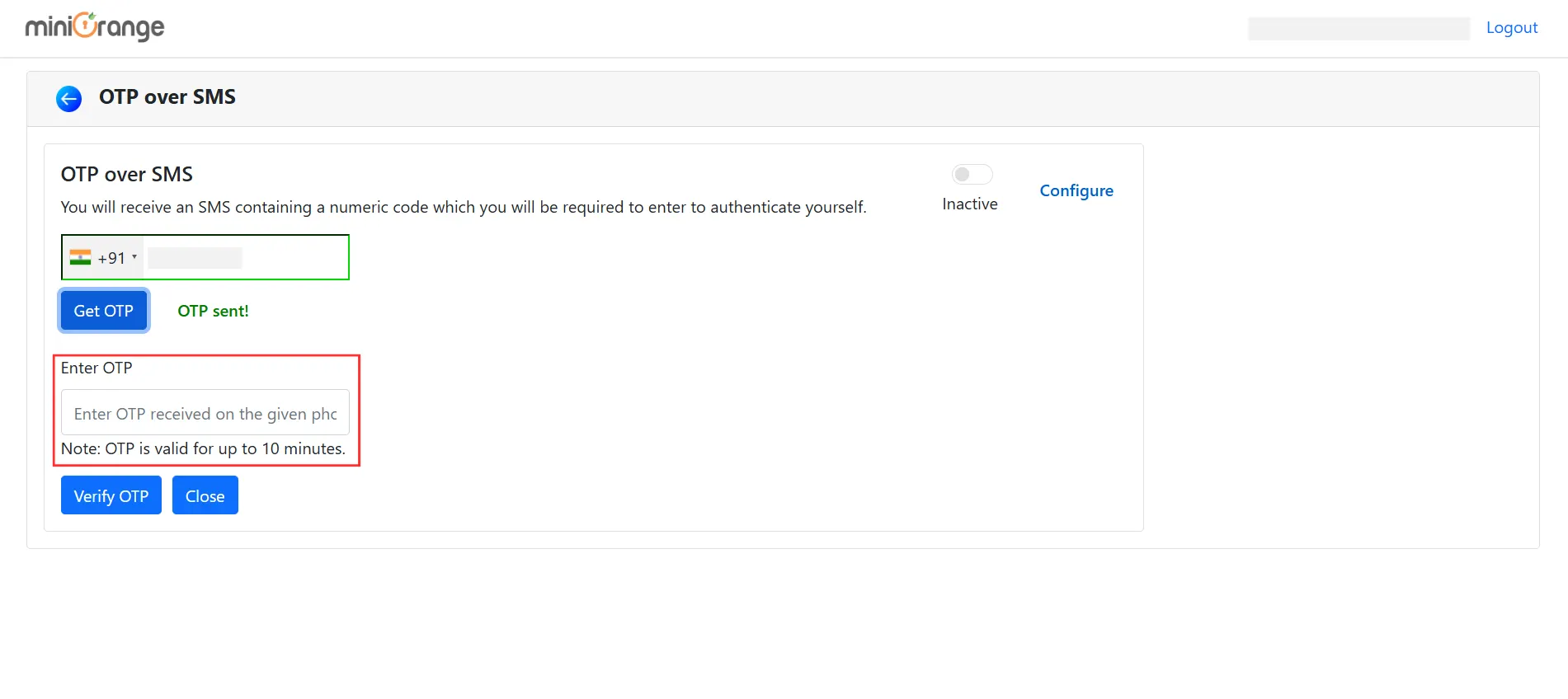
- 온 클릭하면 OTP 받기 버튼을 클릭하면 사용자가 입력한 휴대폰 번호로 일회용 비밀번호(OTP)가 전송됩니다. 수신된 OTP를 입력하십시오.
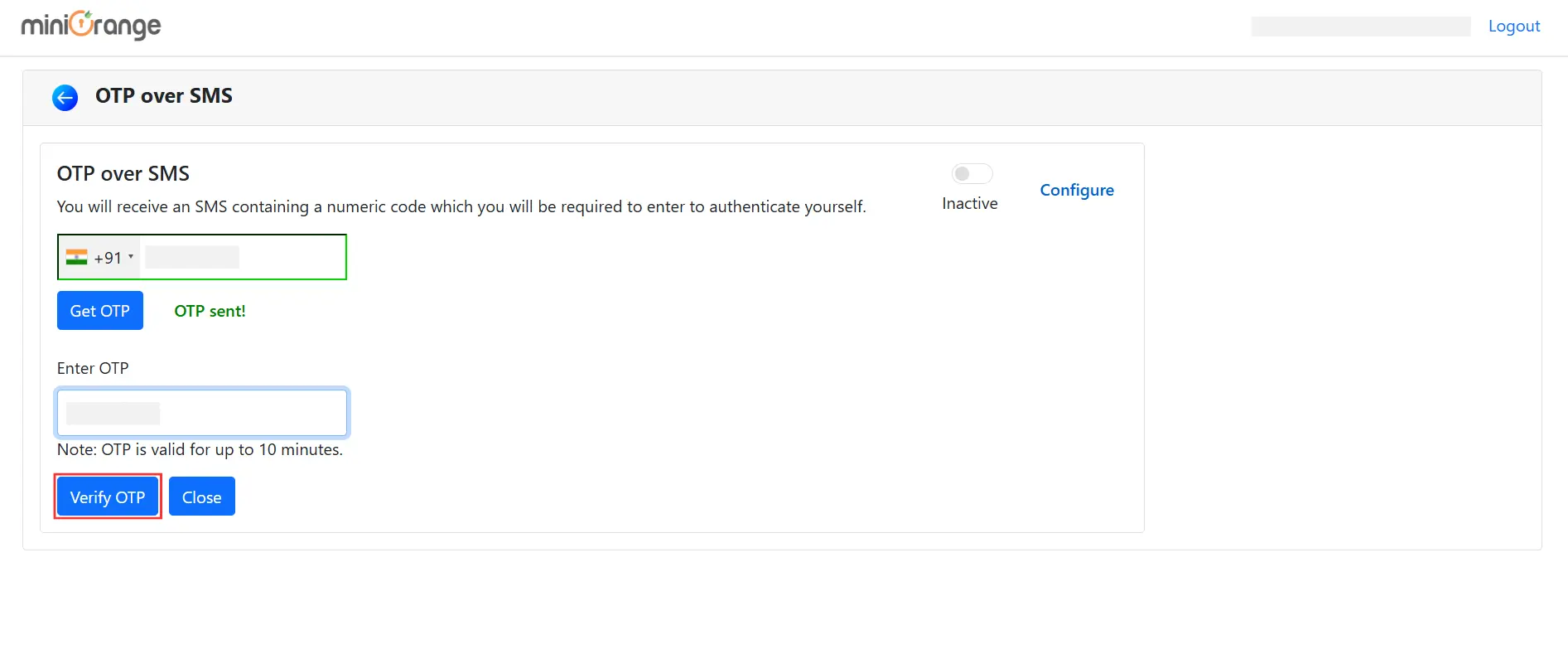
- 온 클릭 OTP 확인 버튼을 클릭하세요. OTP를 확인한 후, 해당 방법이 구성되어 최종 사용자가 사용할 수 있게 됩니다.
- 최종 사용자가 해당 방법을 사용할 수 있도록 하려면 SMS를 통한 OTP 토글 버튼을 클릭하세요.
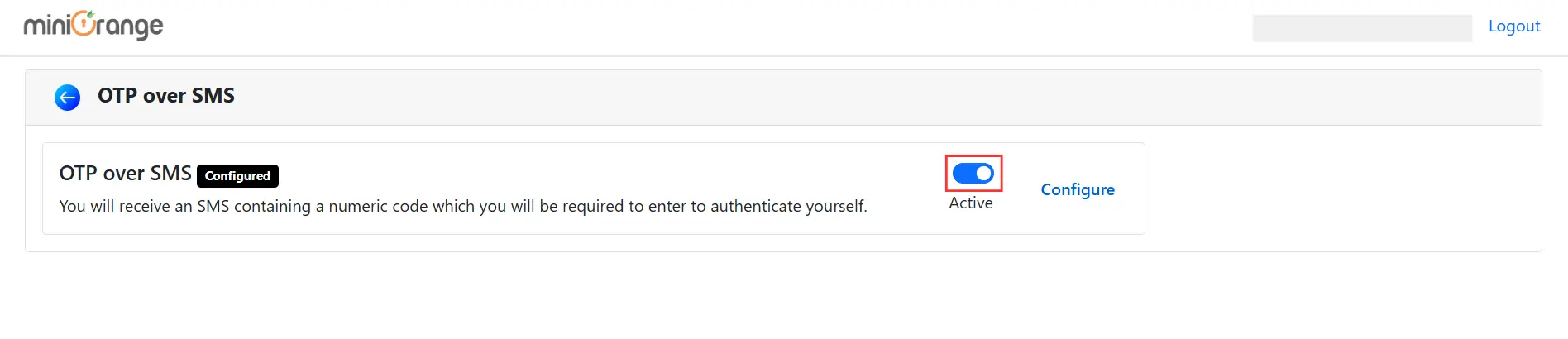
- 활성화 최종 사용자를 위한 2FA 토글 버튼.
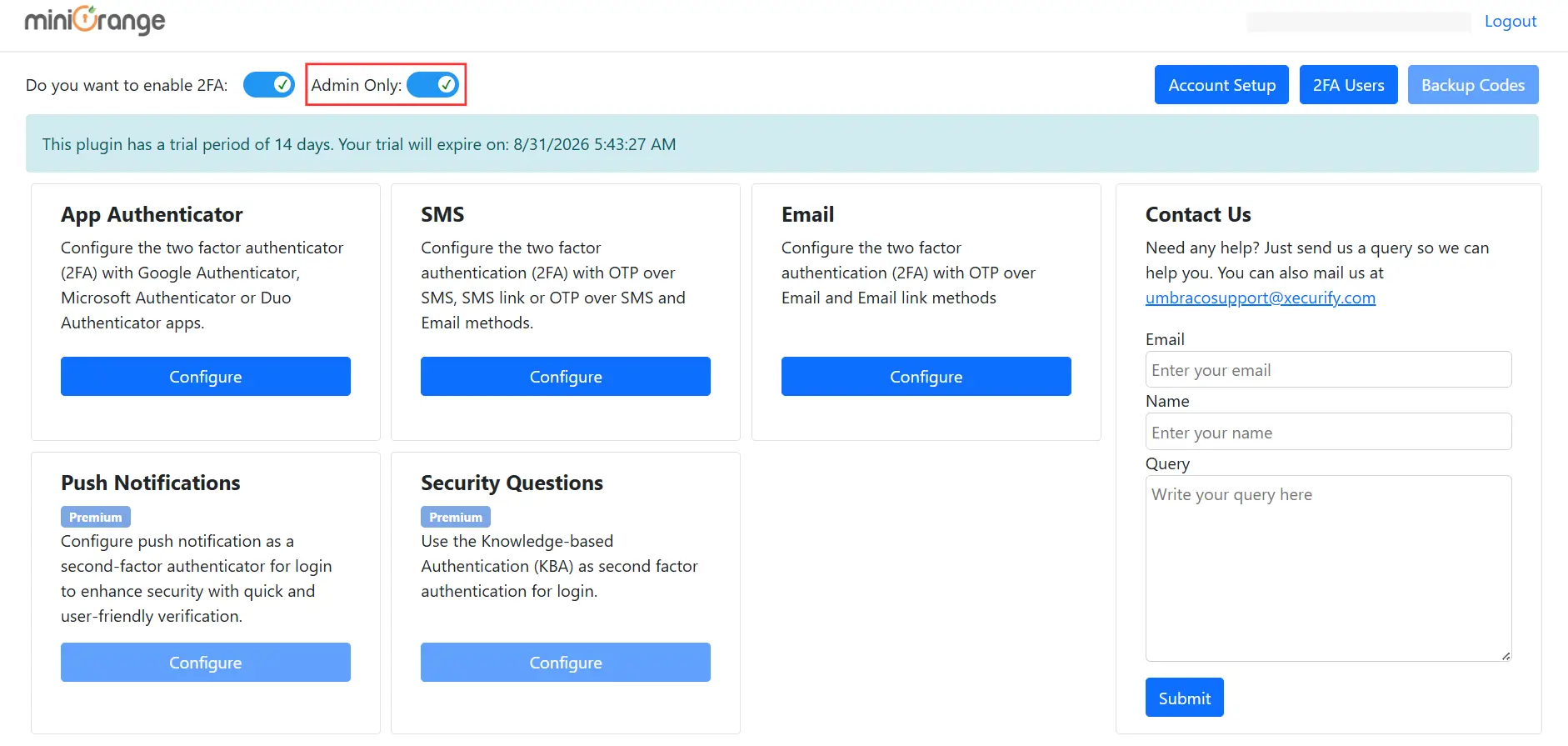
- 관리자에 대한 2단계 인증을 활성화하려면 다음을 켜십시오. 관리자 전용 비녀장.
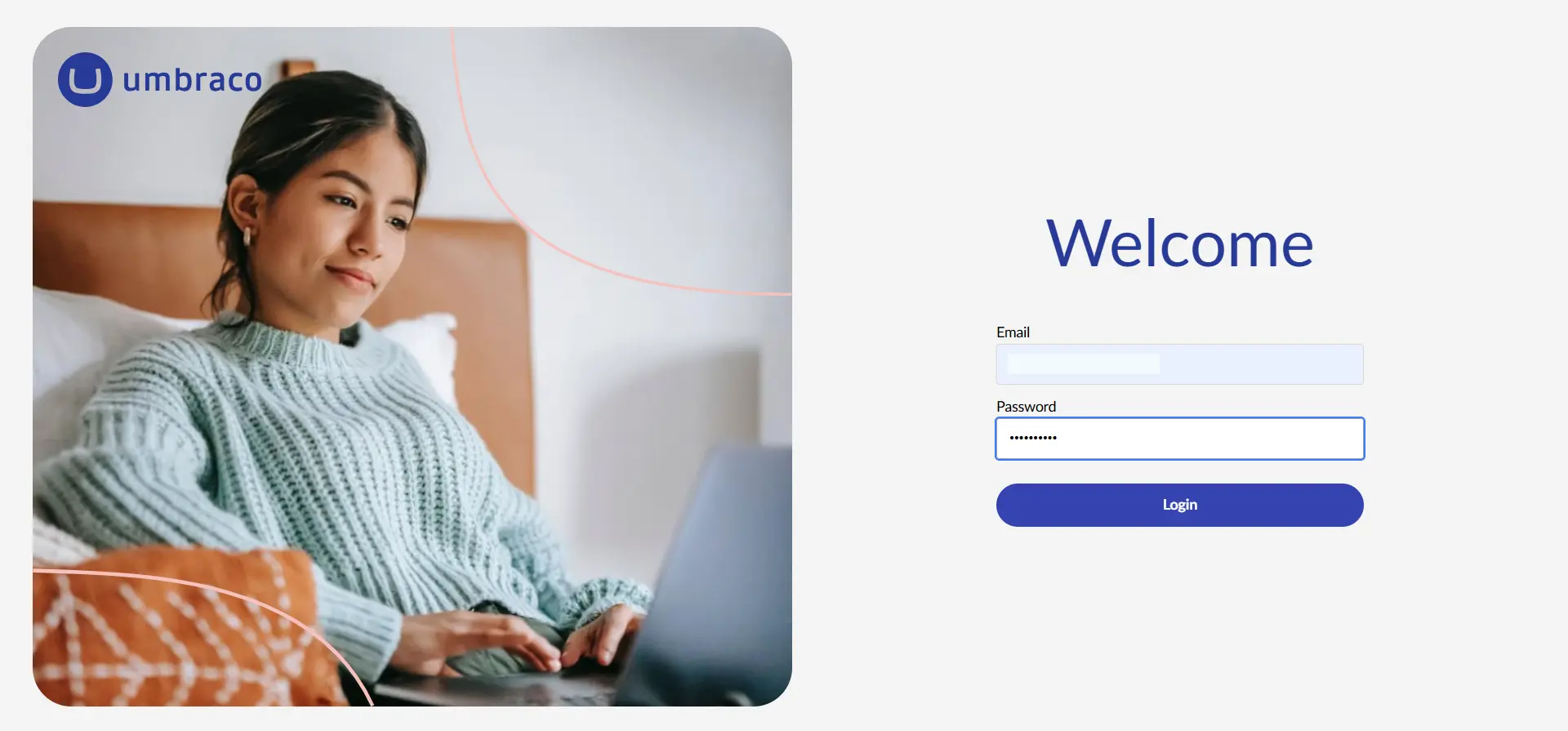
3. Umbraco 로그인 페이지에서 SMS를 통한 OTP 테스트
- Umbraco 애플리케이션에 로그인하세요.
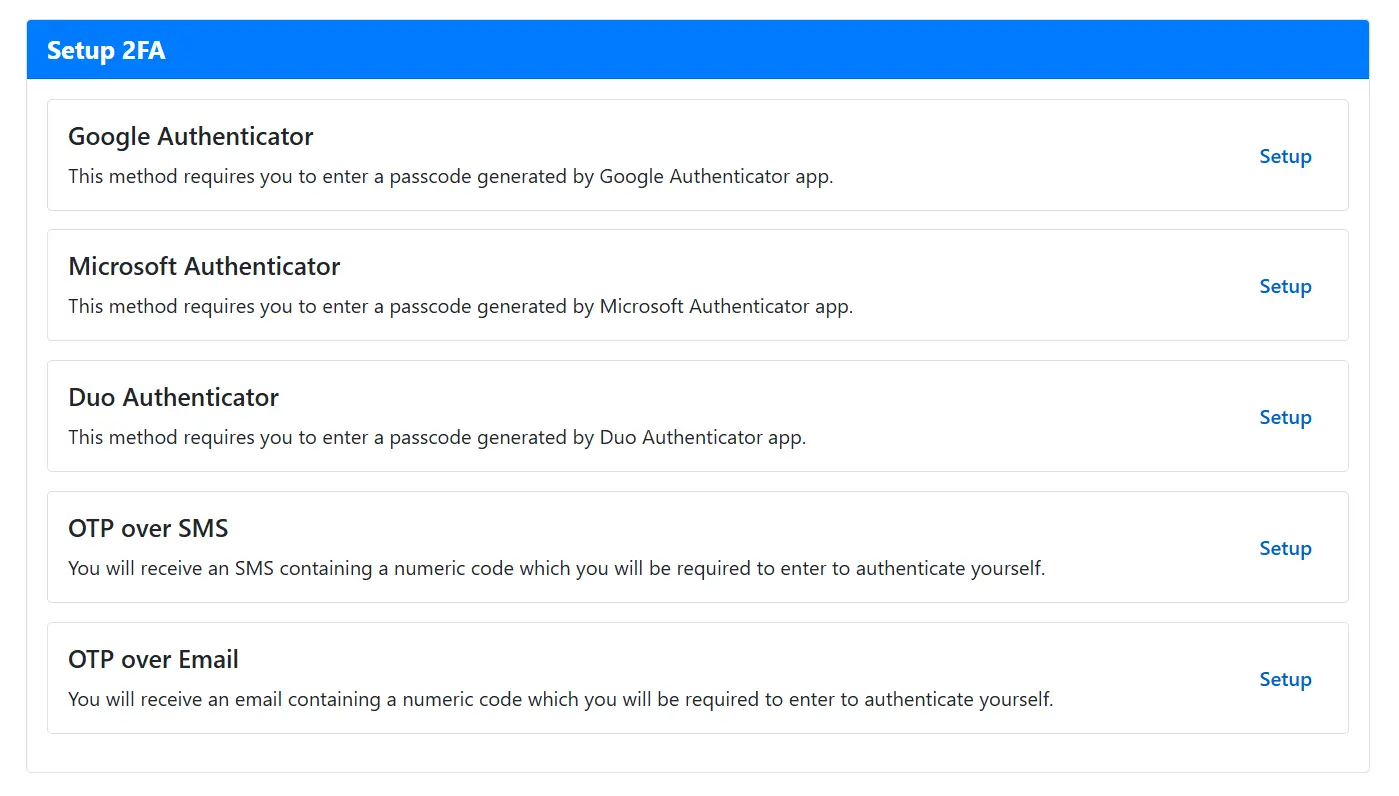
- 로그인 후 최종 사용자는 다음을 보게 됩니다. 2FA 설정 화면. 딸깍 하는 소리 설정 빗나가서 SMS를 통한 OTP.
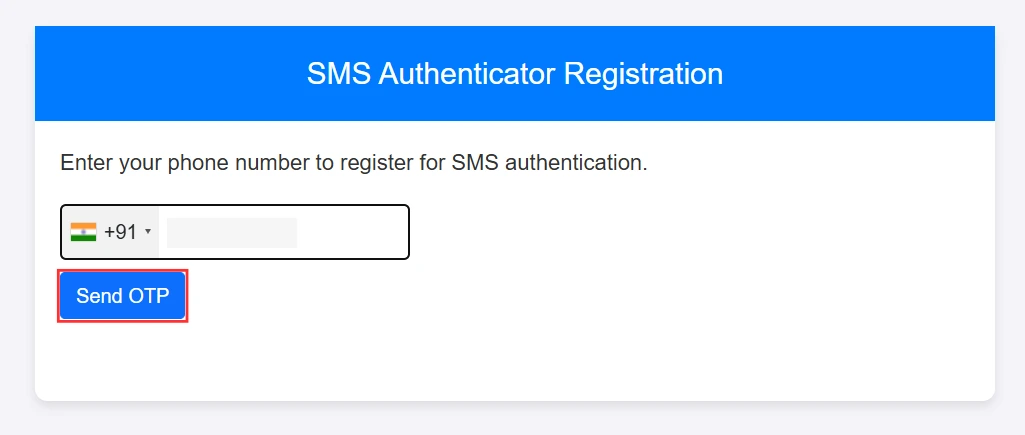
- 팝업창에 전화번호를 입력하고 클릭하세요. OTP 보내기.
- 휴대폰으로 전송된 OTP를 입력하고 클릭하세요. OTP 확인.
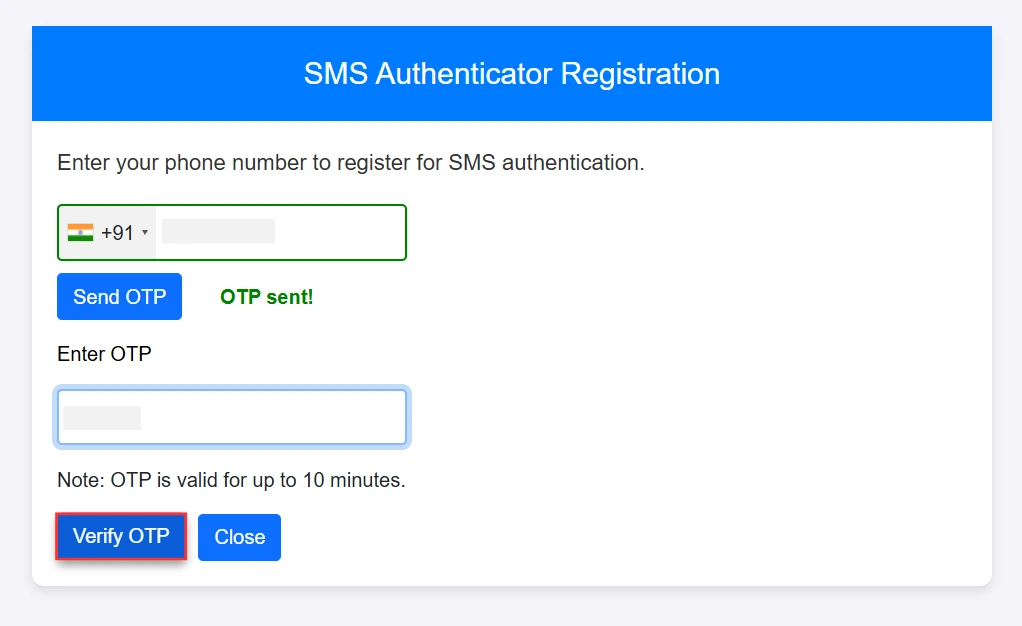
참고: 이러한 설정 단계는 사용자의 2단계 인증(TFA) 방식을 구성하기 위한 일회성 설정 입니다. 다음에 사용자가 로그인할 때는 인증을 완료하기 위해 OTP 유효성 검사 화면(아래 마지막 단계)만 표시됩니다.
- 다음 로그인 시 OTP를 입력하고 클릭하세요. OTP 검증.
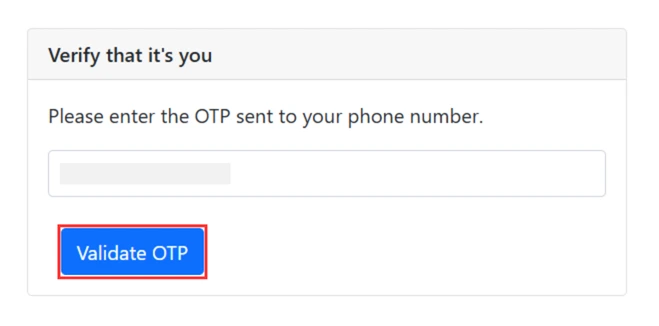
- 사용자는 움브라코 애플리케이션에 로그인됩니다.
관련 기사
당신의 응답을 주셔서 감사합니다. 곧 다시 연락드리겠습니다.
문제가 발생했습니다. 문의사항을 다시 제출해 주세요.


