
Konfigurera Umbraco 2FA med hjälp av OTP via e-post
Översikt
Umbraco tvåfaktorsautentisering (2FA) lägger till ett extra säkerhetslager till din Umbraco- applikationsinloggning genom att aktivera OTP-verifiering via e-post . När användare har angett rätt användarnamn och lösenord får de ett tidskänsligt engångslösenord (OTP) på sin registrerade e-postadress. OTP via e-post är en pålitlig andrafaktorsmetod som hjälper till att skydda användarkonton mot nätfiske, brute-force-attacker och obehörig åtkomst. Plugin-programmet stöder även metoder som Google Authenticator, Microsoft Authenticator, Duo Authenticator och OTP via SMS.

Välj din Umbraco-version för att konfigurera 2FA med:
Förutsättningar: Ladda ner och installation
- Ladda ner Umbracos tvåfaktorsautentisering (2FA)-plugin.
- För att konfigurera Umbraco 2FA-pluginet, lägg till nedanstående namnrymder, tjänster och mellanprogramvara i din
program.cs fil. Nedan följer ett exempel.
Inkludera endast det markerade avsnittet nedan i program.cs filen för din ansökan.
      using miniorange.aspnet.tfa;

      using System.Reflection;


      WebApplicationBuilder builder = WebApplication.CreateBuilder(args);

      builder.Services.AddDistributedMemoryCache();


      builder.Services.AddSession(options =>

      {

        options.IdleTimeout = TimeSpan.FromMinutes(60);

        options.Cookie.HttpOnly = true;

        options.Cookie.IsEssential = true;

      });


      builder.Services.AddminiOrangeServices(Assembly.GetExecutingAssembly());


      builder.CreateUmbracoBuilder()

        .AddBackOffice()

        .AddWebsite()

        .AddDeliveryApi()

        .AddComposers()

        .Build();


      WebApplication app = builder.Build();


      await app.BootUmbracoAsync();

      app.UseSession();

      app.UseMiddleware<RedirectAfterLoginMiddleware>();

      app.UseStateCheck();


      app.UseUmbraco()

        .WithMiddleware(u =>

        {

          u.UseBackOffice();

          u.UseWebsite();

        })

        .WithEndpoints(u =>

        {

          u.UseInstallerEndpoints();

          u.UseBackOfficeEndpoints();

          u.UseWebsiteEndpoints();

        });


      await app.RunAsync();
      using System.Reflection;

      using miniorange.aspnet.tfa;


      WebApplicationBuilder builder = WebApplication.CreateBuilder(args);


      builder.Services.AddDistributedMemoryCache();


      builder.Services.AddSession(options =>

      {

        options.IdleTimeout = TimeSpan.FromMinutes(60);

        options.Cookie.HttpOnly = true;

        options.Cookie.IsEssential = true;

      });


      builder.Services.AddminiOrangeServices(Assembly.GetExecutingAssembly());


      builder.CreateUmbracoBuilder()

        .AddBackOffice()

        .AddWebsite()

        .AddComposers()

        .Build();


      WebApplication app = builder.Build();


      await app.BootUmbracoAsync();


      app.UseSession();


      app.UseMiddleware<RedirectAfterLoginMiddleware>();

      app.UseStateCheck();


      app.UseHttpsRedirection();


      app.MapWhen(

        context => context.Request.Path.StartsWithSegments("/TFA") ||

                   context.Request.Path.StartsWithSegments("/Validate"),

        tfa =>

        {

          tfa.UseRouting();

          tfa.UseEndpoints(endpoints =>

          {

            endpoints.MapControllers();

          });

        });


      app.UseUmbraco()

        .WithMiddleware(u =>

        {

          u.UseBackOffice();

          u.UseWebsite();

        })

        .WithEndpoints(u =>

        {

          u.EndpointRouteBuilder.MapControllers();


          u.UseBackOfficeEndpoints();

          u.UseWebsiteEndpoints();

        });


      await app.RunAsync();
      using miniorange.aspnet.tfa;

      using System.Reflection;


      WebApplicationBuilder builder = WebApplication.CreateBuilder(args);

      builder.Services.AddDistributedMemoryCache();


      builder.Services.AddSession(options =>

      {

        options.IdleTimeout = TimeSpan.FromMinutes(60);

        options.Cookie.HttpOnly = true;

        options.Cookie.IsEssential = true;

      });


      builder.Services.AddminiOrangeServices(Assembly.GetExecutingAssembly());


      builder.CreateUmbracoBuilder()

        .AddBackOffice()

        .AddWebsite()

        .AddDeliveryApi()

        .AddComposers()

        .Build();


      WebApplication app = builder.Build();


      await app.BootUmbracoAsync();

      app.UseSession();

      app.UseMiddleware<RedirectAfterLoginMiddleware>();

      app.UseStateCheck();


      app.UseUmbraco()

        .WithMiddleware(u =>

        {

          u.UseBackOffice();

          u.UseWebsite();

        })

        .WithEndpoints(u =>

        {

          u.UseInstallerEndpoints();

          u.UseBackOfficeEndpoints();

          u.UseWebsiteEndpoints();

        });


      await app.RunAsync();
      using System.Reflection;

      using miniorange.aspnet.tfa;


      WebApplicationBuilder builder = WebApplication.CreateBuilder(args);


      builder.Services.AddDistributedMemoryCache();


      builder.Services.AddSession(options =>

      {

        options.IdleTimeout = TimeSpan.FromMinutes(60);

        options.Cookie.HttpOnly = true;

        options.Cookie.IsEssential = true;

      });


      builder.Services.AddminiOrangeServices(Assembly.GetExecutingAssembly());


      builder.CreateUmbracoBuilder()

        .AddBackOffice()

        .AddWebsite()

        .AddComposers()

        .Build();


      WebApplication app = builder.Build();


      await app.BootUmbracoAsync();


      app.UseSession();


      app.UseMiddleware<RedirectAfterLoginMiddleware>();

      app.UseStateCheck();


      app.UseHttpsRedirection();


      app.MapWhen(

        context => context.Request.Path.StartsWithSegments("/TFA") ||

                   context.Request.Path.StartsWithSegments("/Validate"),

        tfa =>

        {

          tfa.UseRouting();

          tfa.UseEndpoints(endpoints =>

          {

            endpoints.MapControllers();

          });

        });


      app.UseUmbraco()

        .WithMiddleware(u =>

        {

          u.UseBackOffice();

          u.UseWebsite();

        })

        .WithEndpoints(u =>

        {

          u.EndpointRouteBuilder.MapControllers();


          u.UseBackOfficeEndpoints();

          u.UseWebsiteEndpoints();

        });


      await app.RunAsync();
- Kör programmet när konfigurationen är klar.
Konfigurationssteg
Steg-för-steg-guide för implementering av tvåfaktorsautentisering (2FA) i Umbraco med hjälp av OTP via e-post.
1. Gå till Umbraco 2FA Plugin-instrumentpanelen
- Efter integreringen öppnar du din webbläsare och bläddrar i anslutningspanelen med webbadressen nedan:
https://<umbraco-base-url>/tfa/configure
- Om registreringssidan eller inloggningssidan dyker upp har du lagt till miniOrange Umbraco 2FA-mellanprogramvaran i din applikation.
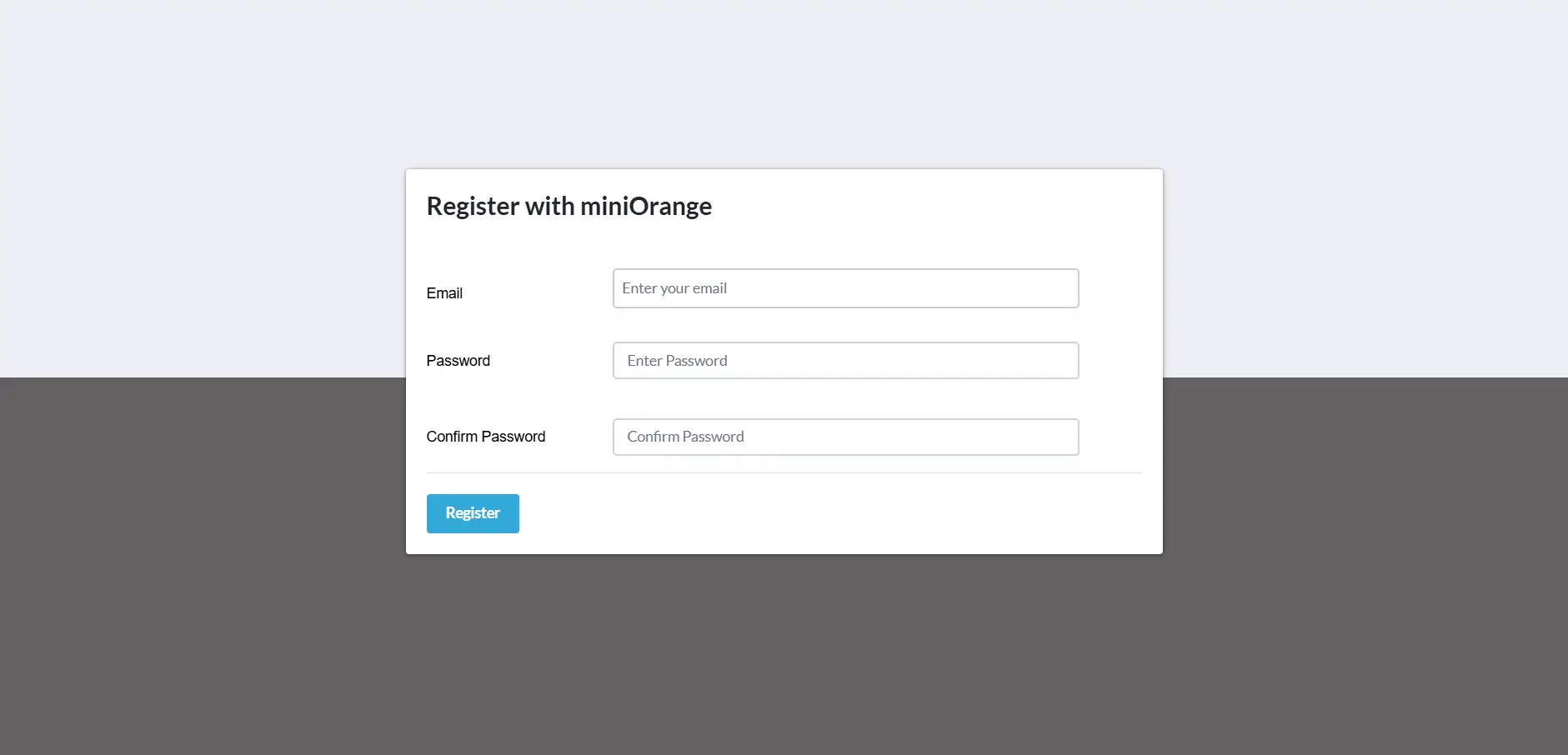
- Registrera dig med ditt konto genom att klicka på Registrera knappen för att konfigurera Umbraco 2FA-pluginet.
- Efter lyckad registrering får du en testlicensnyckel till din registrerade e-postadress.
- För att aktivera plugin-programmet kan du antingen:
- Ange licensnyckel mottagen via e-post i det angivna inmatningsfältet.
OR
- Ladda upp licensfilen som du laddade ner med hjälp av Ladda ner licensnyckel knappen genom att använda Välj FIL alternativ.
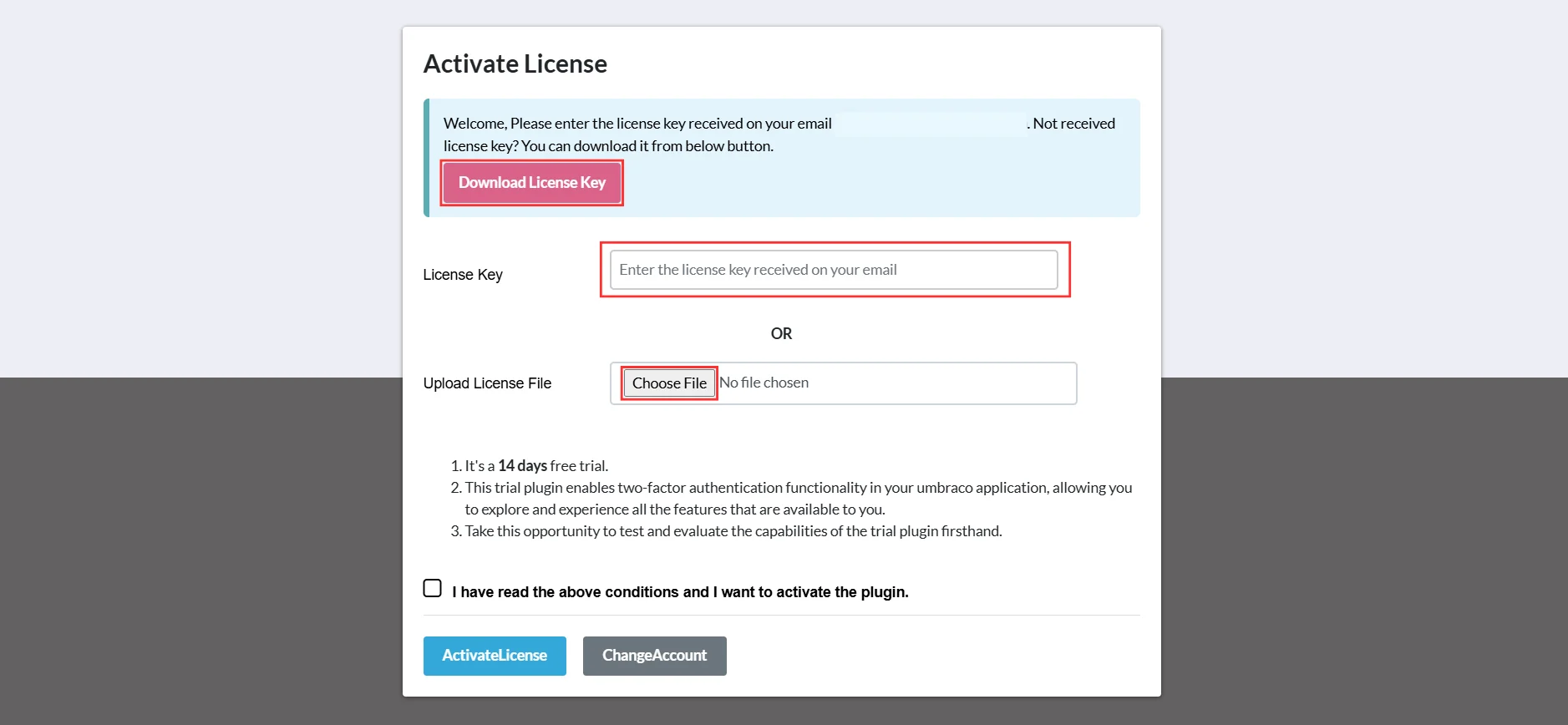
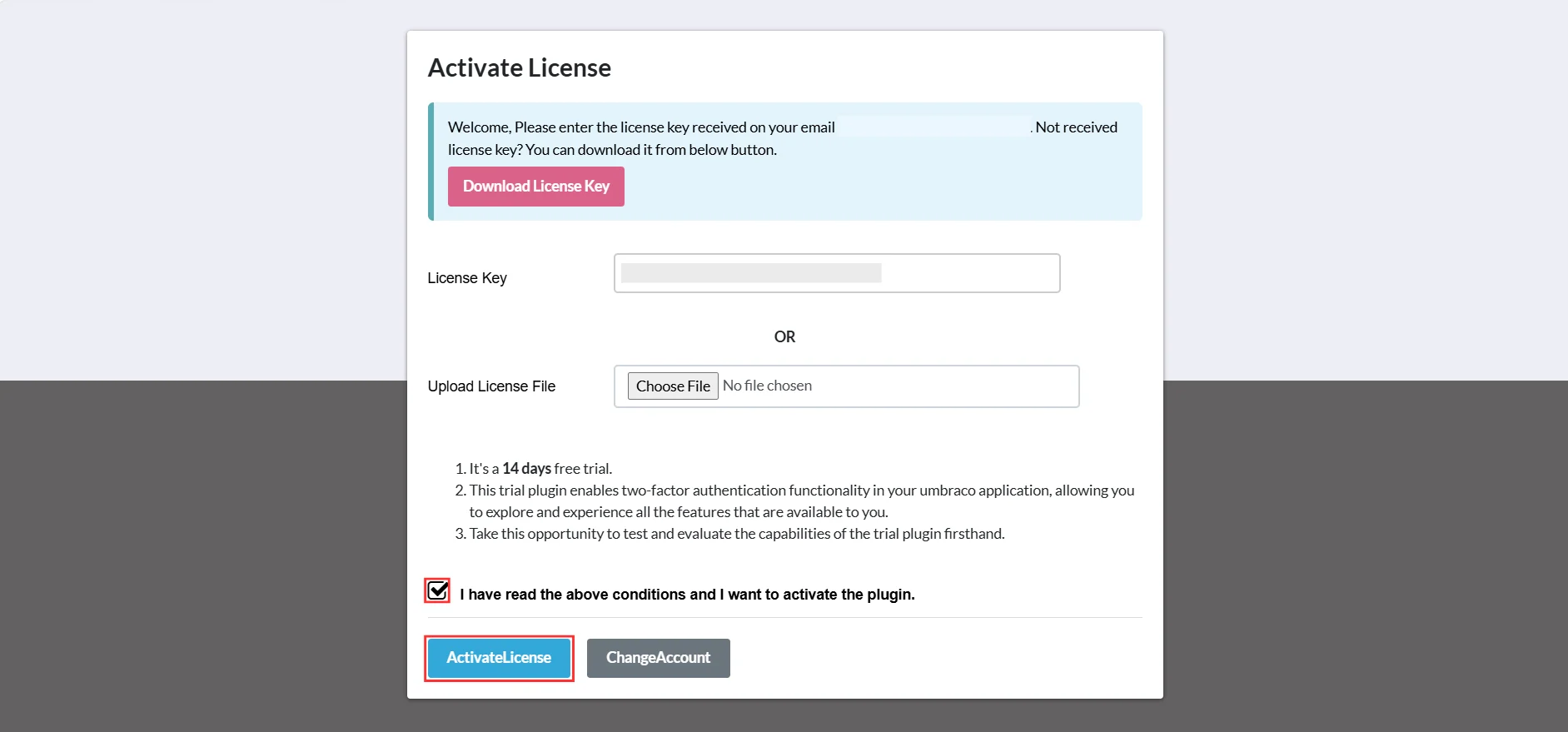
- Markera sedan rutan "Jag har läst ovanstående villkor och jag vill aktivera pluginet", och klicka på Aktivera licens knapp.
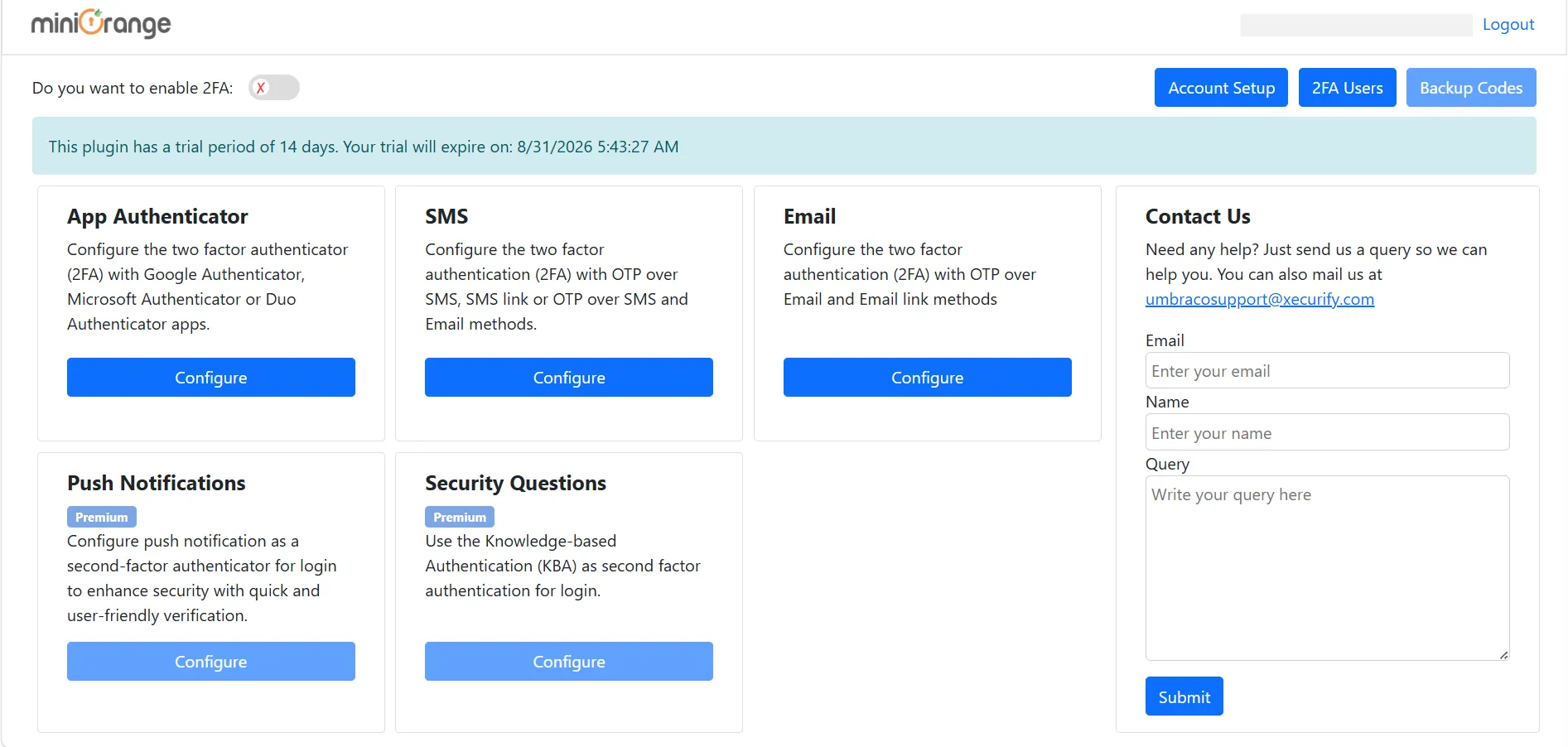
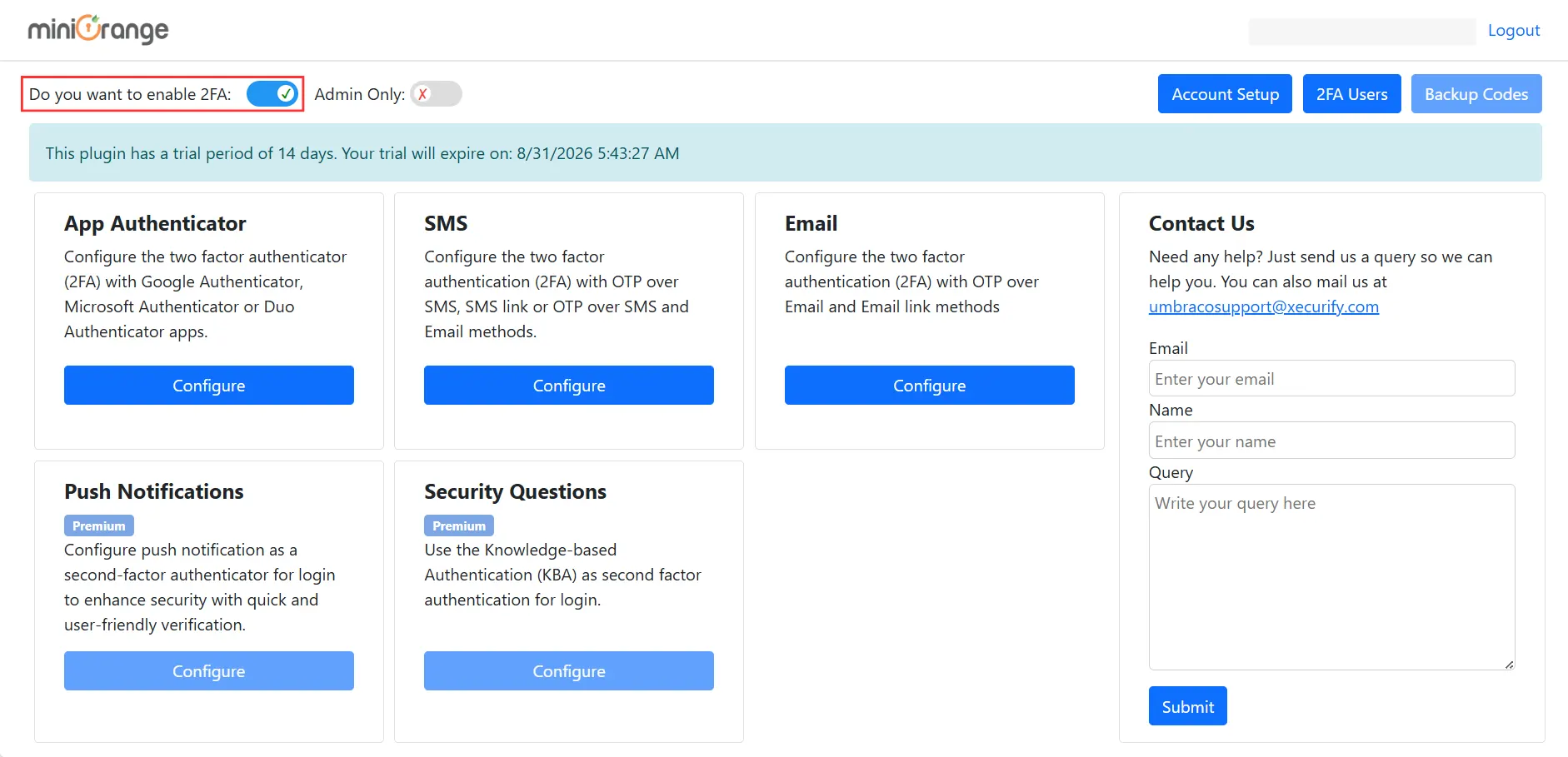
- Efter lyckad licensaktivering öppnas plugin-instrumentpanelen enligt nedan.
2. Konfigurera engångslösenord via e-post
- På plugin-instrumentpanelen klickar du på Inställd knapp under E-post kort för att konfigurera OTP via e-post.
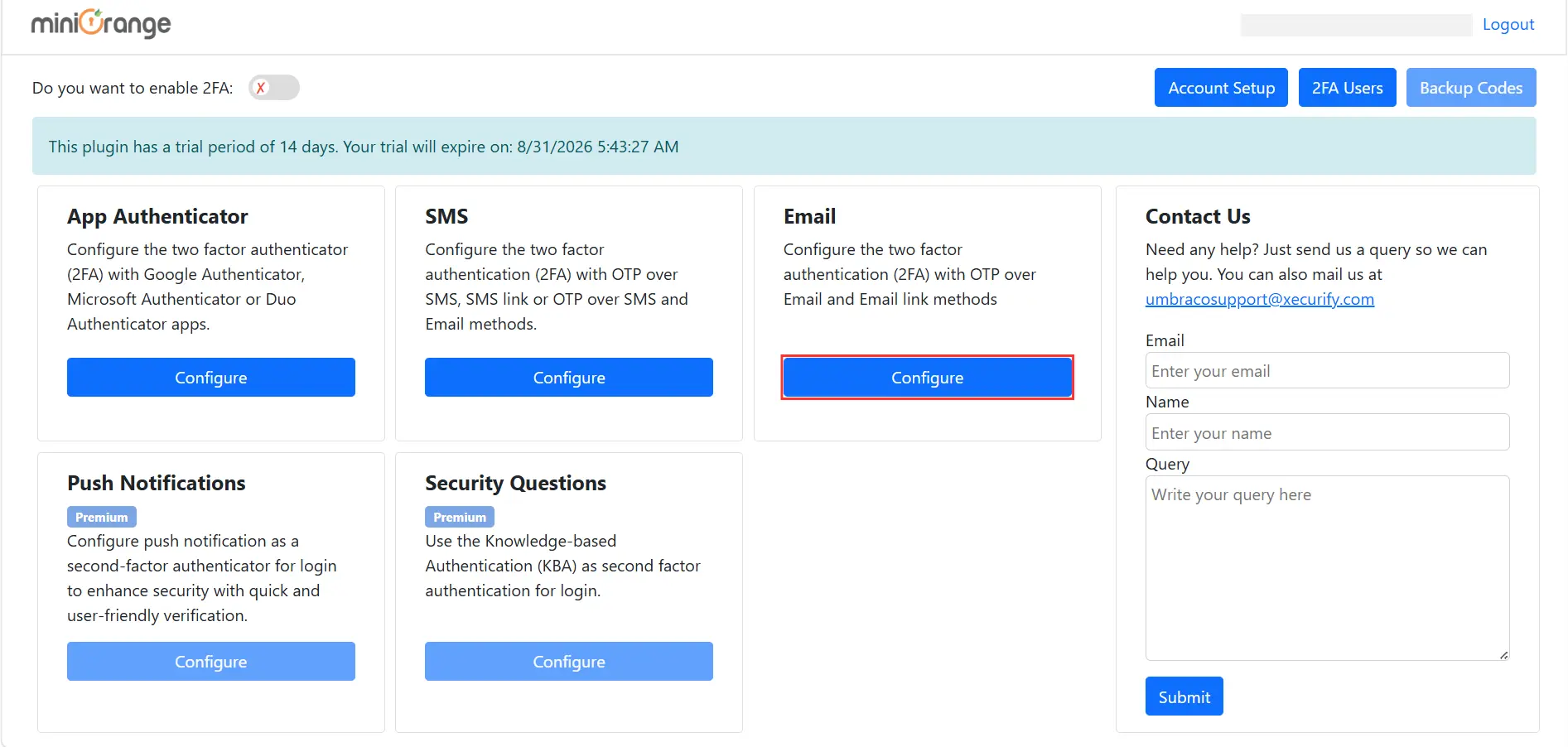
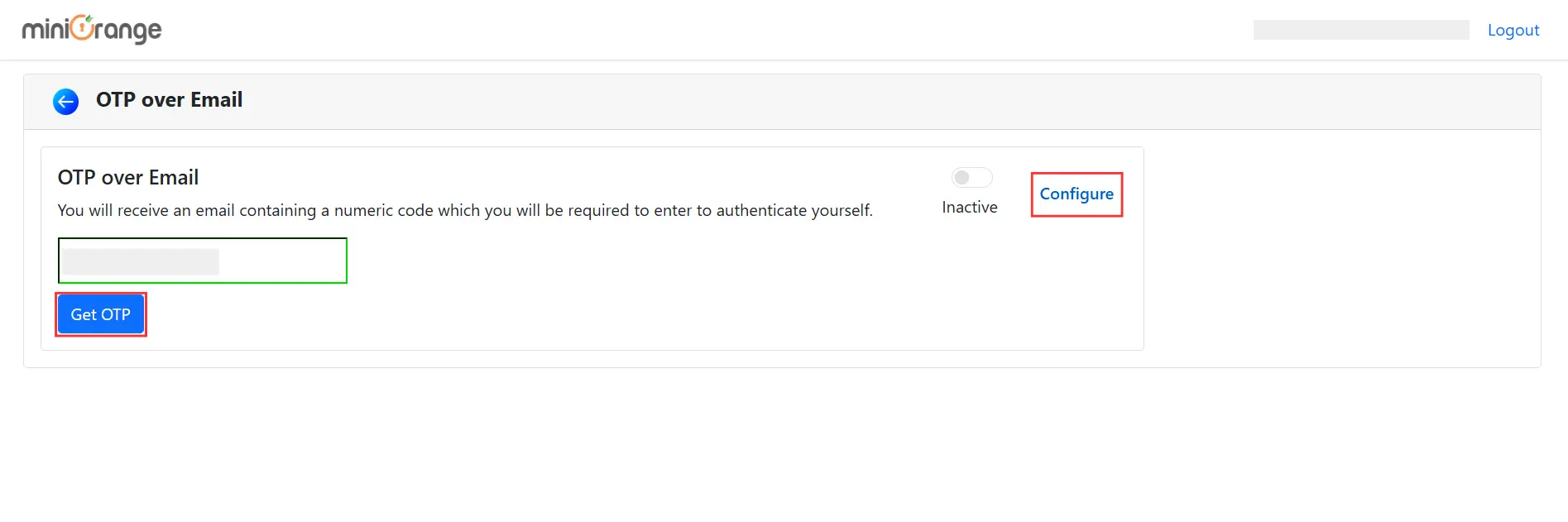
- Efter att ha klickat på Inställd, öppnas instrumentpanelen för OTP via e-post. Klicka på Inställd, ange e-postadressen och klicka på Skaffa OTP knapp.
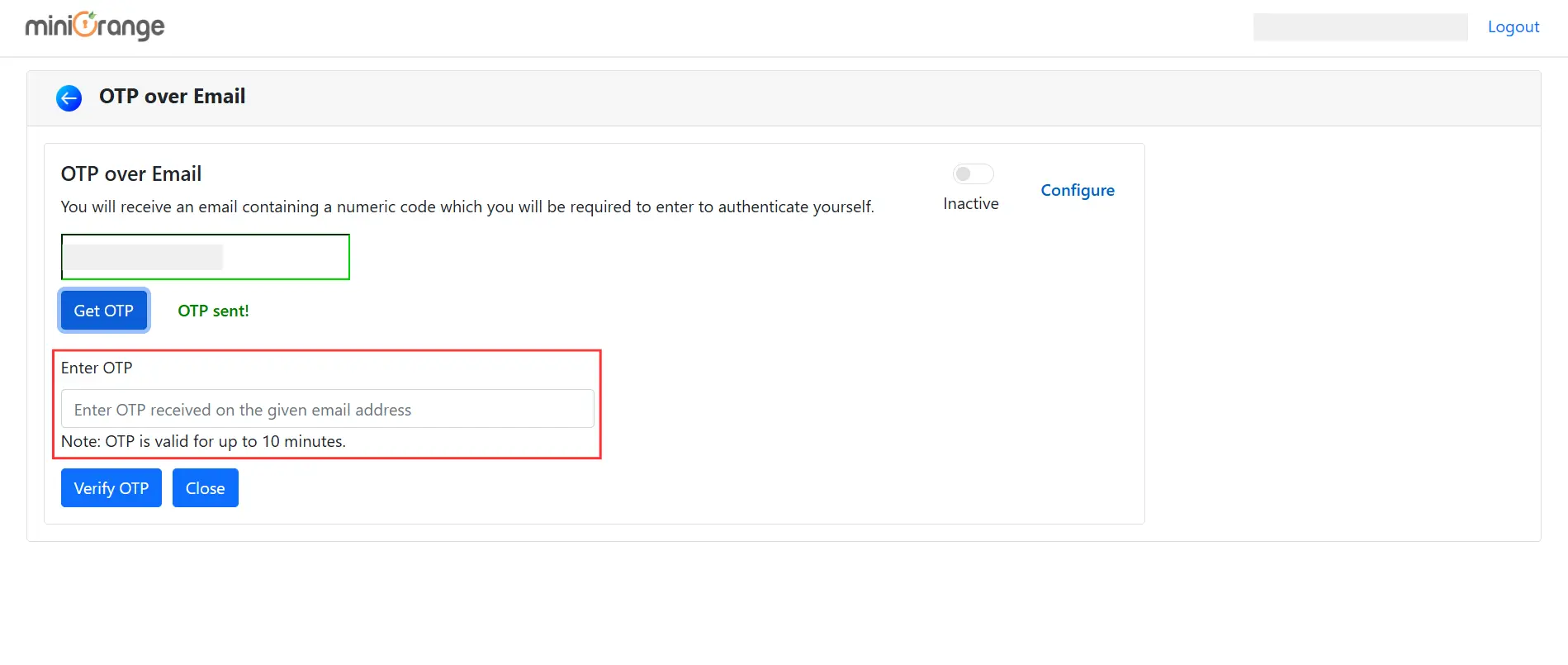
- Efter att ha klickat på Skaffa OTP knappen, kommer användaren att få ett engångslösenord till den angivna e-postadressen. Ange det mottagna engångslösenordet.
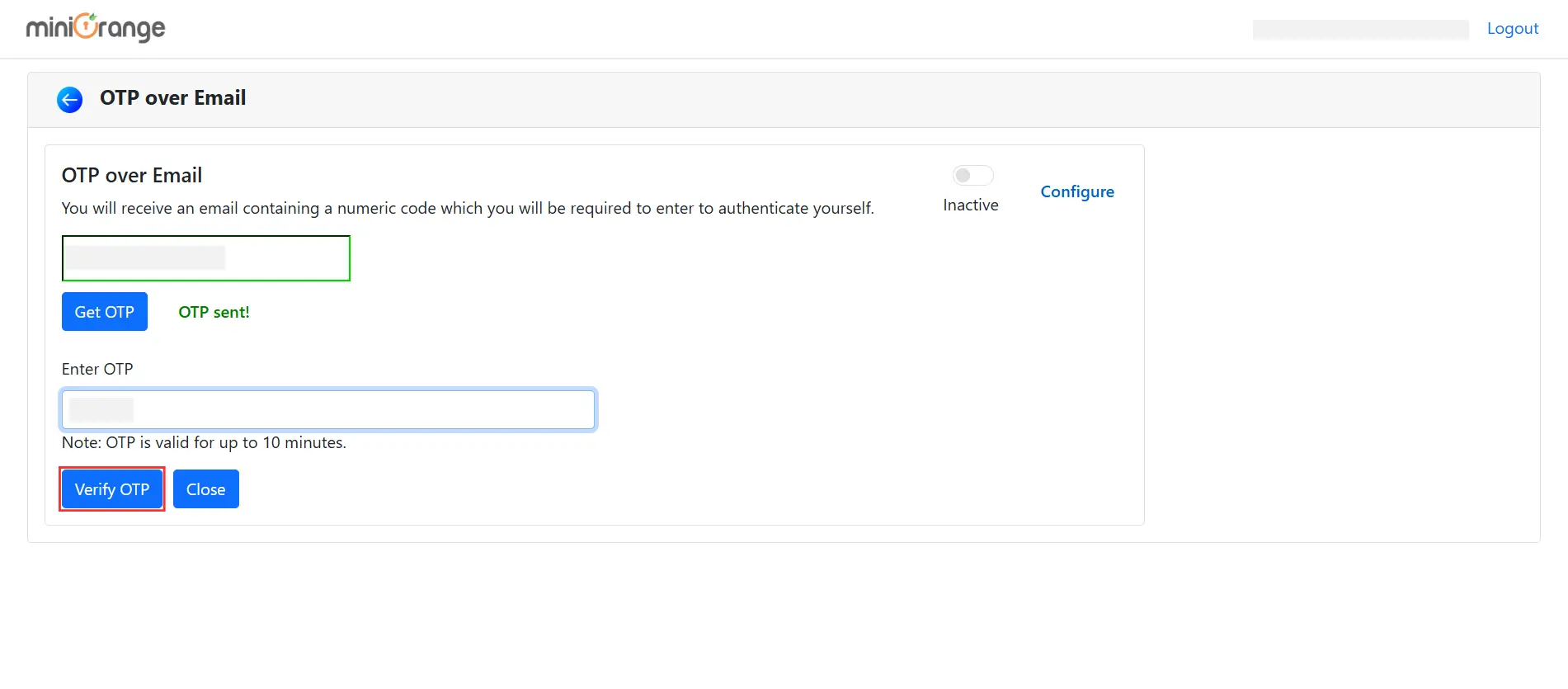
- Klicka på Verifiera OTP knappen. Efter att ha verifierat engångslösenordet (OTP) kommer metoden att konfigureras och kan aktiveras för slutanvändaren.
- För att aktivera metoden för slutanvändaren, klicka på växlingsknappen OTP via e-post.
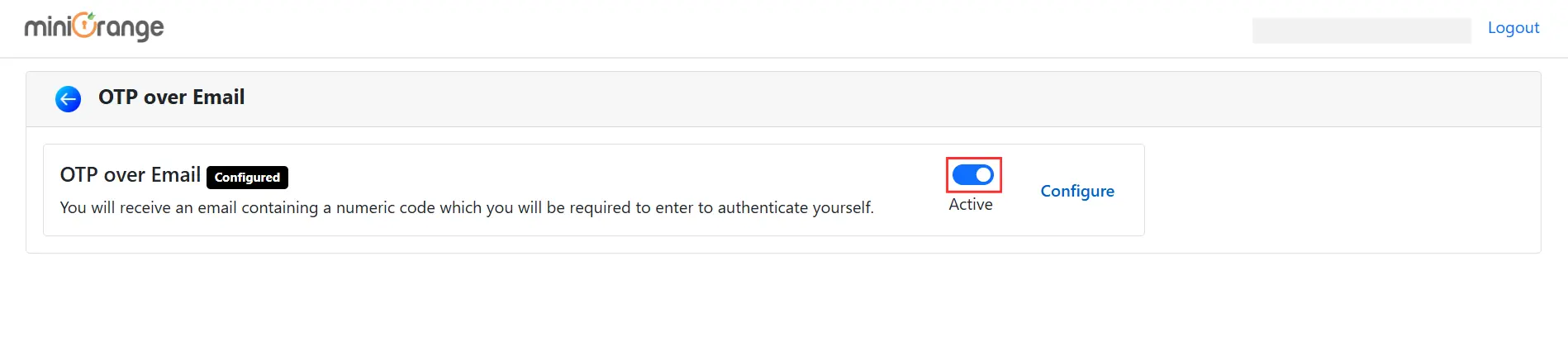
- aktivera 2FA för slutanvändare växlingsknapp.
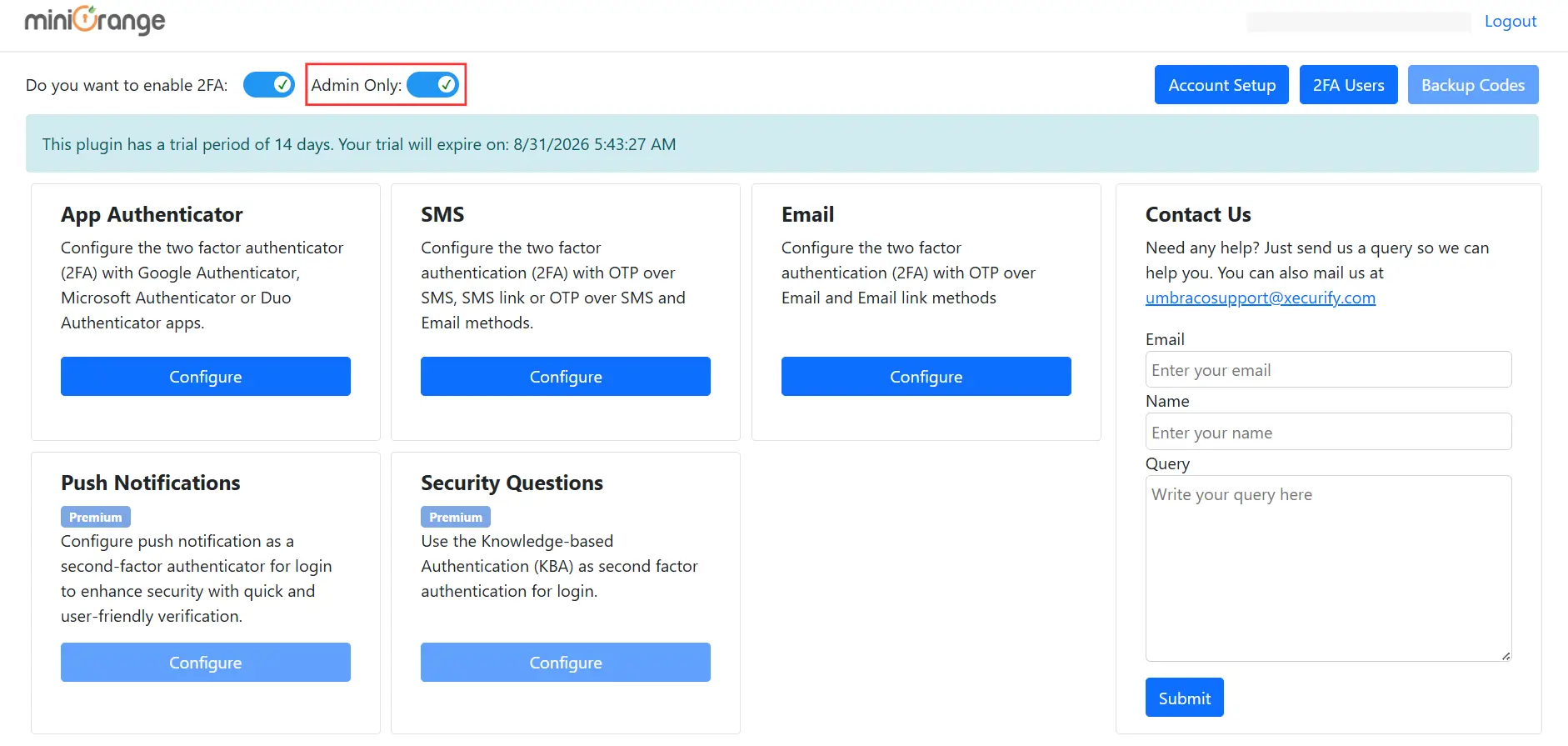
- För att aktivera 2FA för administratörer, aktivera Endast administratör växla.
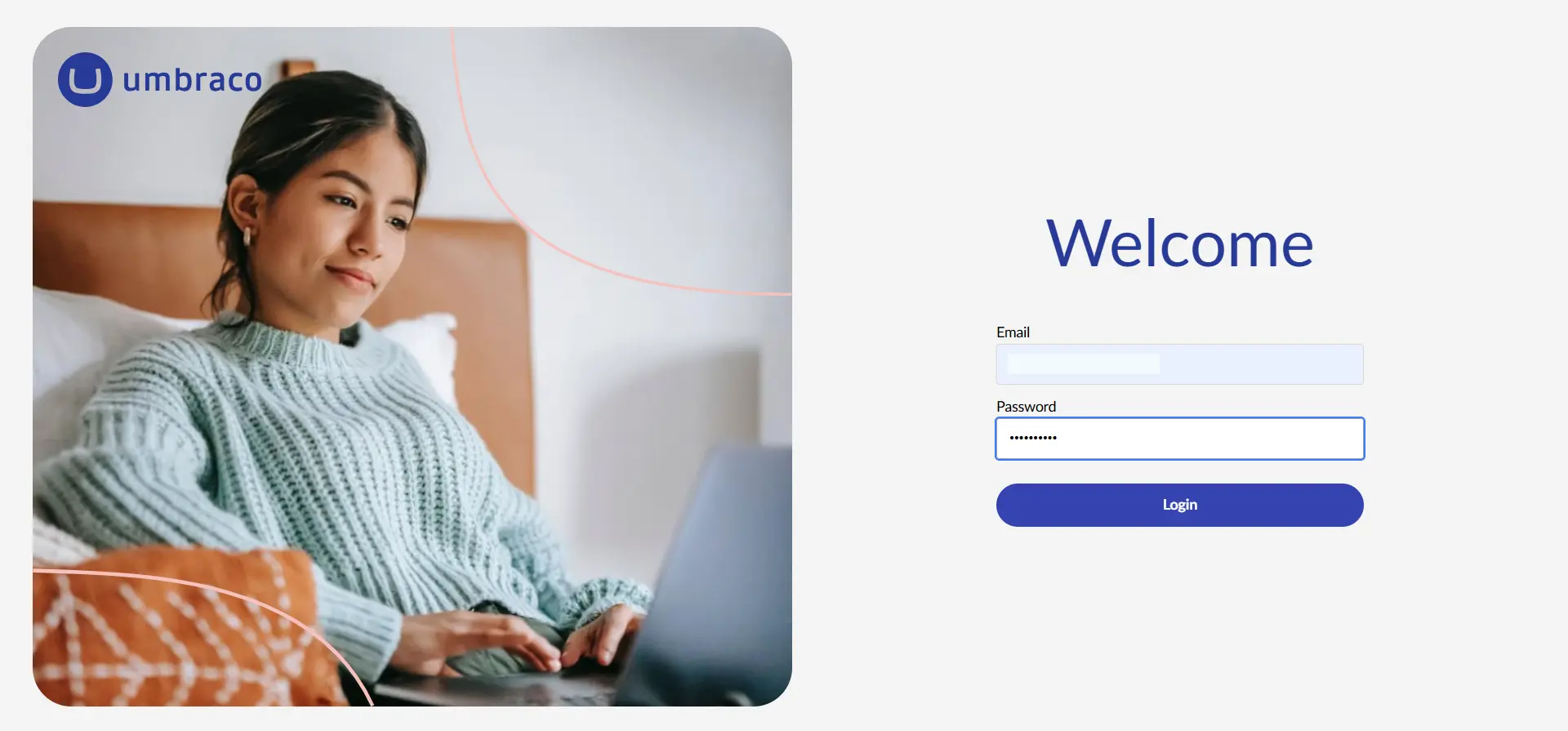
3. Testa OTP via e-post på Umbracos inloggningssida
- Logga in på din Umbraco-applikation.
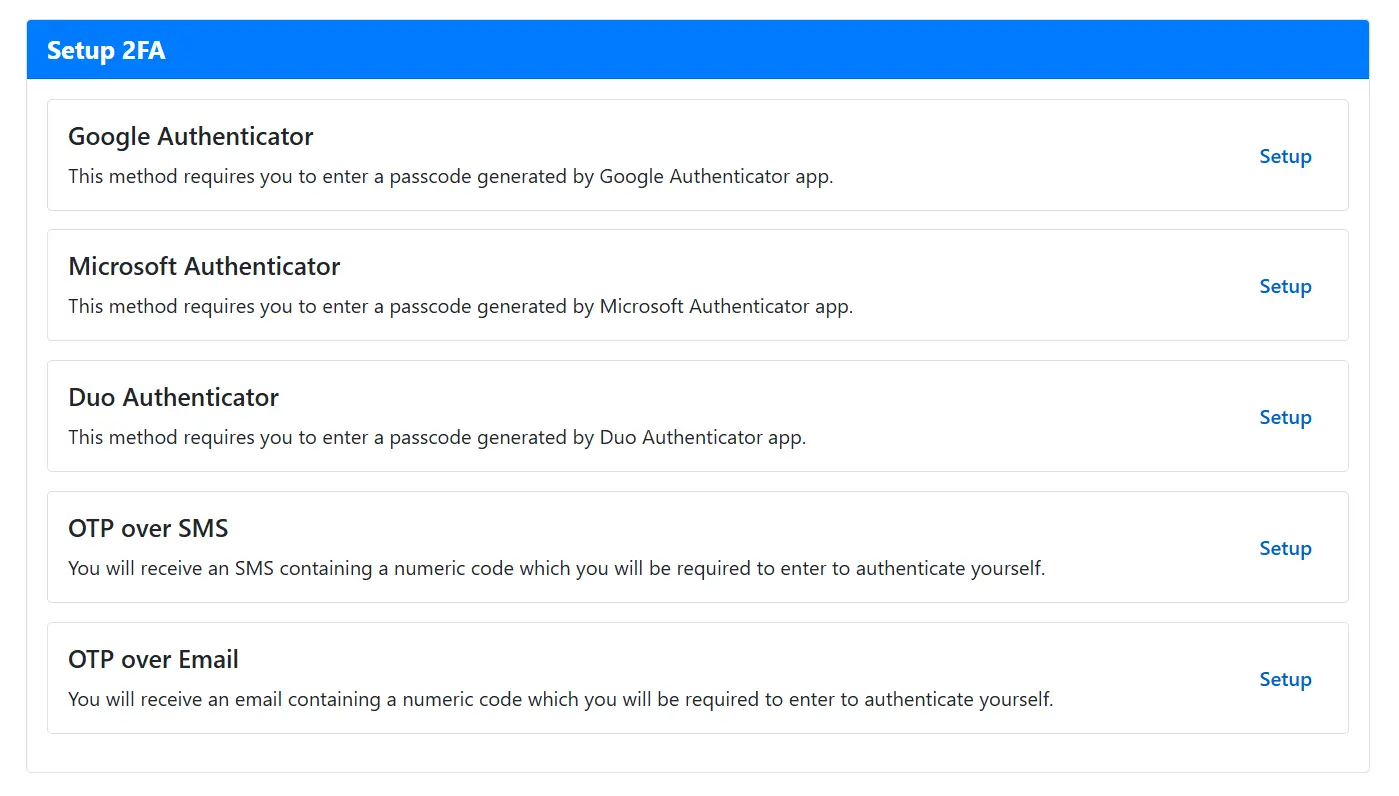
- Efter inloggning ser slutanvändarna Konfigurera 2FA skärm. Klick Inställning bredvid OTP via e-post.
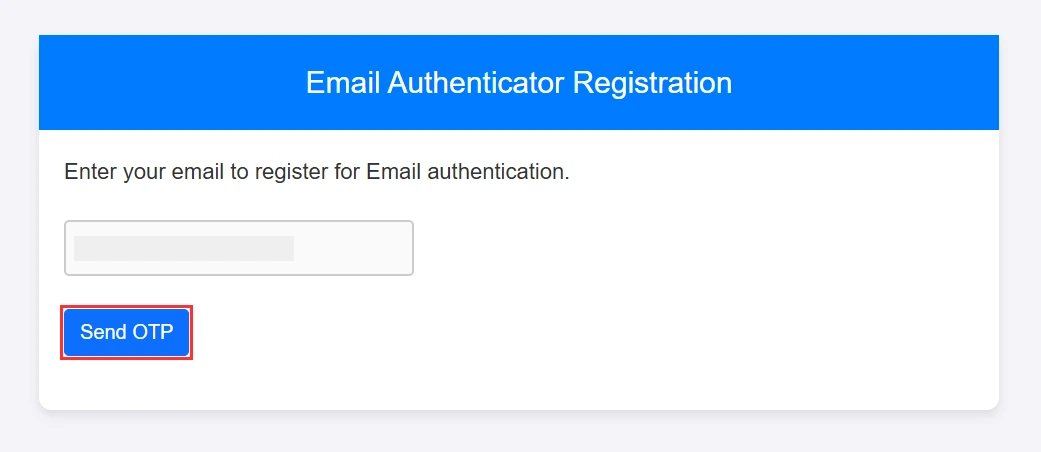
- Ange e-postadressen dit du vill ta emot engångslösenordet och klicka på Skicka OTP.
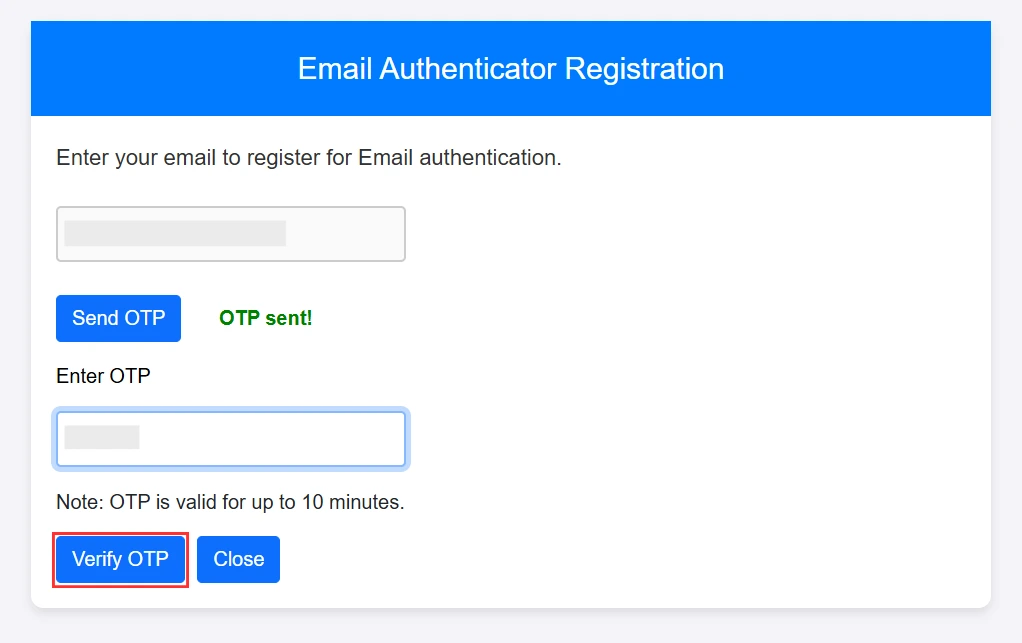
- Ange engångslösenordet som du mottagit via e-post och klicka på Verifiera OTP.
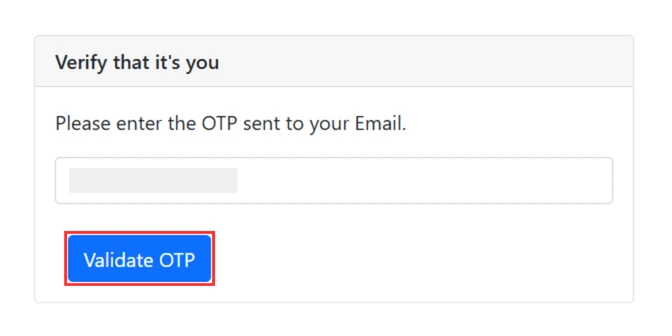
Obs! Dessa konfigurationssteg är en engångsinstallation för att konfigurera TFA-metoden för användaren. Nästa gång användaren loggar in kommer de bara att se skärmen Validera OTP (det sista steget nedan) för att slutföra autentiseringen.
- Ange engångskoden för att bekräfta din identitet och klicka på Validera OTP.
- Användaren kommer att vara inloggad i sin Umbraco-applikation.
Relaterade artiklar
Tack för ditt svar. Vi återkommer snart.
Något gick fel. Skicka din fråga igen


