
Konfigurera Umbraco 2FA med hjälp av OTP via SMS
Översikt
Umbraco tvåfaktorsautentisering (2FA) lägger till ett extra säkerhetslager till din Umbraco- applikationsinloggning genom att aktivera OTP-verifiering via SMS . När användare har angett rätt användarnamn och lösenord får de ett tidskänsligt engångslösenord (OTP) på sitt registrerade mobilnummer. OTP via SMS är en pålitlig andrafaktorsmetod som hjälper till att skydda användarkonton mot nätfiske, brute-force-attacker och obehörig åtkomst. Plugin-programmet stöder även metoder som Google Authenticator, Microsoft Authenticator, Duo Authenticator och OTP via e-post.

Välj din Umbraco-version för att konfigurera 2FA med:
Förutsättningar: Ladda ner och installation
- Ladda ner Umbracos tvåfaktorsautentisering (2FA)-plugin.
- För att konfigurera Umbraco 2FA-pluginet, lägg till nedanstående namnrymder, tjänster och mellanprogramvara i din program.cs fil. Nedan följer ett exempel.
Inkludera endast det markerade avsnittet nedan i program.cs filen för din ansökan.
      using miniorange.aspnet.tfa;

      using System.Reflection;


      WebApplicationBuilder builder = WebApplication.CreateBuilder(args);

      builder.Services.AddDistributedMemoryCache();


      builder.Services.AddSession(options =>

      {

        options.IdleTimeout = TimeSpan.FromMinutes(60);

        options.Cookie.HttpOnly = true;

        options.Cookie.IsEssential = true;

      });


      builder.Services.AddminiOrangeServices(Assembly.GetExecutingAssembly());


      builder.CreateUmbracoBuilder()

        .AddBackOffice()

        .AddWebsite()

        .AddDeliveryApi()

        .AddComposers()

        .Build();


      WebApplication app = builder.Build();


      await app.BootUmbracoAsync();

      app.UseSession();

      app.UseMiddleware<RedirectAfterLoginMiddleware>();

      app.UseStateCheck();


      app.UseUmbraco()

        .WithMiddleware(u =>

        {

          u.UseBackOffice();

          u.UseWebsite();

        })

        .WithEndpoints(u =>

        {

          u.UseInstallerEndpoints();

          u.UseBackOfficeEndpoints();

          u.UseWebsiteEndpoints();

        });


      await app.RunAsync();
      using System.Reflection;

      using miniorange.aspnet.tfa;


      WebApplicationBuilder builder = WebApplication.CreateBuilder(args);


      builder.Services.AddDistributedMemoryCache();


      builder.Services.AddSession(options =>

      {

        options.IdleTimeout = TimeSpan.FromMinutes(60);

        options.Cookie.HttpOnly = true;

        options.Cookie.IsEssential = true;

      });


      builder.Services.AddminiOrangeServices(Assembly.GetExecutingAssembly());


      builder.CreateUmbracoBuilder()

        .AddBackOffice()

        .AddWebsite()

        .AddComposers()

        .Build();


      WebApplication app = builder.Build();


      await app.BootUmbracoAsync();


      app.UseSession();


      app.UseMiddleware<RedirectAfterLoginMiddleware>();

      app.UseStateCheck();


      app.UseHttpsRedirection();


      app.MapWhen(

        context => context.Request.Path.StartsWithSegments("/TFA") ||

                   context.Request.Path.StartsWithSegments("/Validate"),

        tfa =>

        {

          tfa.UseRouting();

          tfa.UseEndpoints(endpoints =>

          {

            endpoints.MapControllers();

          });

        });


      app.UseUmbraco()

        .WithMiddleware(u =>

        {

          u.UseBackOffice();

          u.UseWebsite();

        })

        .WithEndpoints(u =>

        {

          u.EndpointRouteBuilder.MapControllers();


          u.UseBackOfficeEndpoints();

          u.UseWebsiteEndpoints();

        });


      await app.RunAsync();
      using miniorange.aspnet.tfa;

      using System.Reflection;


      WebApplicationBuilder builder = WebApplication.CreateBuilder(args);

      builder.Services.AddDistributedMemoryCache();


      builder.Services.AddSession(options =>

      {

        options.IdleTimeout = TimeSpan.FromMinutes(60);

        options.Cookie.HttpOnly = true;

        options.Cookie.IsEssential = true;

      });


      builder.Services.AddminiOrangeServices(Assembly.GetExecutingAssembly());


      builder.CreateUmbracoBuilder()

        .AddBackOffice()

        .AddWebsite()

        .AddDeliveryApi()

        .AddComposers()

        .Build();


      WebApplication app = builder.Build();


      await app.BootUmbracoAsync();

      app.UseSession();

      app.UseMiddleware<RedirectAfterLoginMiddleware>();

      app.UseStateCheck();


      app.UseUmbraco()

        .WithMiddleware(u =>

        {

          u.UseBackOffice();

          u.UseWebsite();

        })

        .WithEndpoints(u =>

        {

          u.UseInstallerEndpoints();

          u.UseBackOfficeEndpoints();

          u.UseWebsiteEndpoints();

        });


      await app.RunAsync();
      using System.Reflection;

      using miniorange.aspnet.tfa;


      WebApplicationBuilder builder = WebApplication.CreateBuilder(args);


      builder.Services.AddDistributedMemoryCache();


      builder.Services.AddSession(options =>

      {

        options.IdleTimeout = TimeSpan.FromMinutes(60);

        options.Cookie.HttpOnly = true;

        options.Cookie.IsEssential = true;

      });


      builder.Services.AddminiOrangeServices(Assembly.GetExecutingAssembly());


      builder.CreateUmbracoBuilder()

        .AddBackOffice()

        .AddWebsite()

        .AddComposers()

        .Build();


      WebApplication app = builder.Build();


      await app.BootUmbracoAsync();


      app.UseSession();


      app.UseMiddleware<RedirectAfterLoginMiddleware>();

      app.UseStateCheck();


      app.UseHttpsRedirection();


      app.MapWhen(

        context => context.Request.Path.StartsWithSegments("/TFA") ||

                   context.Request.Path.StartsWithSegments("/Validate"),

        tfa =>

        {

          tfa.UseRouting();

          tfa.UseEndpoints(endpoints =>

          {

            endpoints.MapControllers();

          });

        });


      app.UseUmbraco()

        .WithMiddleware(u =>

        {

          u.UseBackOffice();

          u.UseWebsite();

        })

        .WithEndpoints(u =>

        {

          u.EndpointRouteBuilder.MapControllers();


          u.UseBackOfficeEndpoints();

          u.UseWebsiteEndpoints();

        });


      await app.RunAsync();
- Kör programmet när konfigurationen är klar.
Konfigurationssteg
Steg-för-steg-guide för implementering av tvåfaktorsautentisering (2FA) i Umbraco med hjälp av OTP via SMS.
1. Gå till Umbraco 2FA Plugin-instrumentpanelen
- Efter integreringen öppnar du din webbläsare och bläddrar i anslutningspanelen med webbadressen nedan:
https://<umbraco-base-url>/tfa/configure
- Om registreringssidan eller inloggningssidan dyker upp har du lagt till miniOrange Umbraco 2FA-mellanprogramvaran i din applikation.
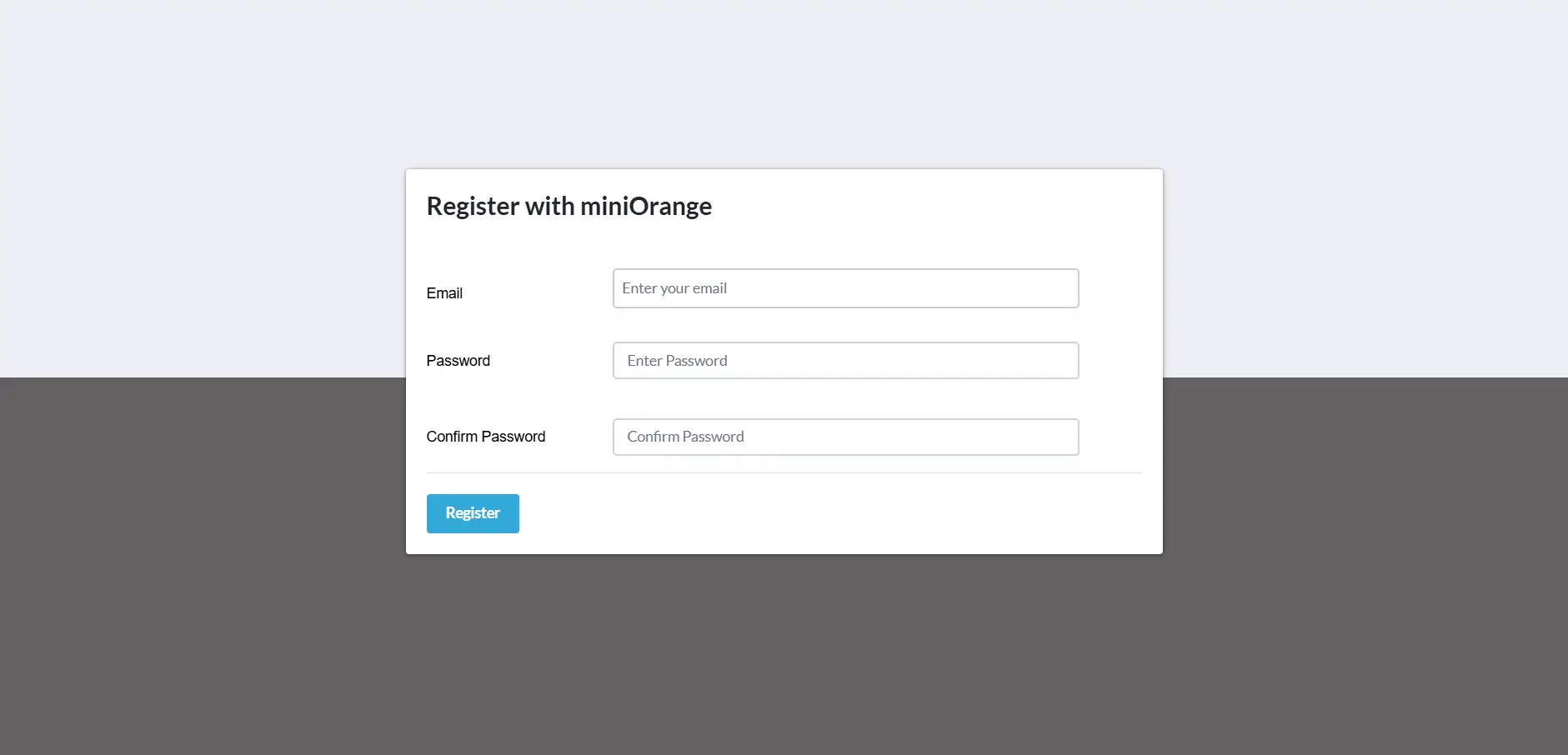
- Registrera dig med ditt konto genom att klicka på Registrera knappen för att konfigurera Umbraco 2FA-pluginet.
- Efter lyckad registrering får du en testlicensnyckel till din registrerade e-postadress.
- För att aktivera plugin-programmet kan du antingen:
- Ange licensnyckel mottagen via e-post i det angivna inmatningsfältet.
OR
- Ladda upp licensfilen som du laddade ner med hjälp av Ladda ner licensnyckel knappen genom att använda Välj FIL alternativ.
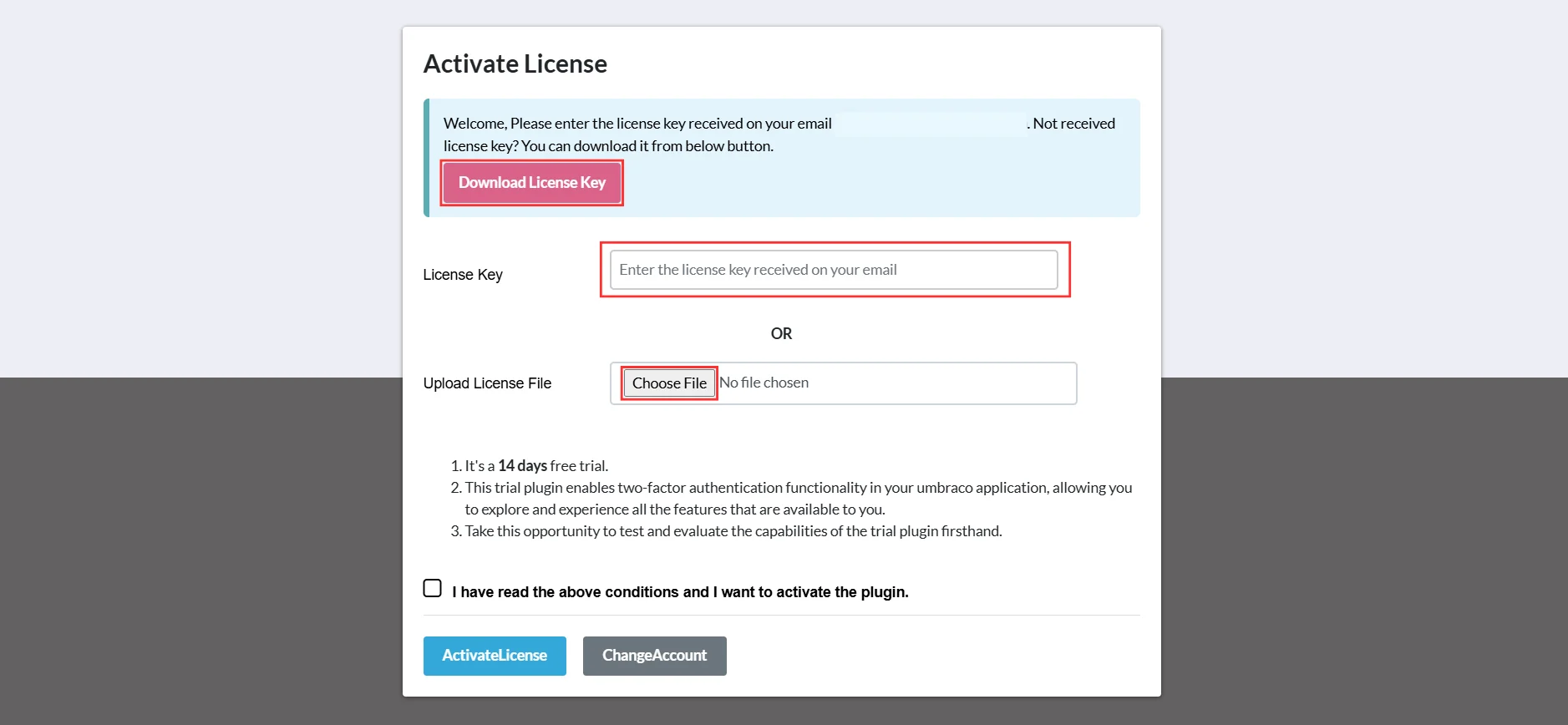
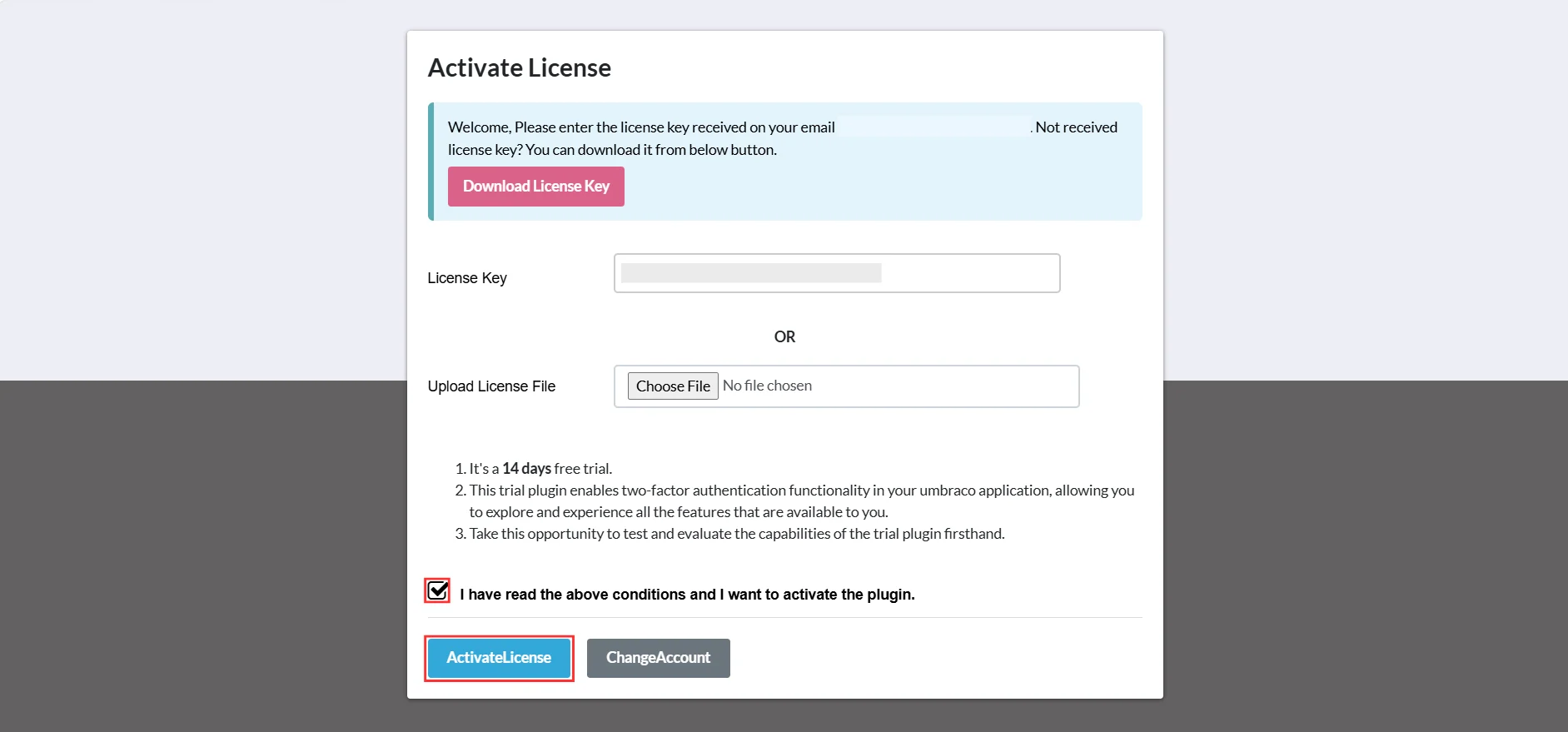
- Markera sedan rutan "Jag har läst ovanstående villkor och jag vill aktivera pluginet", och klicka på Aktivera licens knapp.
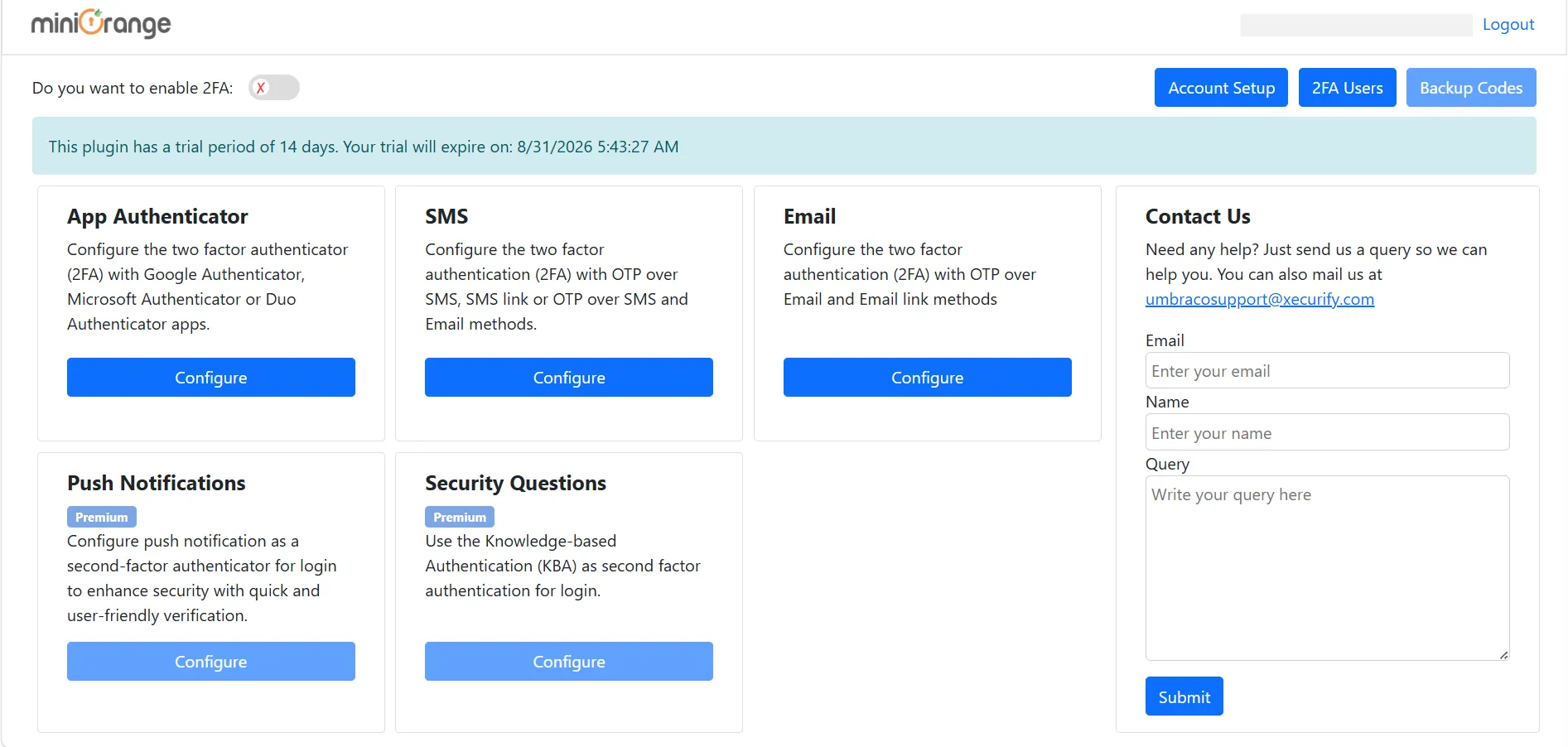
- Efter lyckad licensaktivering öppnas plugin-instrumentpanelen enligt nedan.
2. Konfigurera OTP över SMS
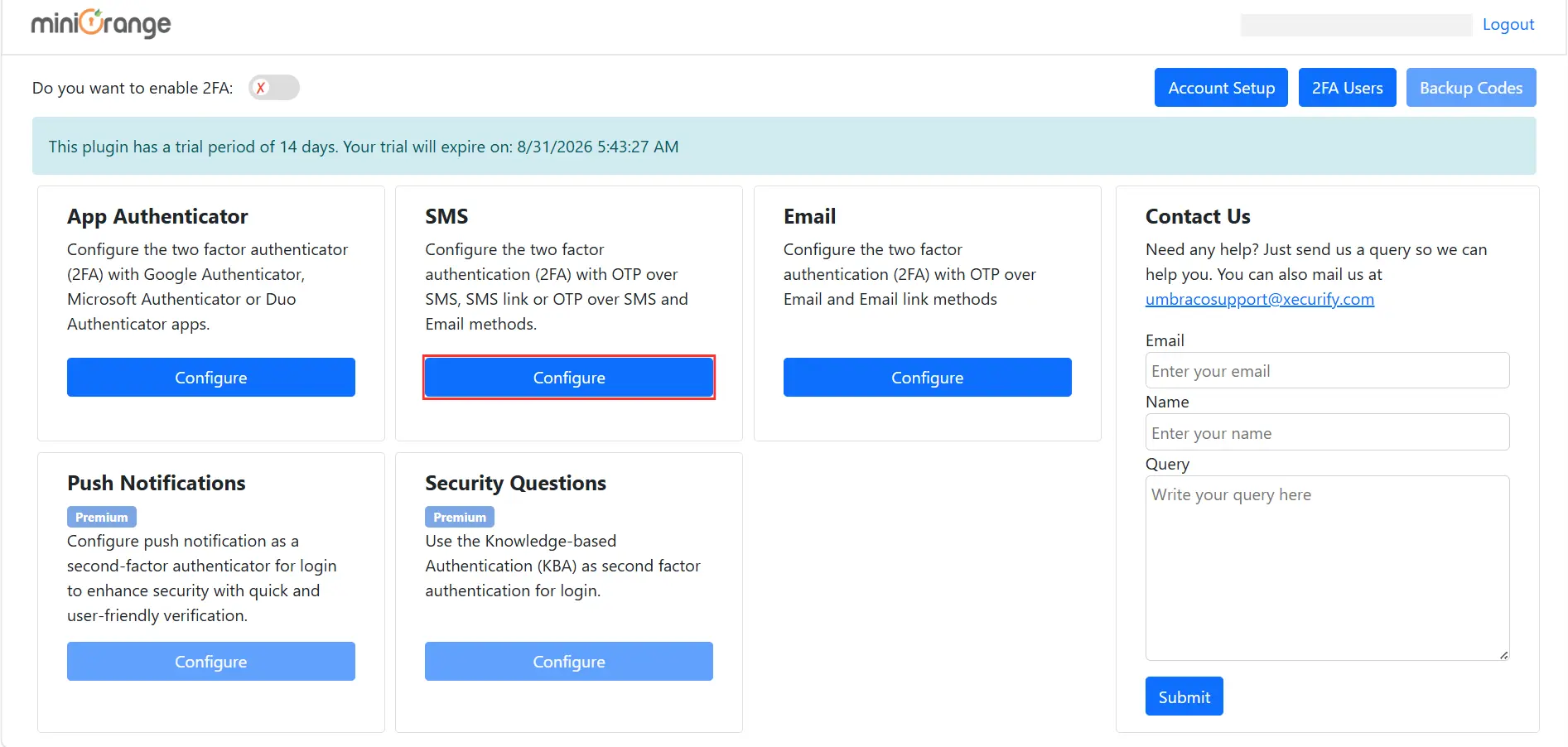
- På plugin-instrumentpanelen klickar du på Inställd knapp under SMS kort för att konfigurera OTP via SMS.
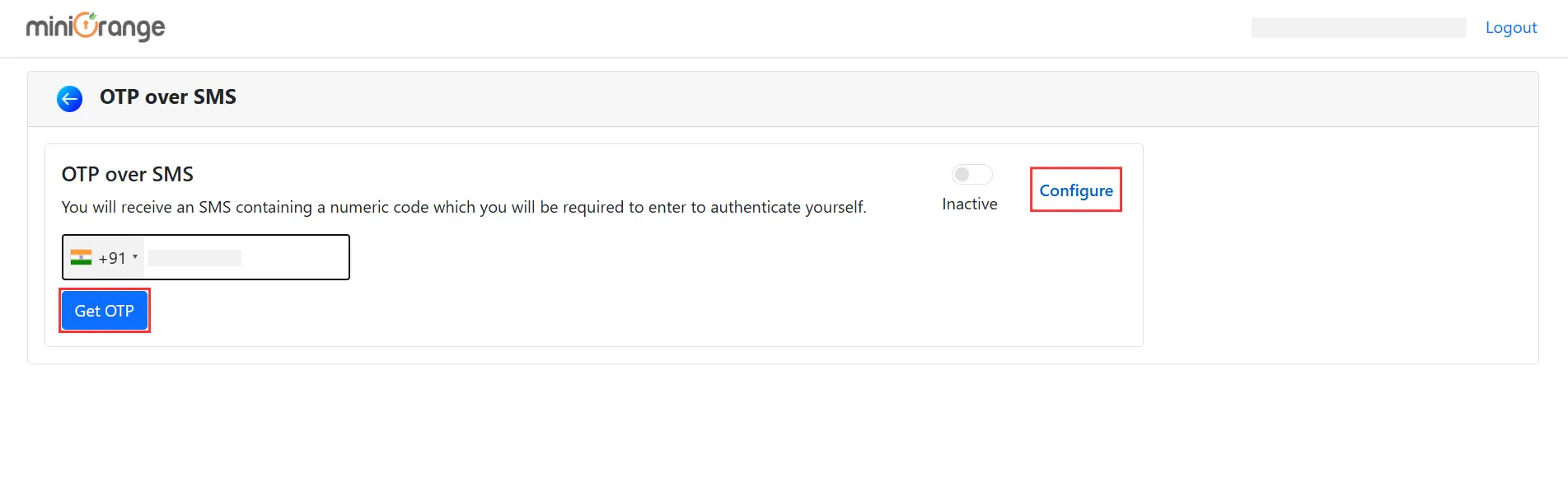
- Efter att ha klickat på Inställd, öppnas instrumentpanelen för OTP via SMS. Klicka på Inställd, Välj Användarens telefonattribut från rullgardinsmenyn, ange telefonnumret och klicka på Skaffa OTP knapp.
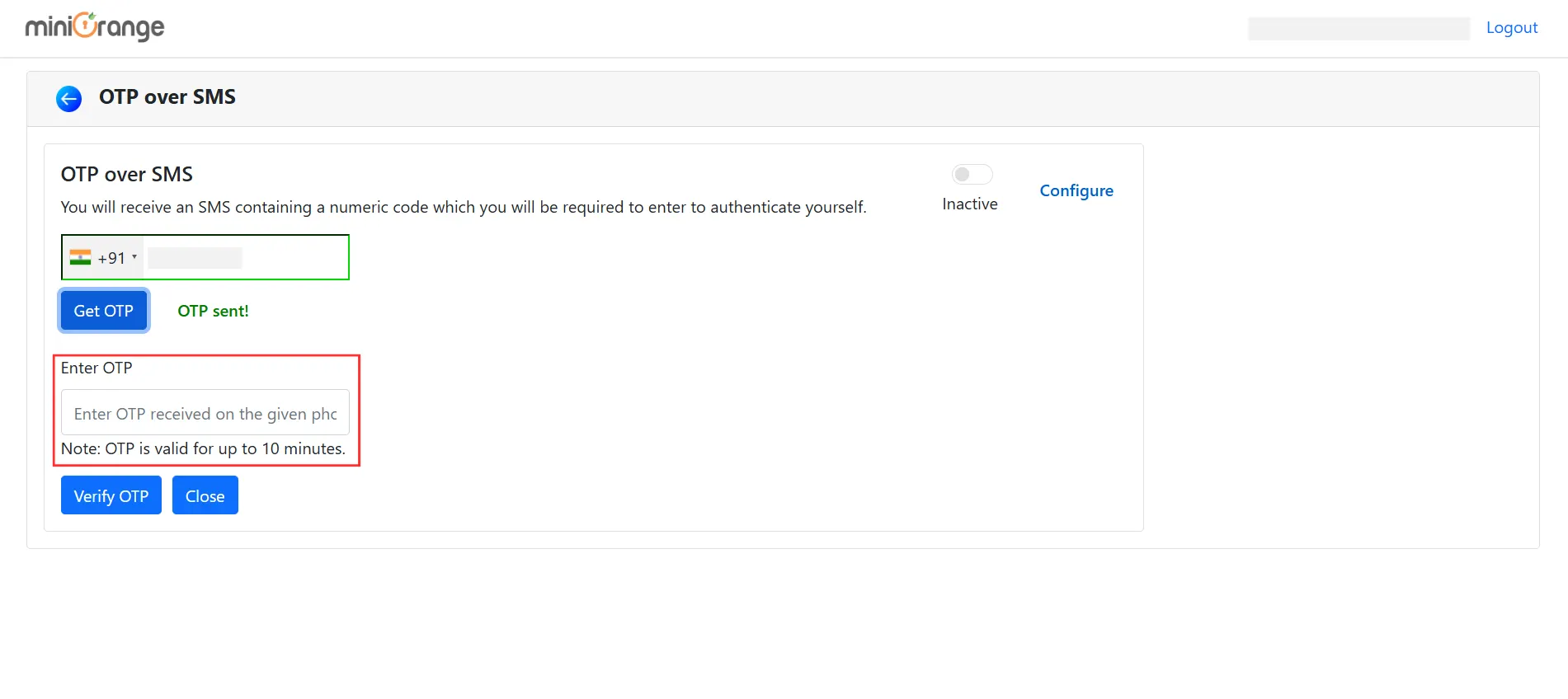
- Efter att ha klickat på Skaffa OTP knappen, kommer användaren att få ett engångslösenord på det angivna mobilnumret. Ange den mottagna engångslösenordskoden.
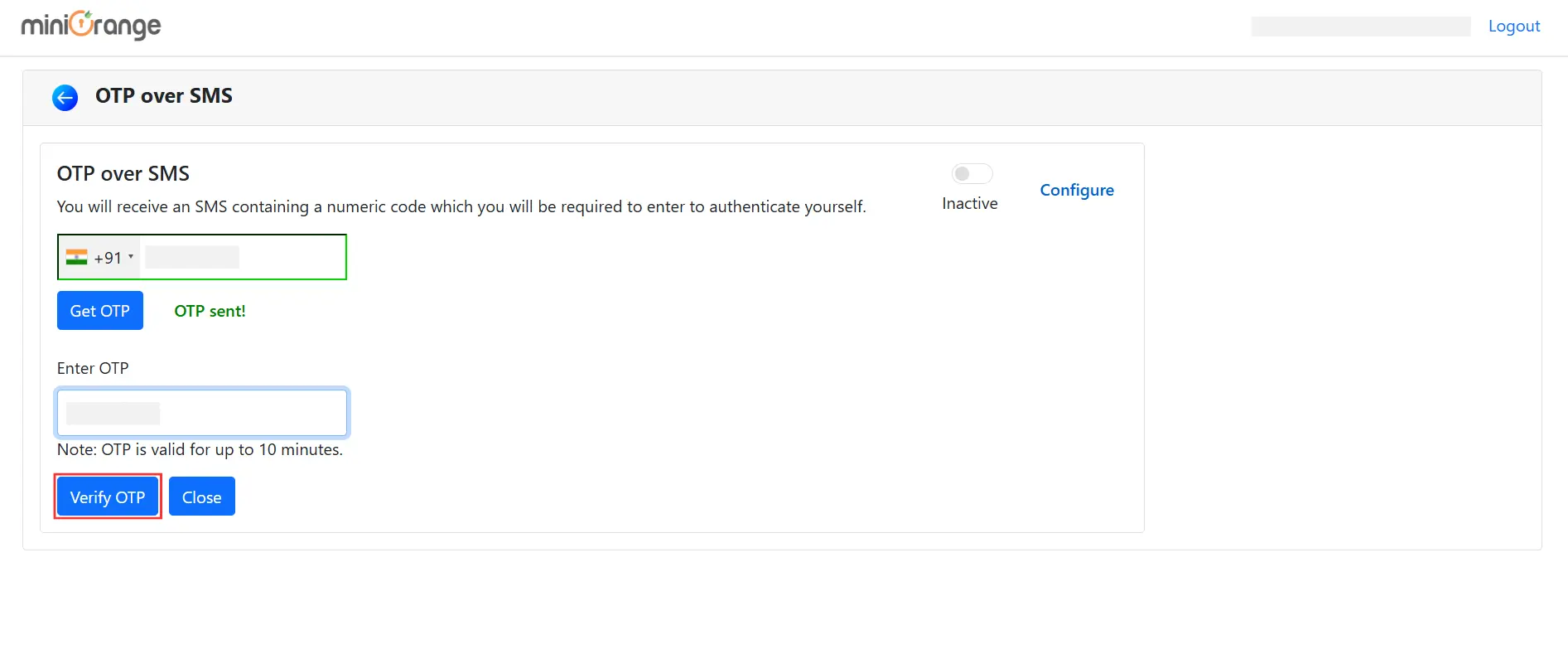
- Klicka på Verifiera OTP knappen. Efter att ha verifierat engångslösenordet (OTP) kommer metoden att konfigureras och kan aktiveras för slutanvändaren.
- För att aktivera metoden för slutanvändaren, klicka på växlingsknappen OTP via SMS.
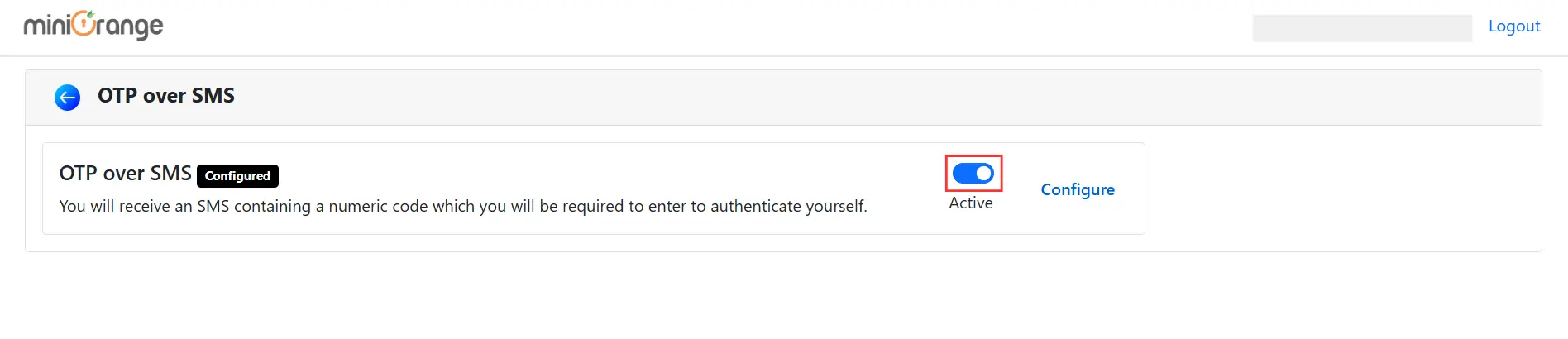
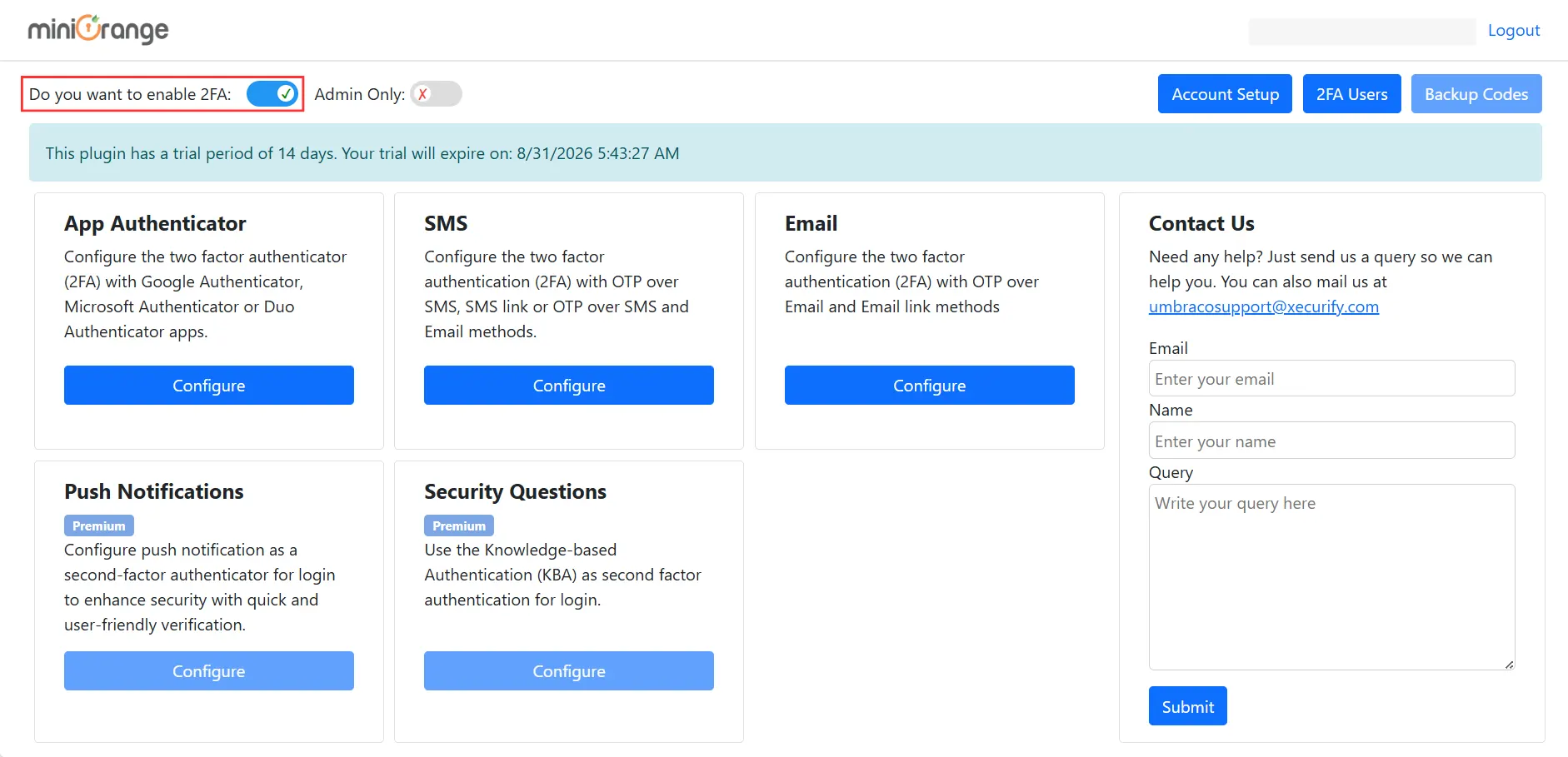
- aktivera 2FA för slutanvändare växlingsknapp.
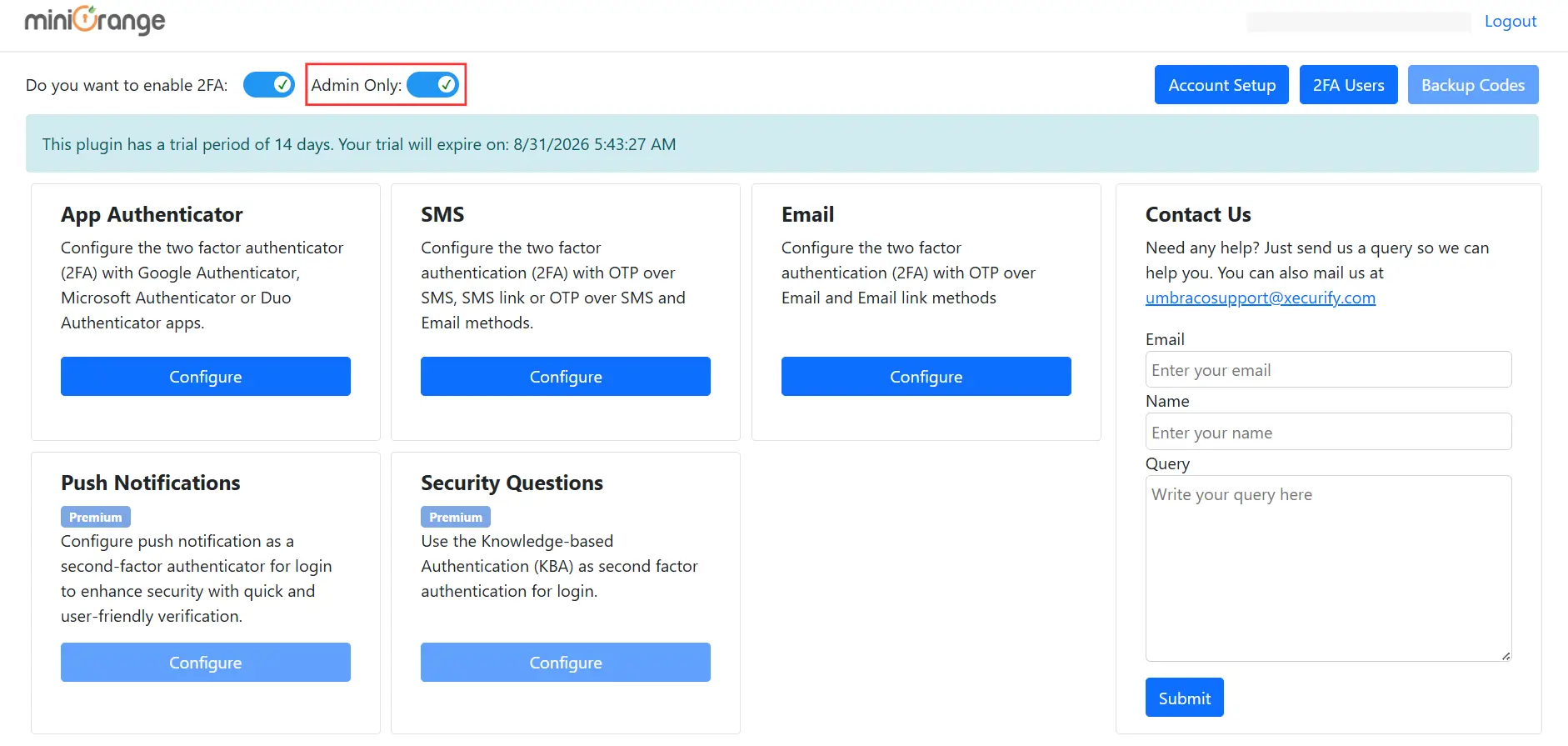
- För att aktivera 2FA för administratörer, aktivera Endast administratör växla.
3. Testa OTP över SMS på Umbracos inloggningssida
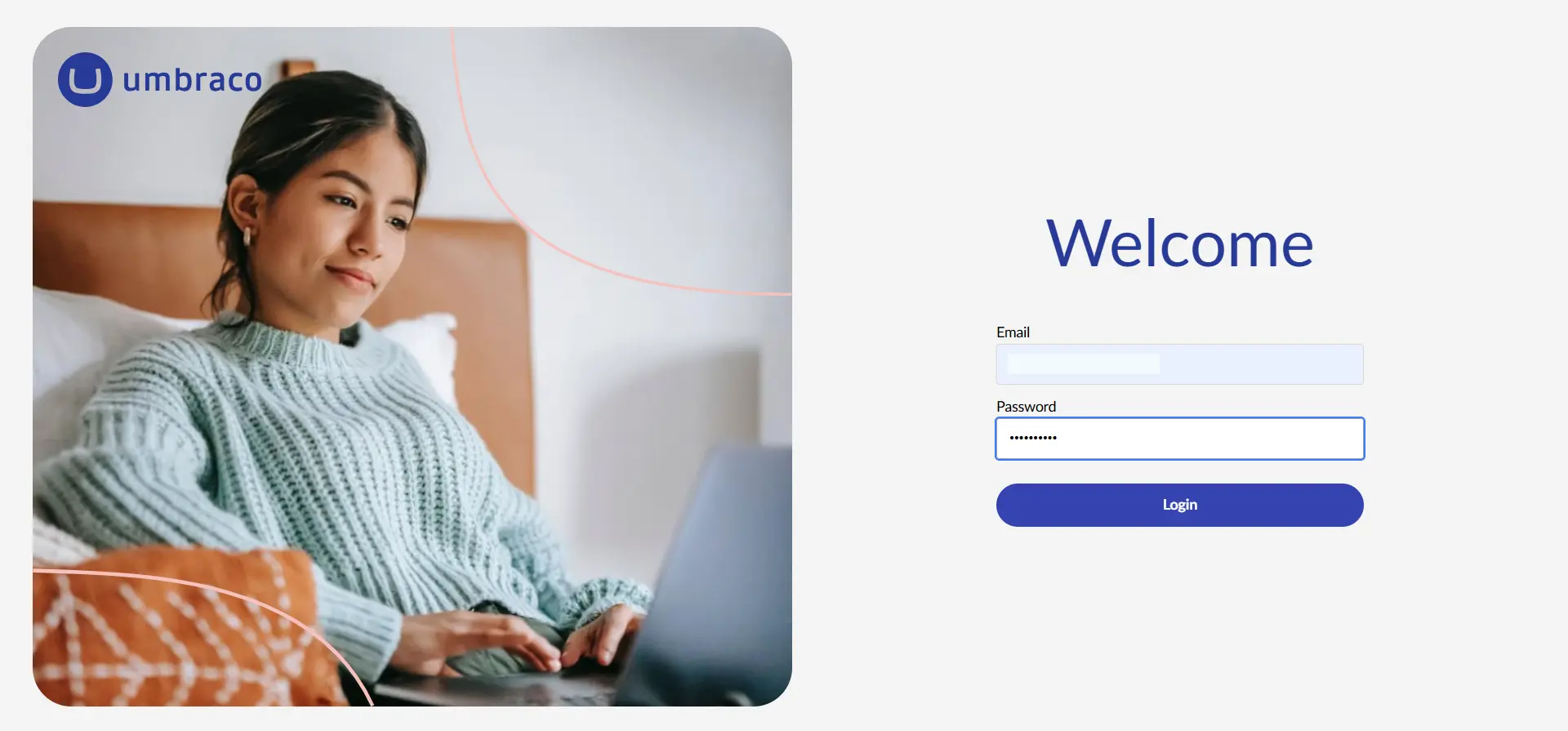
- Logga in på din Umbraco-applikation.
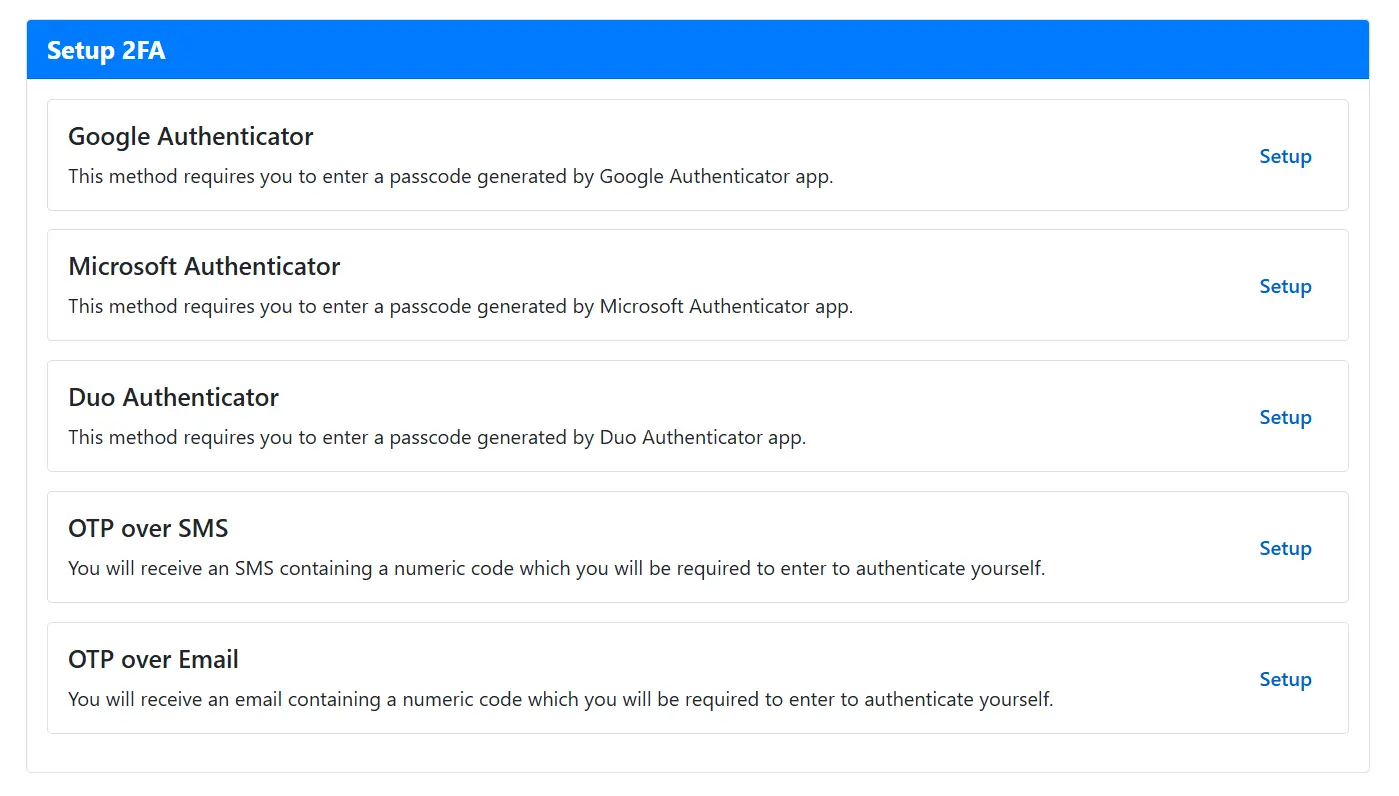
- Efter inloggning ser slutanvändarna Konfigurera 2FA skärm. Klick Inställning bredvid OTP över SMS.
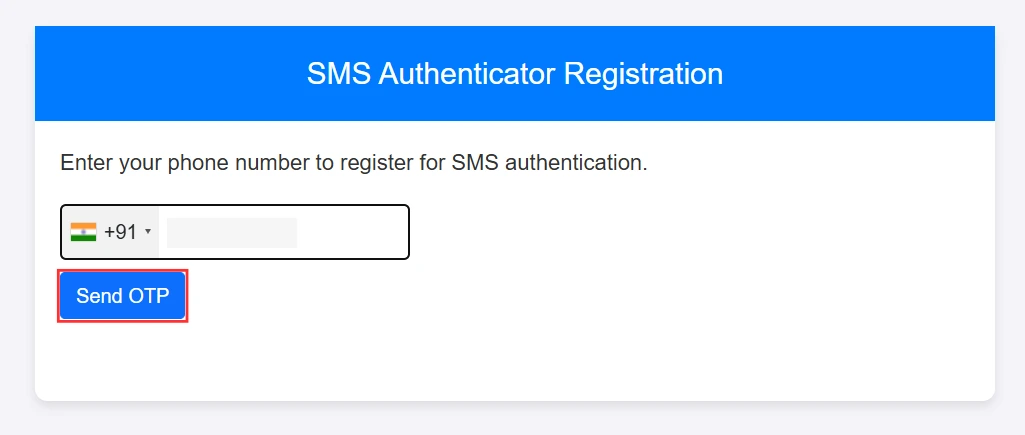
- Ange ditt telefonnummer i popup-fönstret och klicka på Skicka OTP.
- Ange engångslösenordet som skickats till ditt telefonnummer och klicka på Verifiera OTP.
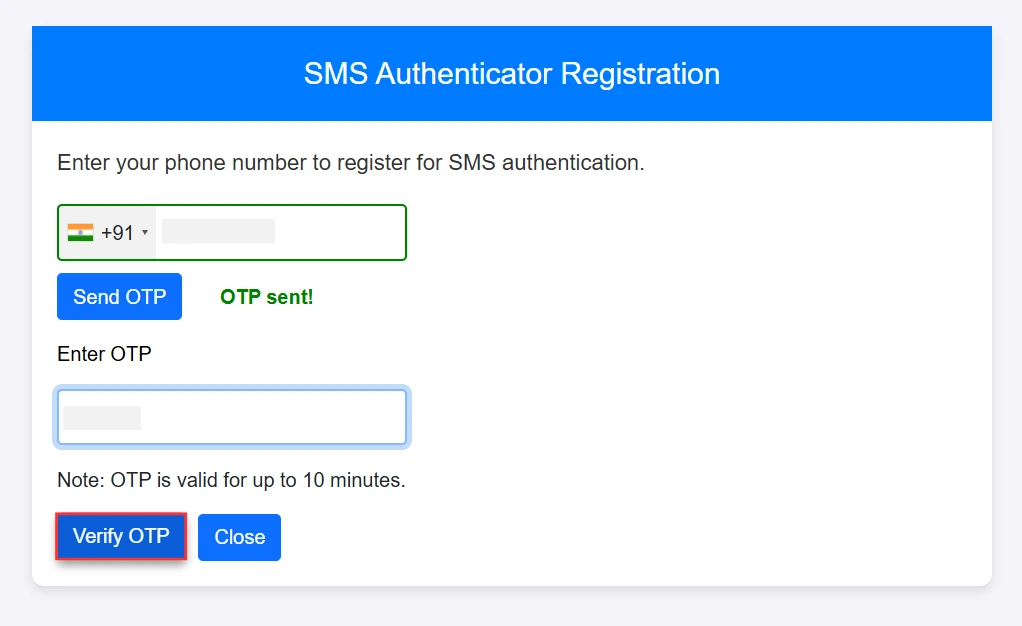
Obs! Dessa konfigurationssteg är en engångsinstallation för att konfigurera TFA-metoden för användaren. Nästa gång användaren loggar in kommer de bara att se skärmen Validera OTP (det sista steget nedan) för att slutföra autentiseringen.
- Vid nästa inloggning anger du engångslösenordet och klickar på Validera OTP.
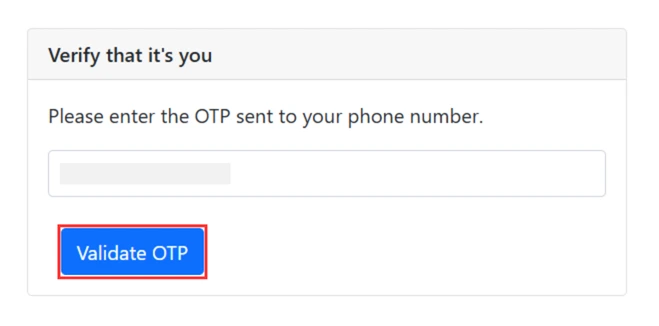
- Användaren kommer att vara inloggad i sin Umbraco-applikation.
Relaterade artiklar
Tack för ditt svar. Vi återkommer snart.
Något gick fel. Skicka din fråga igen


