Search Results :

×

Powerful WordPress Copilot Integration Use Cases

See the real use cases where the Copilot WordPress Integration helps teams find answers and stay productive.

Copilot WordPress Integration | Find the Right File Instantly

Find the Right File Instantly

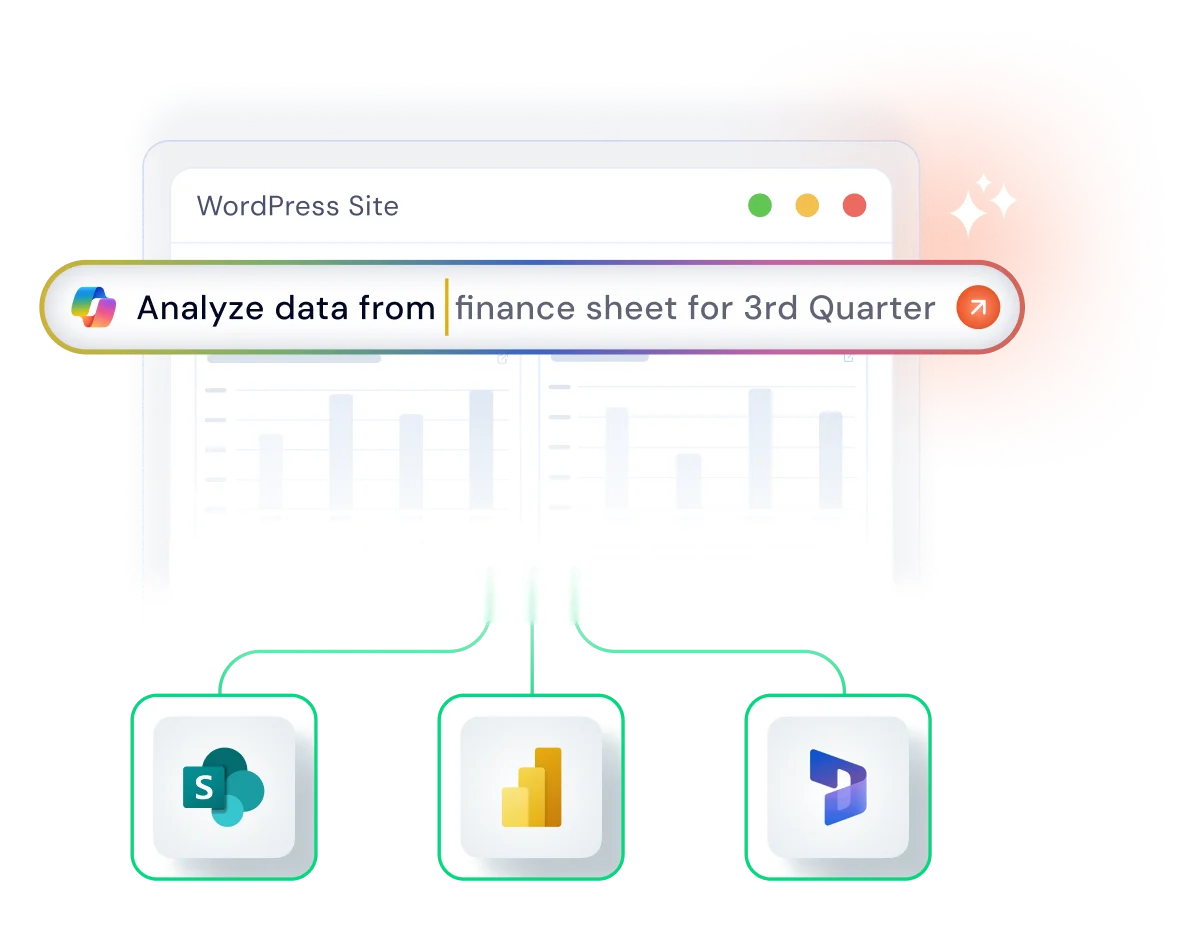
SharePoint and OneDrive often hold a mix of documents, videos, and folders, which can take time to sort through. With the AI-powered assistant for WordPress, you just describe what you need, and Copilot finds the exact item stored in your SharePoint or OneDrive environment. It’s a simple way to get to the content you need without browsing through layered directories.

Know More  Copilot WordPress Integration | SharePoint Integration

Copilot WordPress Integration | Get Clear Business Insights

Get Clear Business Insights

Power BI offers rich datasets, dashboards, tiles, and reports, but locating the right details often requires navigating multiple views. The WordPress to Microsoft Copilot integration delivers the metrics you request and breaks them down clearly, so you can review insights directly in WordPress without opening dashboards.

Know More  Copilot WordPress Integration | Power BI Integration

Copilot WordPress Integration | Search Your CRM Data Easily

Search Your CRM Data Easily

Organizations use Dynamics 365 CRM to manage customers, support tickets, WooCommerce order syncs, and other important business records. With the Copilot integration with WordPress, teams can request the information they need, and Copilot returns the correct CRM data with a concise summary. This helps sales and support teams access essential details quickly without moving through multiple CRM entries.

Know More  Copilot WordPress Integration | Dynamics 365 Integration

How the AI-Powered WordPress Copilot Integration Works?

See how Copilot WordPress Integration turns a quick query into the exact file you need.

1 Paste Generated Shortcode

Copy the shortcode generated by the plugin and paste it into any WordPress page or post to embed the Copilot-powered search feature.

2 Natural Language Prompt

Open the Microsoft Copilot search bar on the WordPress page and enter your natural-language prompt.

3 Copilot Fetches Data

Copilot retrieves requested information from connected data sources like SharePoint, Power BI, OneDrive, and Dynamics 365 CRM.

4 LLM Delivers the Summary

LLM produces a clear, easy-to-understand response inside your WordPress page or post, where you can view, export, or refine it with a follow-up question.

Top Features of Our Copilot WordPress Integration

With WordPress to Microsoft Copilot Integration, finding what you need is easy, even when your data lives in ten different places.

Copilot WordPress Integration | Smart Natural Language Search

Smart Natural Language Search

Write what you need in your own words, and the WordPress Copilot Integration understands your search intent and brings up the right results, so there’s no need for filters, keywords, or unnecessary folder searches to find the right file.

Copilot WordPress Integration | Built for Popular Microsoft Apps

Built for Popular Microsoft Apps

Whether you use our SharePoint/OneDrive, Power BI, or Dynamics 365 CRM WordPress plugins, this powerful Copilot Integration with WordPress adds AI-powered search to each plugin and returns information from the exact Microsoft service you’re connected to.

Copilot WordPress Integration | Instant Summaries With LLM

Instant Summaries With LLM

LLM analyzes the content through the AI-Powered Copilot WordPress Integration and highlights the parts that matter, helping teams understand information faster without opening multiple files, reports, or CRM data entries.


Copilot WordPress Integration | Transparent Source Verification

Transparent Source Verification

In every answer, this AI-powered assistant for WordPress cites the original source, ensuring full transparency, control, and confidence to validate the information ahead of any critical business decision.

Copilot WordPress Integration | Intuitive WordPress Experience

Intuitive WordPress Experience

Everything runs inside WordPress with a familiar interface your team already recognizes. The Microsoft Copilot WordPress Connector gives you a single place to ask, search, and review information without switching platforms.

Copilot WordPress Integration | Compliance-Ready Security

Compliance-Ready Security

Your data never leaves your Microsoft tenant. The Copilot WordPress Integration enforces advanced security standards like OAuth 2.0 PKCE, Microsoft Graph permissions, and ISO 9001 to safeguard every search, giving enterprises the confidence to deploy AI without privacy concerns.

Your WordPress Copilot Experience Starts With VIP Plans

This integration is included only in the VIP tiers of our WordPress plugins. Choose the VIP plan for SharePoint/OneDrive, Power BI, or Dynamics 365 to unlock full access to the WordPress Copilot Integration and all advanced AI features.

SharePoint
Integration

Starting from

$699 /year

  • Copilot-Powered Document Chat Enable Ask your PDF functionality directly on WordPress pages.
  • Intelligent Content Summarization Auto-generate executive summaries for embedded documents.
  • Semantic AI Search Replace keyword search with intent-based results for document libraries.
  • Automated Content Drafting Generate WordPress posts instantly from SharePoint files using Copilot.
  • Smart Media Tagging AI-generated alt-text and categorization for synced media assets.
Explore All Features  Copilot WordPress Integration | SharePoint Integration

Power BI
Integration

Starting from

$799 /year

  • Natural Language Ask Data Q&A Let users query datasets using plain English directly in the portal.
  • AI Narrative Generation Display auto-written textual explanations alongside complex charts.
  • Anomaly Detection Alerts Trigger WordPress notifications when Copilot detects data irregularities.
  • Context-Aware Filtering AI automatically adjusts report views based on the logged-in user's role.
  • Predictive Trend Analysis Visualize AI-forecasted trends overlaid on your standard reports.
Explore All Features  Copilot WordPress Integration | Power BI Integration

Dynamics 365
Integration

Starting from

$899 /year

  • Intelligent Lead Scoring AI analyzes WordPress form submissions to rank leads before syncing.
  • Automated Response Drafting Copilot drafts personalized email replies to portal inquiries.
  • Next-Best-Action Prompts AI suggests the next sales step for logged-in customers/partners.
  • Sentiment Analysis Auto-tag support tickets created in WordPress based on customer tone.
  • Smart Entity Mapping AI automatically maps complex WordPress forms to CRM fields.
Explore All Features  Copilot WordPress Integration | Dynamics 365 Integration

Frequently Asked Questions

Get quick answers to the most common questions about our Copilot WordPress Integration.

What is WordPress Copilot Integration?

Copilot WordPress Integration is an advanced searching and data retrieval feature that leverages natural language processing (NLP) to search and analyze data across multiple enterprise platforms. Using your own language (not complex queries or filters), you can retrieve information from a connected data source.

What data sources can our Copilot Integration with WordPress access?

Our WordPress Copilot Integration currently supports three Microsoft enterprise apps: SharePoint for documents and content, Power BI for datasets and analytics, and Dynamics CRM for customer data and sales information.

Do results include the original source link?

Yes. The WordPress Copilot Connector provides direct links to the exact file or record. You can open the source instantly to review or update anything.

How much does Copilot Integration cost?

The AI-Powered assistant for WordPress is included in the VIP plan of each supported plugin. Prices vary by plugin and region, and our team can help you choose the right option for your organization.
We'll Reach Out to You at the Earliest!

WordPress Salesforce Plugin | Contact Us

 Thank you for your response. We will get back to you soon.

Something went wrong. Please submit your query again

Enter your details

Hello there!

Need Help? We are right here!

support